
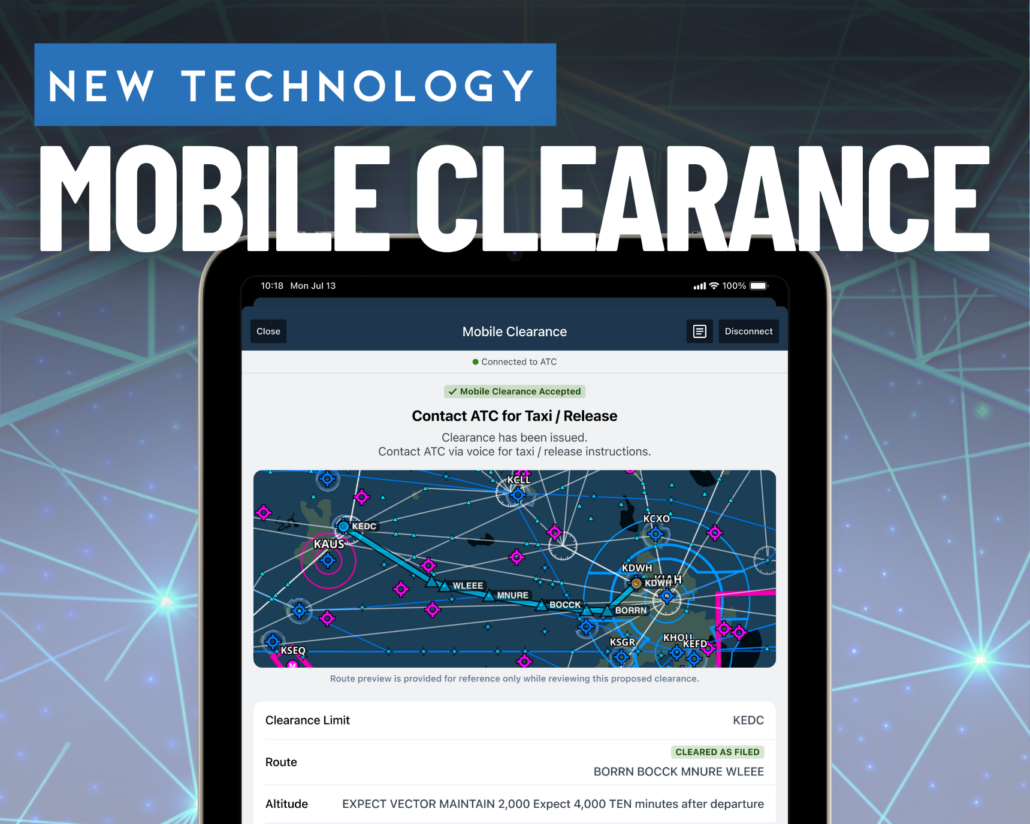
Skip the radio: How to get your IFR clearance sent straight to your app
These are exciting times for general aviation pilots as both portable and installed cockpit technology continues to advance at a rapid pace. Today we take datalink weather for granted on our iPad, enjoy the reliability of digital flight displays in the panel, and are on the cusp of affordable in-flight satellite internet connectivity. The one element still stuck in the past is how we communicate with ATC, using WWII-era VHF radio technology.
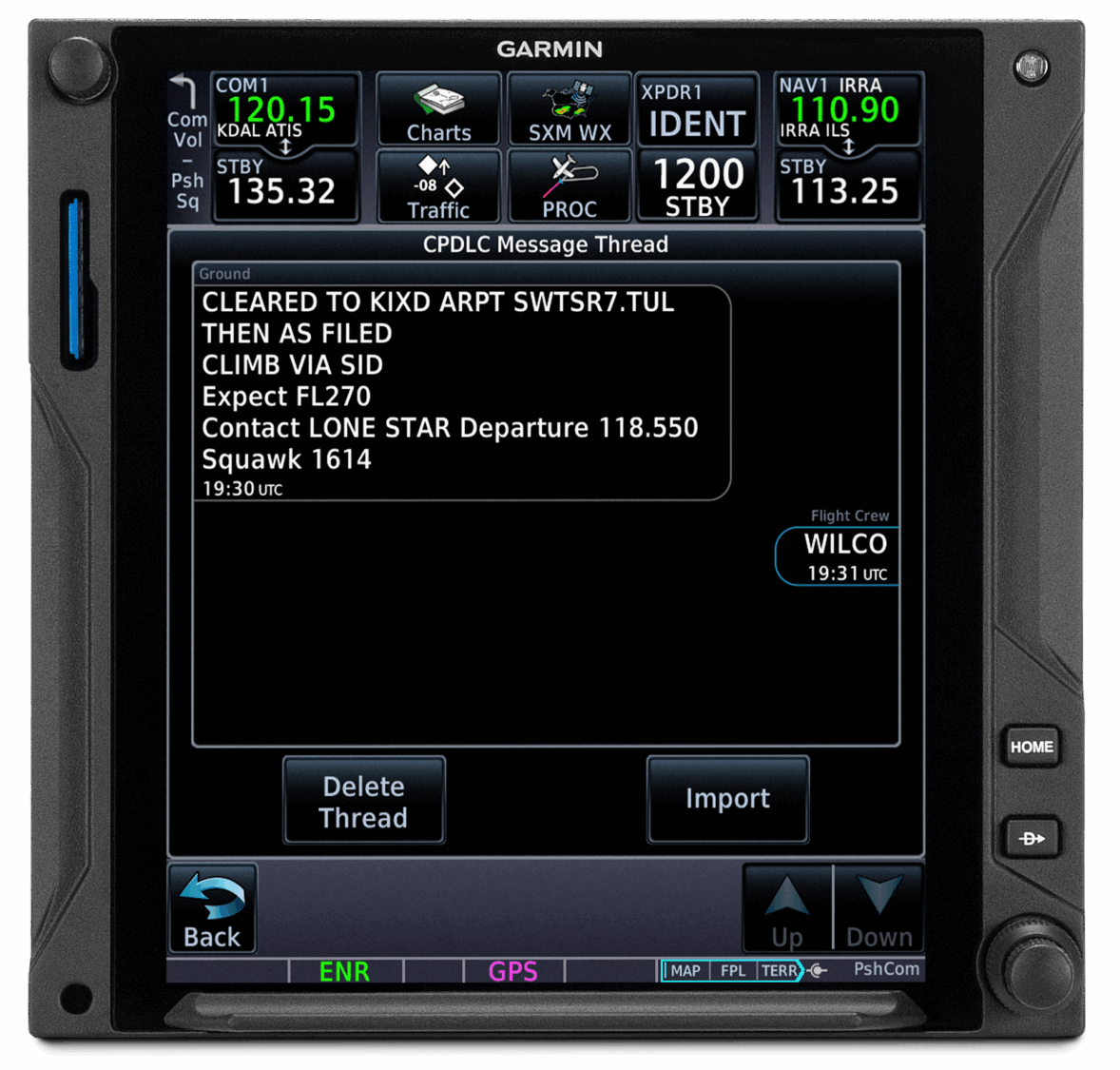
Garmin supports CPDLC datalink communications in their GTN 750Xi navigators.
The airlines have made great progress in replacing VHF communication with datalink text messages during specific phases of flight, mainly because they had to. This started with the FANS (Future Air Navigation System) in the late 1990s to allow high-altitude aircraft flying over the ocean to communicate digitally with ATC, in areas without VHF radio coverage. Around the same time, the CPDLC (Controller-Pilot Datalink Communications) system was developed for continental use in the U.S. and Europe, in an effort to reduce dependence on VHF radio and improve efficiency.
CPDLC is what is used today to supplement VHF communications for airline traffic, delivering text messages to equipped aircraft with IFR clearances, route amendments, altitude changes, ATC handoffs, and more. CPDLC recently became more accessible to high-altitude GA airplanes, thanks to Garmin adding this capability to the Garmin GTN 750Xi navigator.
Up until recently, the most accessible form of datalink communications for general aviation came from the Pre-Departure Clearance (PDC) program, which allows pilots of any airplane type flying IFR to receive an IFR clearance via text message. ForeFlight and Garmin Pilot added support for this back in 2019, but the main limitation today is that it is only available at 70 of the largest airports in the U.S.
FAA Mobile Clearances
The latest evolution in datalink communications was developed by the FAA and is aimed squarely at GA pilots flying with mobile apps on an iPhone or iPad. The system allows pilots to skip the call to Clearance Delivery and request the IFR clearance right from a compatible aviation app. Kudos to the FAA on this program, as they collaborated with MITRE starting in 2016 to begin work on the software, and most recently with ForeFlight and Garmin to develop the front-end interface for pilots.
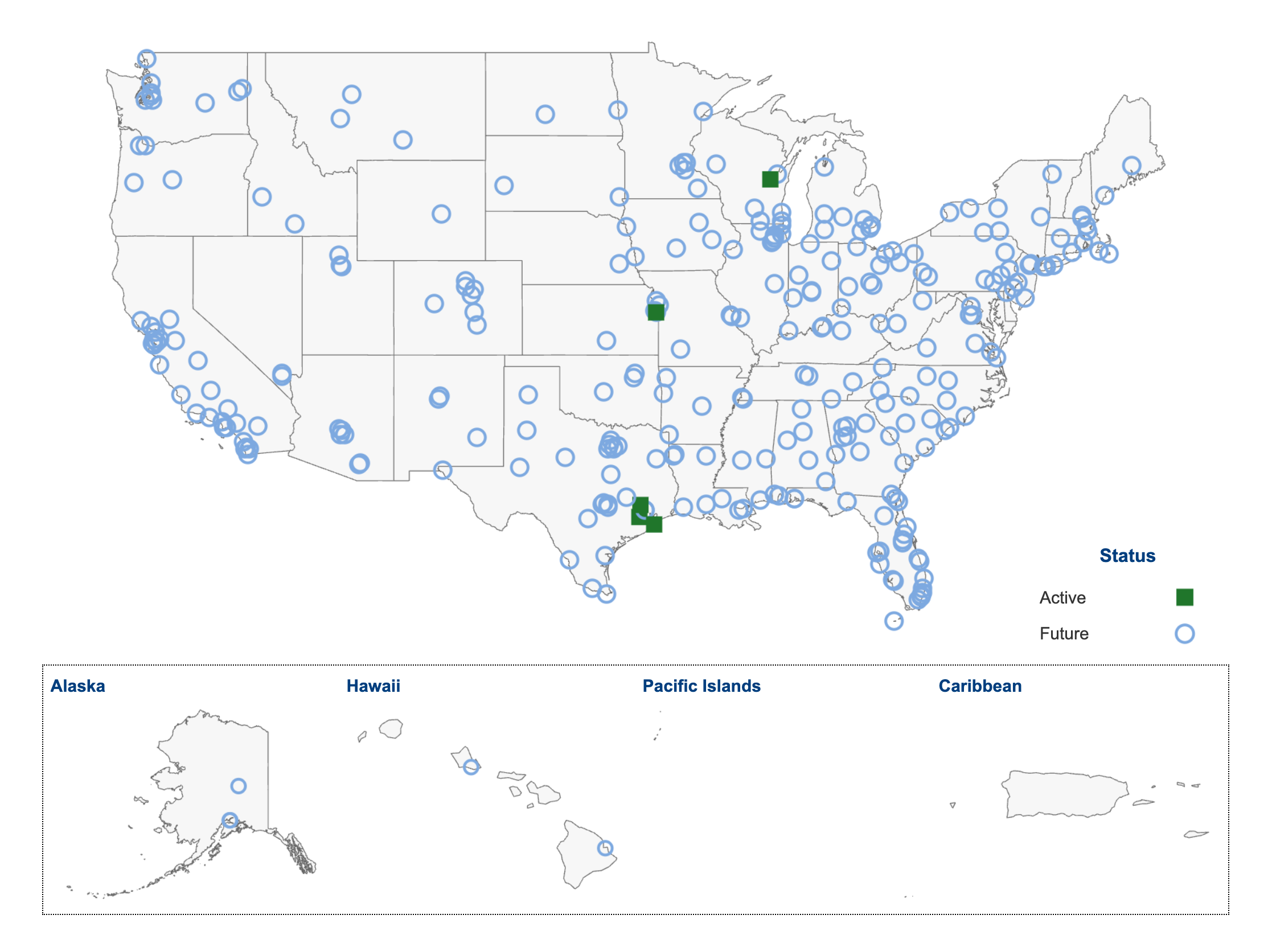
As of August 1, 2026, Mobile Clearances are available at 5 airports:
- Appleton Airport, WI (KATD)
- New Century Airport, KS (KIXD)
- David Wayne Hooks Memorial Airport, TX (KDWH)
- Sugar Land Regional Airport, TX (KSGR)
- Galveston Airport, TX (KGLS)
While the FAA Mobile Clearance program is officially live now, it is still in an evaluation period, as FAA and app developers collect real-world data to continue improving the system. The FAA plans to end this evaluation in early 2027 and transition to deployment of the final product, making it available at the airports shown with light blue rings over the next several years.
How it Works
The best part of this new system is that it works with the hardware you already own: an iPhone or iPad and a Garmin Pilot or ForeFlight subscription. Here’s a look at how the process works when using ForeFlight.
Step 1. File an IFR Flight Plan originating from one of the supported airports
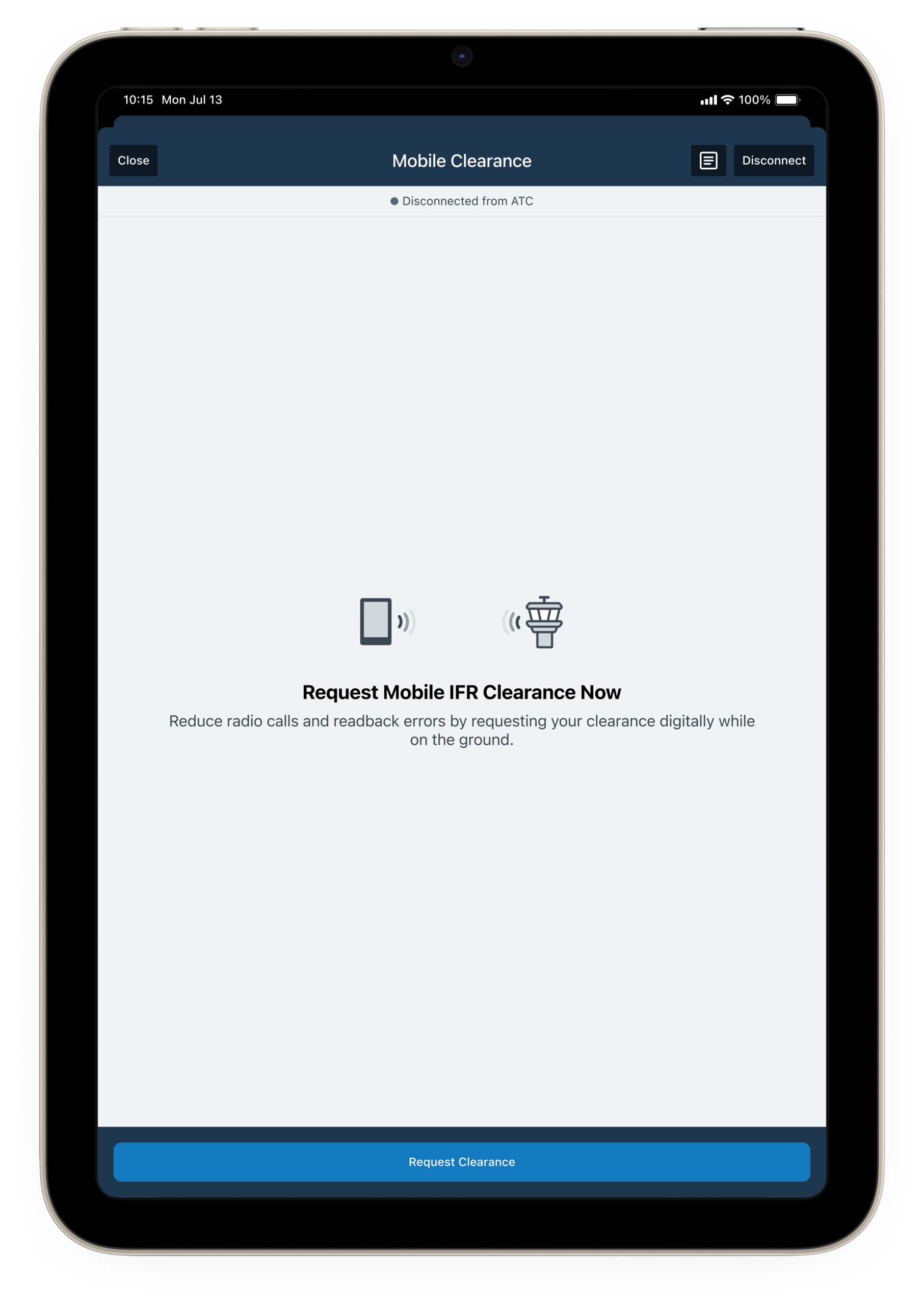
After filing an IFR flight plan from one of the airports that offers mobile clearance, you’ll see a new display at the bottom right of the Flights screen in ForeFlight with the option to Request a Mobile Clearance. You can request a clearance from 30 minutes before to 110 minutes after the filed ETD.
Step 2. Request a Mobile Clearance
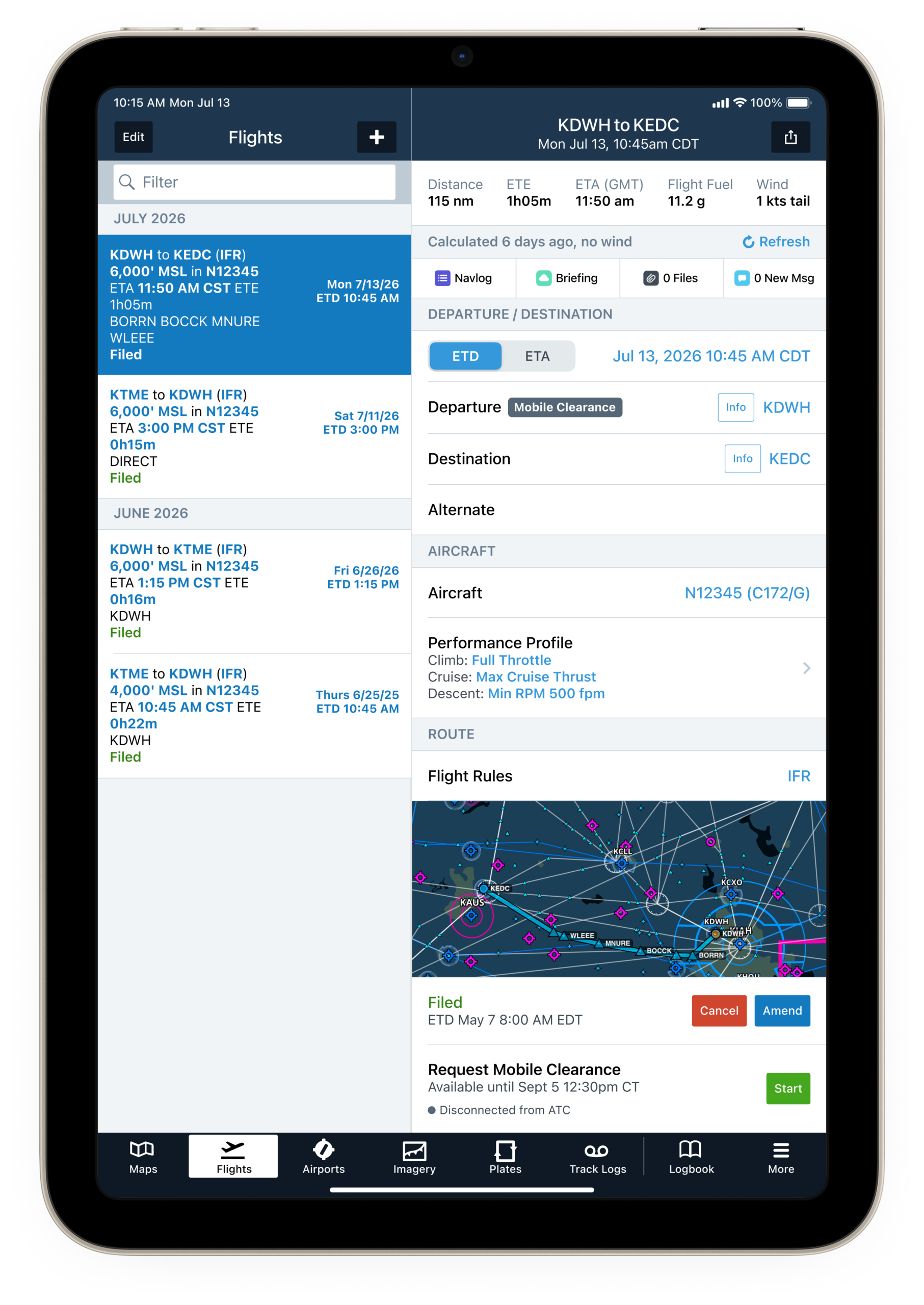
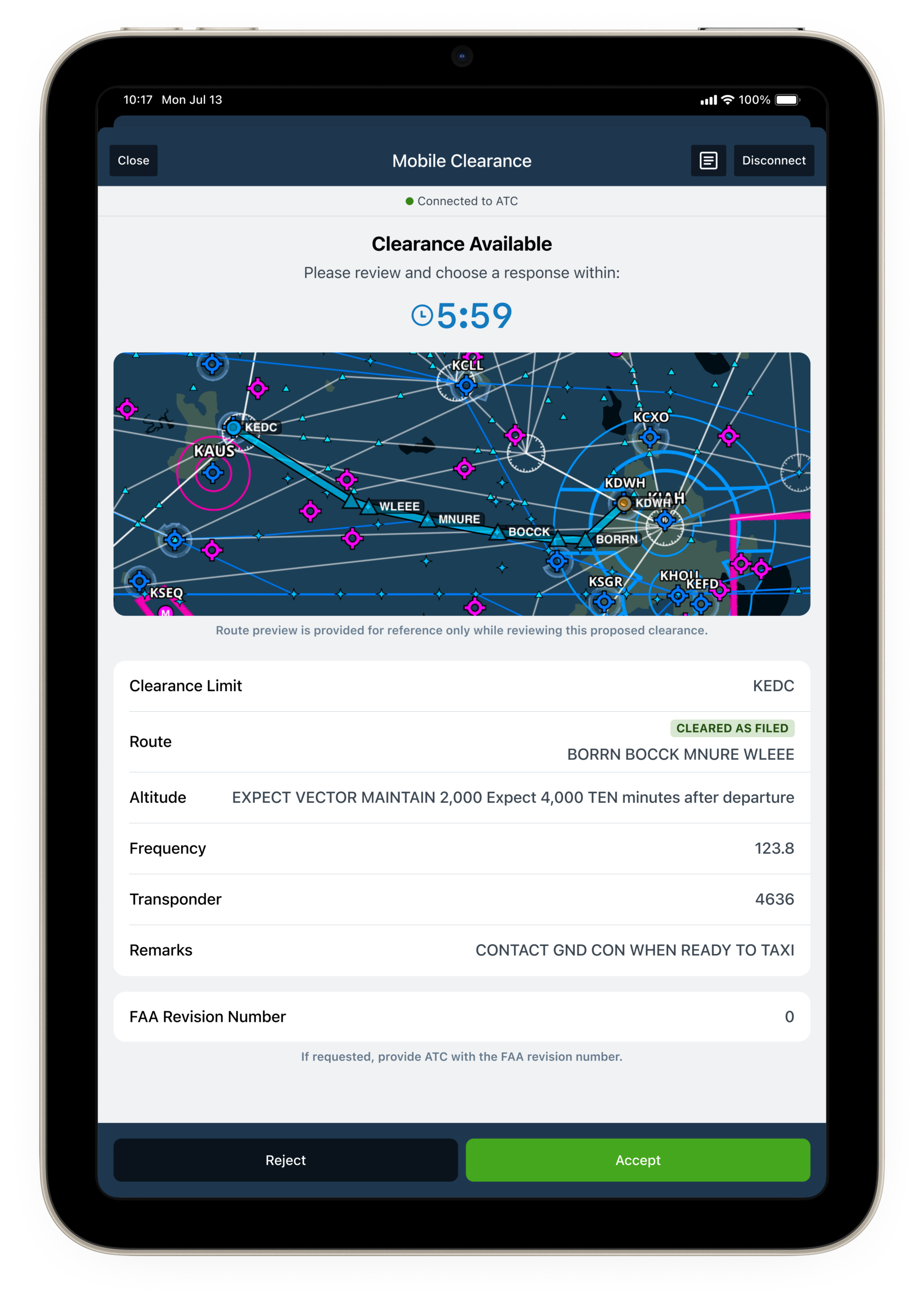
After pressing the Start button on the flights page, you’ll be taken to a screen that will allow you to connect to ATC to request the clearance. This process can take a few moments, so be patient after pressing the Request button. Next, the IFR clearance will be sent and displayed in the app in the familiar CRAFT format, along with a visualization of the route at the top. You now have 6 minutes to review it, and then either accept or reject it.
Step 3. Contact Ground for Taxi Instructions
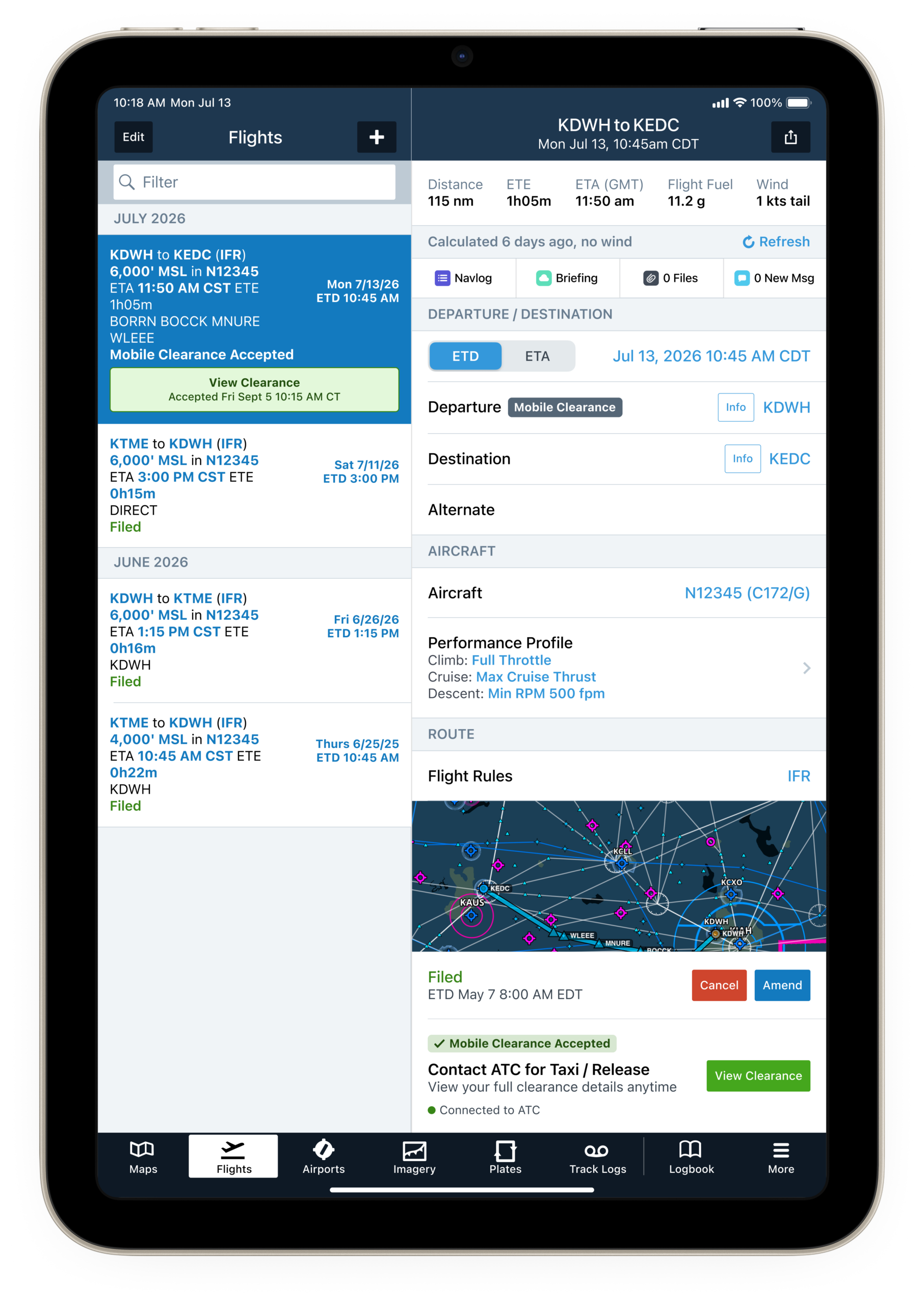
After accepting the clearance, the Flights screen will update to show a confirmation of acceptance. Tap the View Clearance button to view the detailed information again at any point. And that’s it! Now it’s time to contact Ground and request a taxi clearance, and proceed on your flight as normal.
When calling Ground, you are expected to make a normal “Ready for Taxi” call and let them know you have the ATIS. However, since this program is still new to both pilots and controllers, there have been reports that controllers at some airports have asked for additional or unexpected information. The key is to remain patient, flexible, and prepared to still call for your IFR clearance over the traditional frequency if the process doesn’t go as planned.
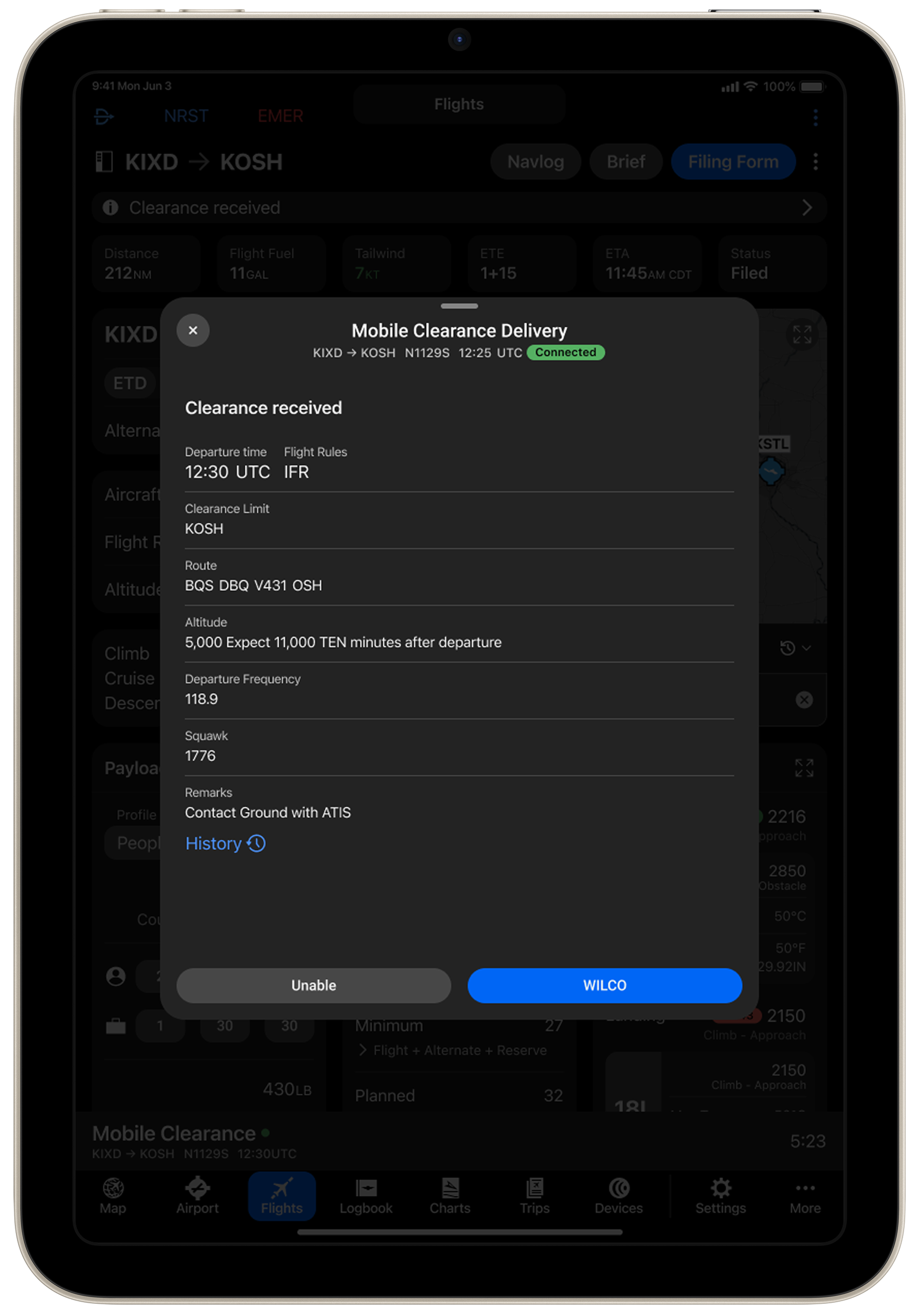
The steps for retrieving a Mobile Clearance is similar in Garmin Pilot, and can be accomplished from the recently refreshed Flights page.
This is just the start of what’s possible with the FAA working directly with industry partners, and there are plans for additional capabilities in the future, including the ability to cancel an IFR flight plan. It’s only a matter of time until we’re all flying with in-flight internet, which will open the door for even more datalink communication capabilities.

- iOS Update Green Light program: iOS and iPadOS 27.2 - November 2, 2026
- iPad mini gets the upgrade pilots have been waiting for - October 28, 2026
- Quiz: What do these aviation iPad app acronyms mean? - October 6, 2026


What happens if you don’t accept or reject the clearance within the allotted 6 minutes? Does it default to rejected?
“Never underestimate the power of showing up every single day.”
The site is mentioned on my profile name for everyone who is interested.”
Can I file using fltplan.com and still pick up the clearance on Foreflight or Garmin, or do I have to file the plan on one of those apps in order to pick up the clearance?