
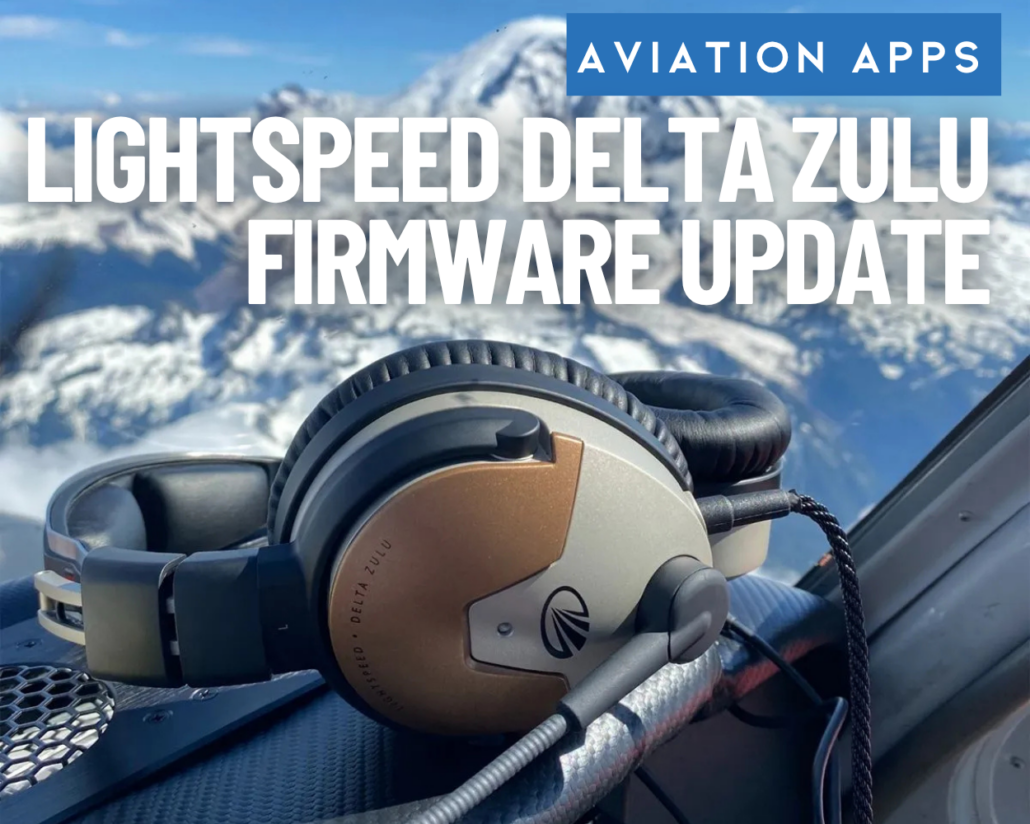
How to Update the Lightspeed Delta Zulu and Load the Rotax Profile
Editor’s note: This article was submitted by Lightspeed Aviation. iPad Pilot News occasionally publishes contributed content from industry partners when it offers practical information relevant to our readership.
What the New Lightspeed Firmware Update Means for Pilots
Released on October 20, 2026, the update adds access to a new Rotax-specific ANR and Audio Profile through the Lightspeed App.
If you’re like most pilots today, software updates are simply part of flying.
Before a trip, you update charts on your iPad, download the latest ForeFlight release, refresh navigation databases, and verify that everything is current before heading to the airport. The idea that cockpit technology improves through software has become routine.
Aviation headsets, however, have largely remained an exception. Most perform essentially the same way throughout their service life as they did when they left the factory. If new features become available, the usual solution is to buy a newer model.
That’s what makes this firmware update for the Lightspeed Delta Zulu noteworthy. Released on October 20, 2026, the update adds access to a new Rotax-specific ANR and Audio Profile through the Lightspeed App, bringing a new capability to an existing headset without changing the hardware.
For pilots who fly Rotax-powered aircraft, the update introduces a profile developed around the acoustic characteristics of Rotax engines. It also illustrates how software updates can add functionality to existing aviation equipment.
Getting Started
Before beginning, Lightspeed recommends updating the Lightspeed App to the latest version available from the App Store. Once the app is current, turn on the headset and connect it to your iPhone or iPad via Bluetooth®.
Step-by-Step Firmware Update
- Confirm that you have installed the latest version of the Lightspeed App on your iPhone or iPad.
- Turn on your Lightspeed Delta Zulu headset.
- Connect the headset to your device via Bluetooth®.
- Wait for the firmware update prompt to appear.
- Follow the on-screen instructions to install the firmware.
- Wait for the “Update Completed” confirmation message.
The update prompt should appear within approximately 15 minutes after the headset connects to the app. Installation time varies, but Lightspeed advises allowing approximately 15 to 20 minutes for the firmware update process.
Loading the Rotax Profile and Switching Profiles
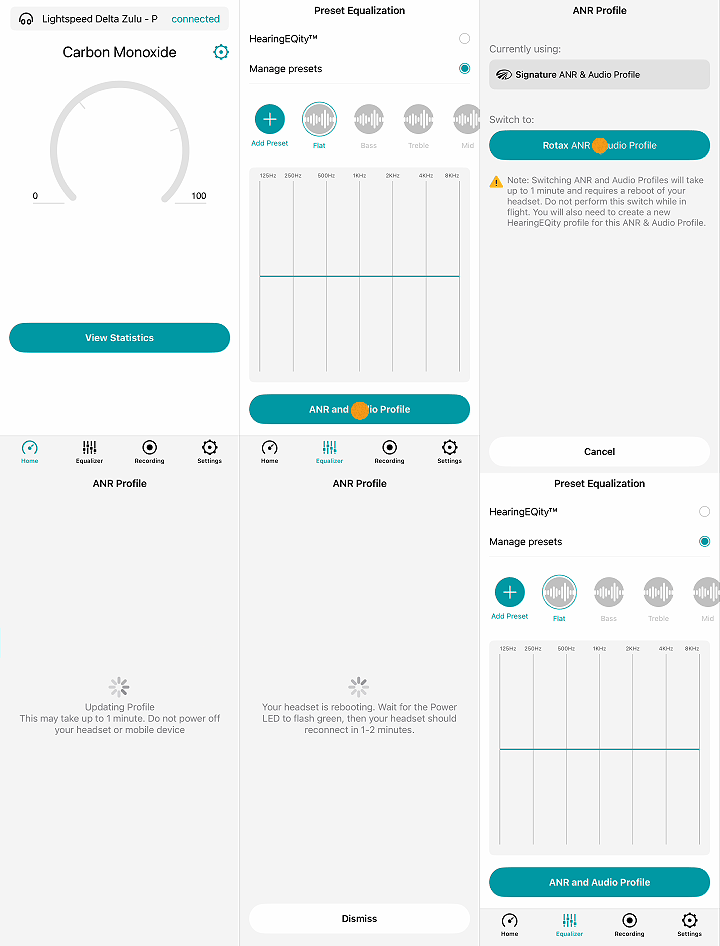 After the firmware is installed, the new profile can be accessed through the Lightspeed App.
Step-by-Step Rotax Profile Installation
- Open the Lightspeed App.
- Tap Equalizer.
- Select ANR and Audio Profile.
- Under Switch To, choose Rotax ANR & Audio Profile.
- Confirm that you are not currently in flight.
- Tap Load Rotax ANR & Audio Profile.
- Allow the headset to reboot and complete the installation process.
Lightspeed advises allowing approximately 15 to 20 minutes for the initial profile installation.
Pilots who fly multiple aircraft can switch between the Rotax profile and the Signature Lightspeed profile.
To return to the Signature profile, follow the same steps and select Signature ANR & Audio Profile instead of the Rotax profile. Subsequent profile changes are significantly faster, taking roughly 30 seconds.
Plan Ahead Before Flying
One important detail for pilots is that communications are unavailable while the headset reboots and loads a profile.
For that reason, Lightspeed recommends completing firmware updates and profile changes on the ground before flight rather than attempting the process in the cockpit before departure.
A practical approach is to treat the update like a chart download or EFB software update: complete it the evening before a flight or while preparing the aircraft at the hangar, rather than immediately before starting the engine.
What This Means for Pilots
The Rotax profile will likely be of greatest interest to pilots who regularly fly behind Rotax powerplants. The update also demonstrates how software can change the functionality of an existing headset.
Previous Delta Zulu firmware updates have supported features such as HearingEQity®, app-based customization, flight recording functionality, and carbon monoxide monitoring integration. The Rotax profile extends that approach by modifying one of the headset’s core functions through software.
For Delta Zulu owners who fly Rotax-powered aircraft, the update provides another audio profile to choose from. More broadly, it offers an example of how software updates can add capabilities to aviation equipment after purchase.
For more information about the Lightspeed Delta Zulu and its features, visit LightspeedAviation.com.
- How to Update the Lightspeed Delta Zulu and Load the Rotax Profile - November 3, 2026

Leave a Reply
Want to join the discussion?Feel free to contribute!