
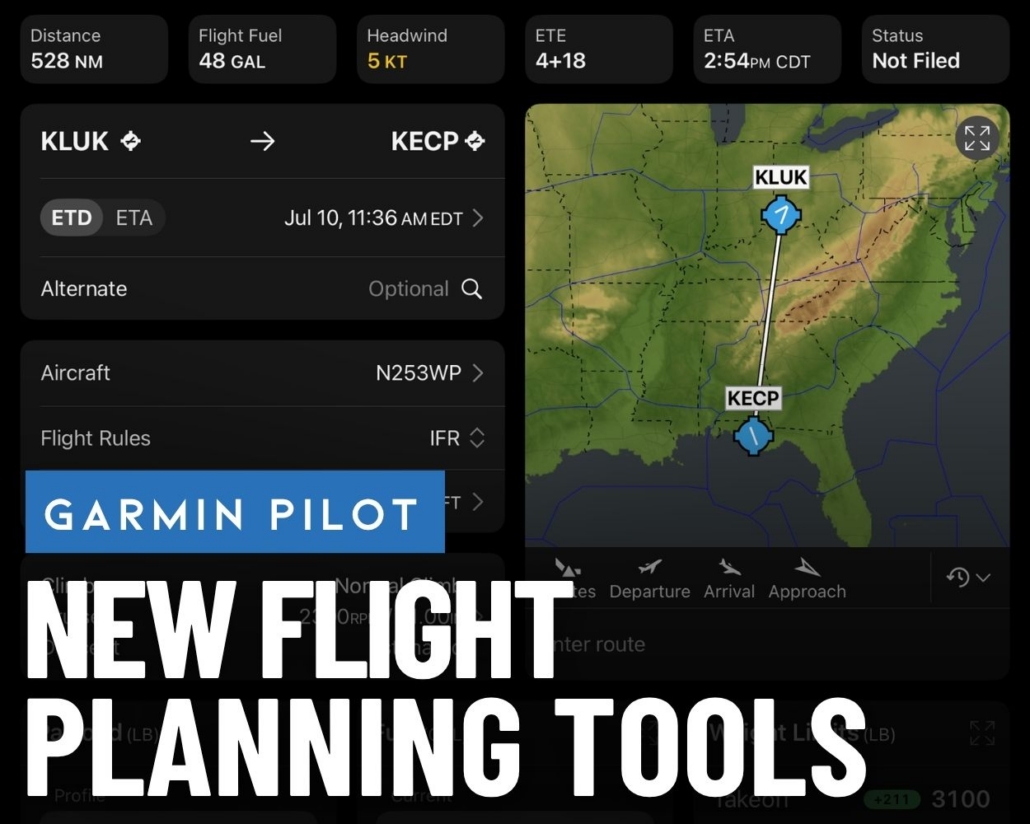
Garmin Pilot app simplifies flight planning for pilots
Garmin Pilot has always led the pack as the premier in-flight navigation app, thanks to its highly customizable map and split-screen capabilities. It can interface with the widest range of external devices, including Garmin Flight Stream, SiriusXM, Iridium, Garmin watches and numerous portable ADS-B receivers.
Garmin’s app has not been without its faults, though, as many pilots have found its flight-planning functionality less intuitive. Those days are over now thanks to a redesigned Flights page in the latest update. This new feature streamlines the preflight process, bringing route planning, weight and balance, fuel planning, briefing, and more into a single cohesive experience.
The latest app update also includes the FISK VFR arrival in the Garmin navigation and SmartChart database.
Garmin Flights
The new Flights page is your one-stop shop for everything you need to plan your next flight. The first change you’ll notice are thoughtfully designed widgets that break down the flight-planning process into individual steps:
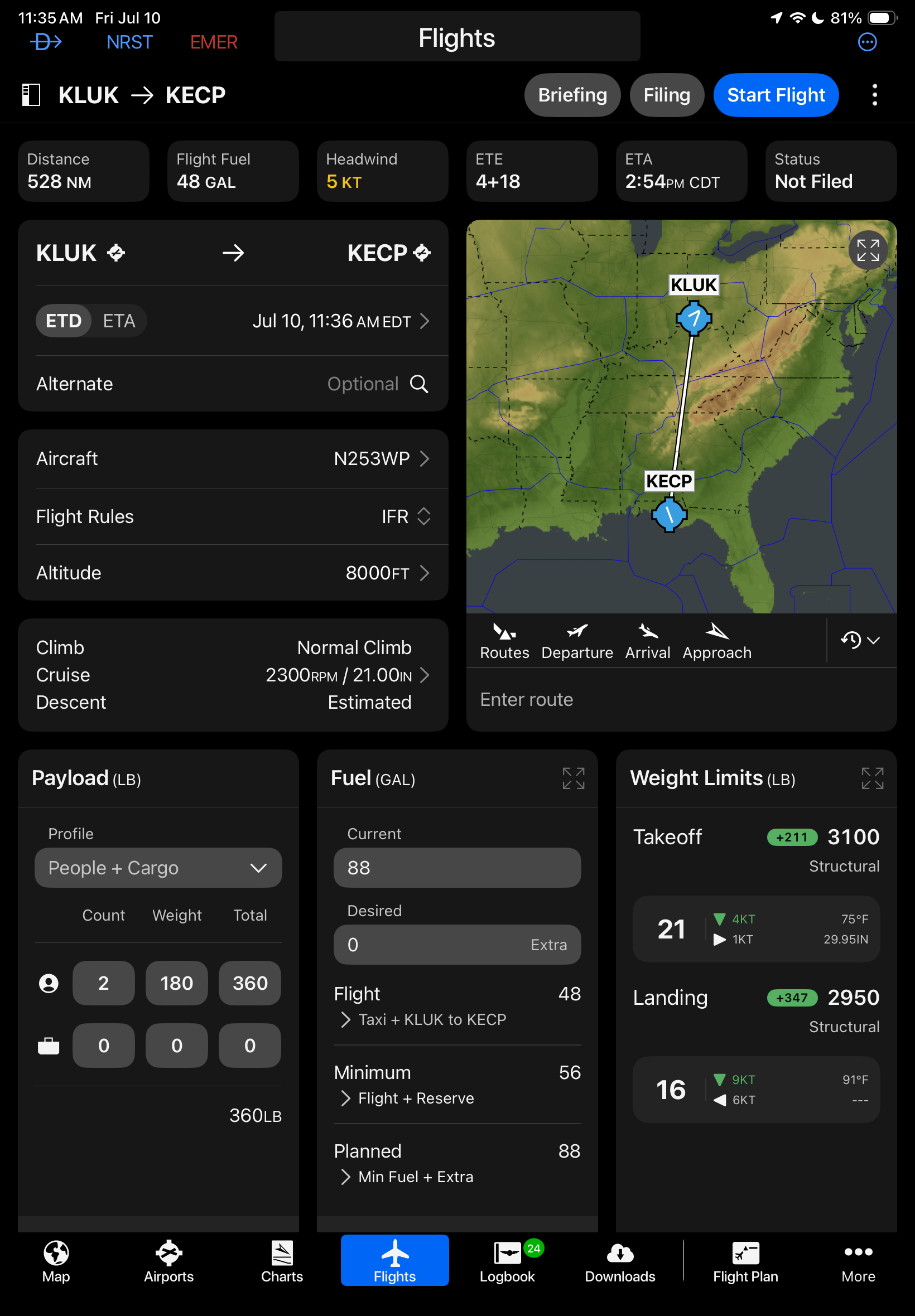
Start by entering the basic flight details, including airports, departure time, aircraft, altitude and performance profile:
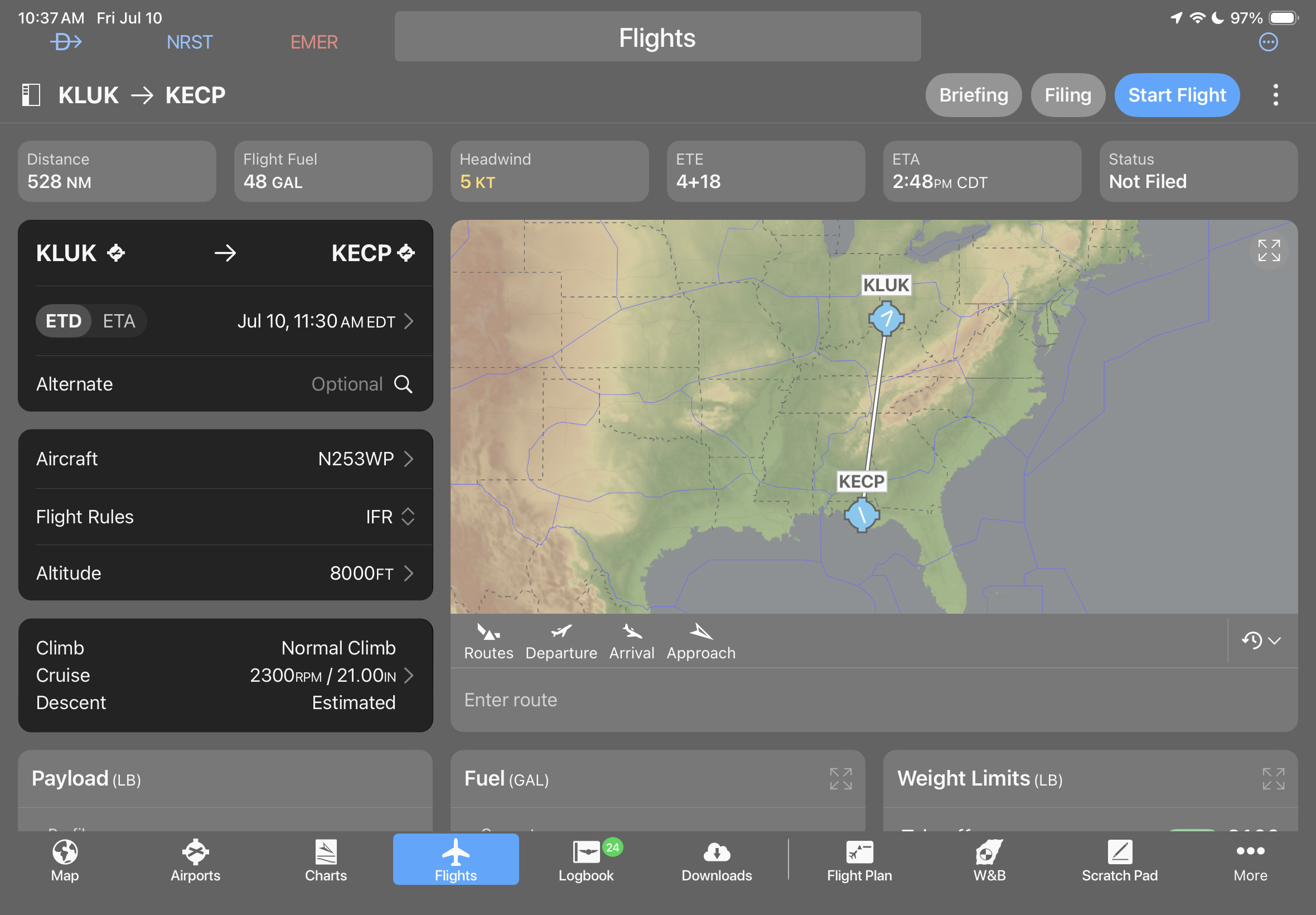
You’ll then see the preliminary direct-to route on the map widget, with route entry and procedure buttons underneath. Use one of these four shortcut buttons to view ATC routes or quickly add an IFR Procedure:
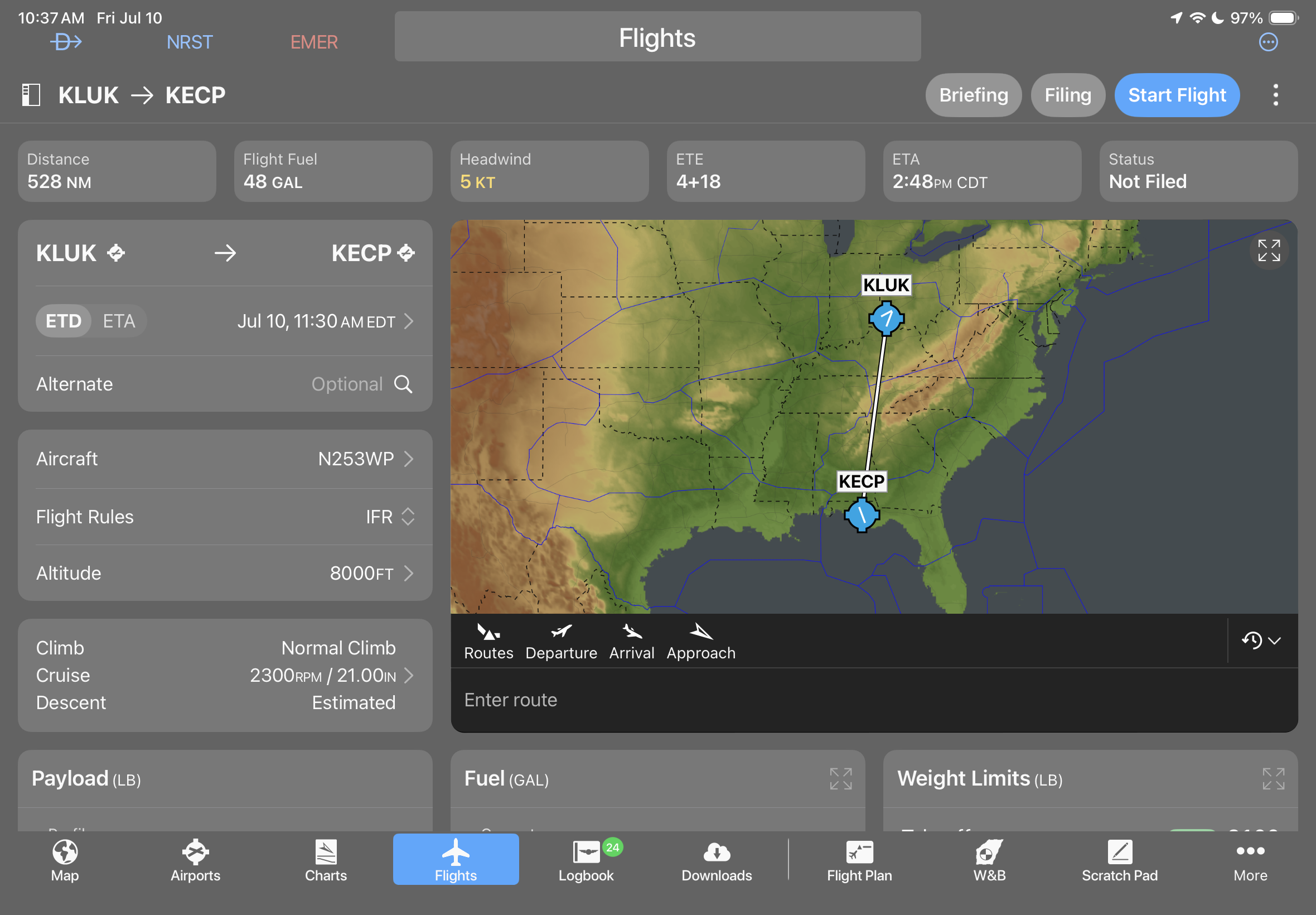
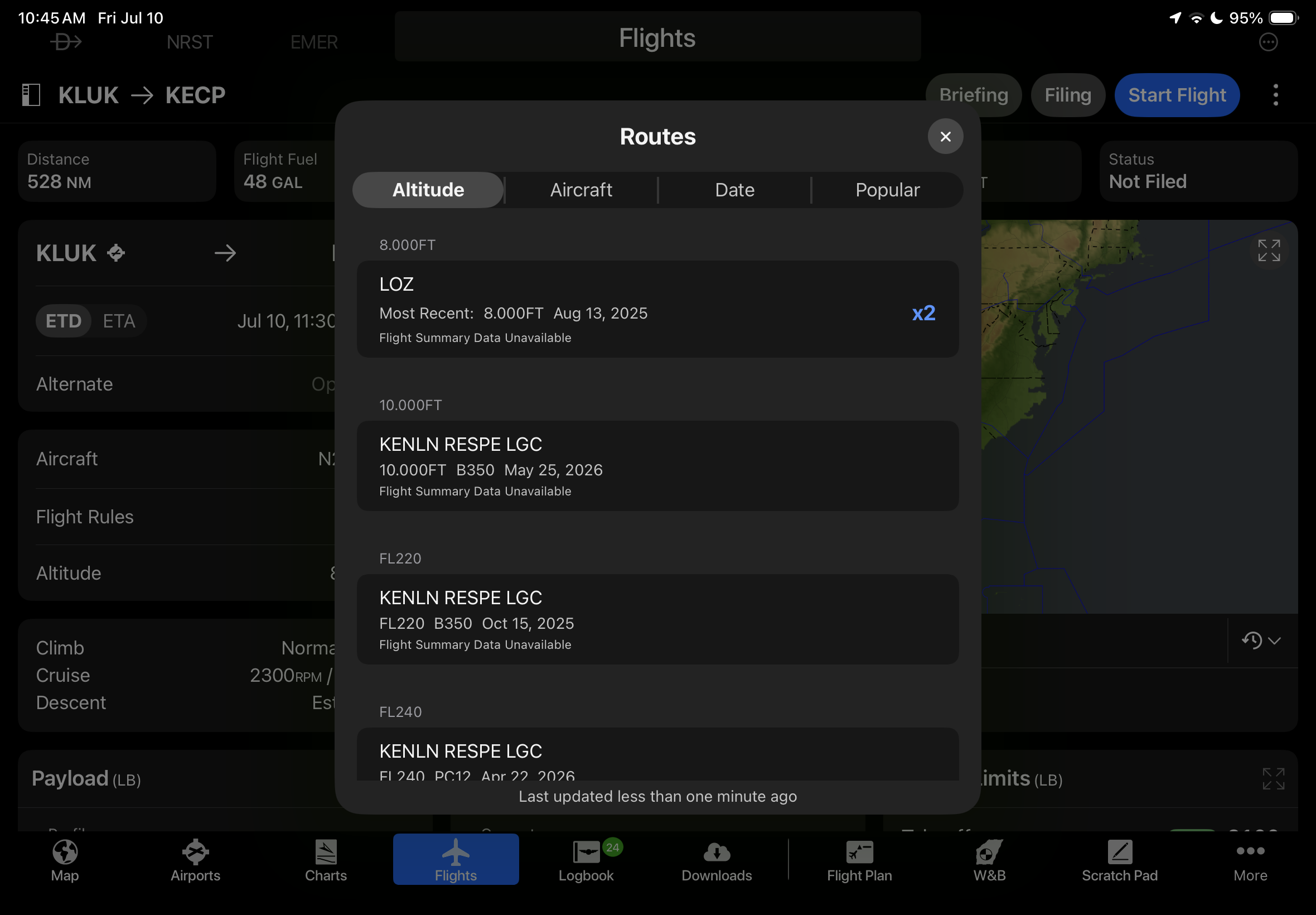
The Routes shortcut displays previously cleared ATC routes, which can be sorted by altitude, aircraft type, date or most popular:
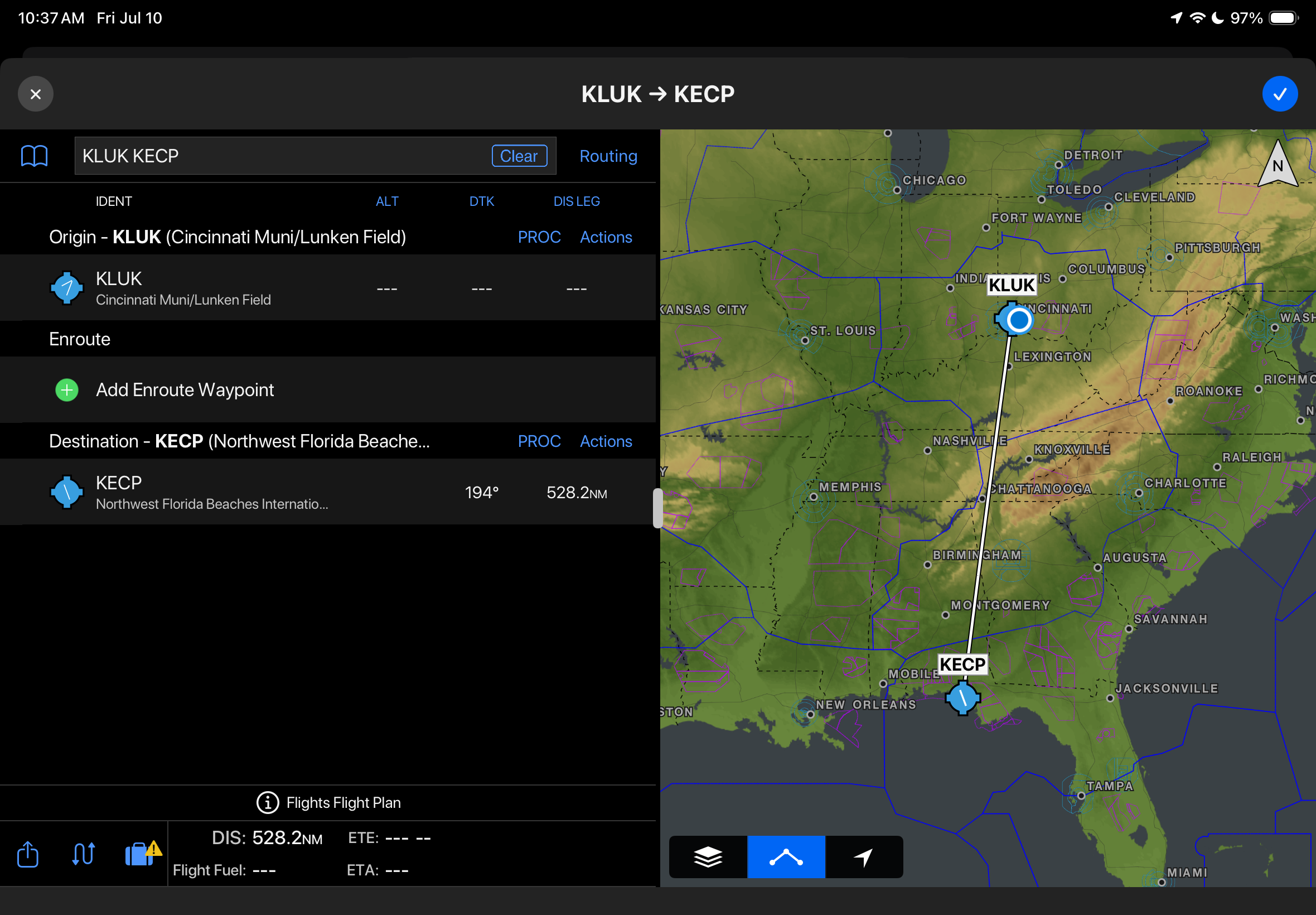
Tap the fullscreen button on the map to view the traditional Garmin flight plan editor:
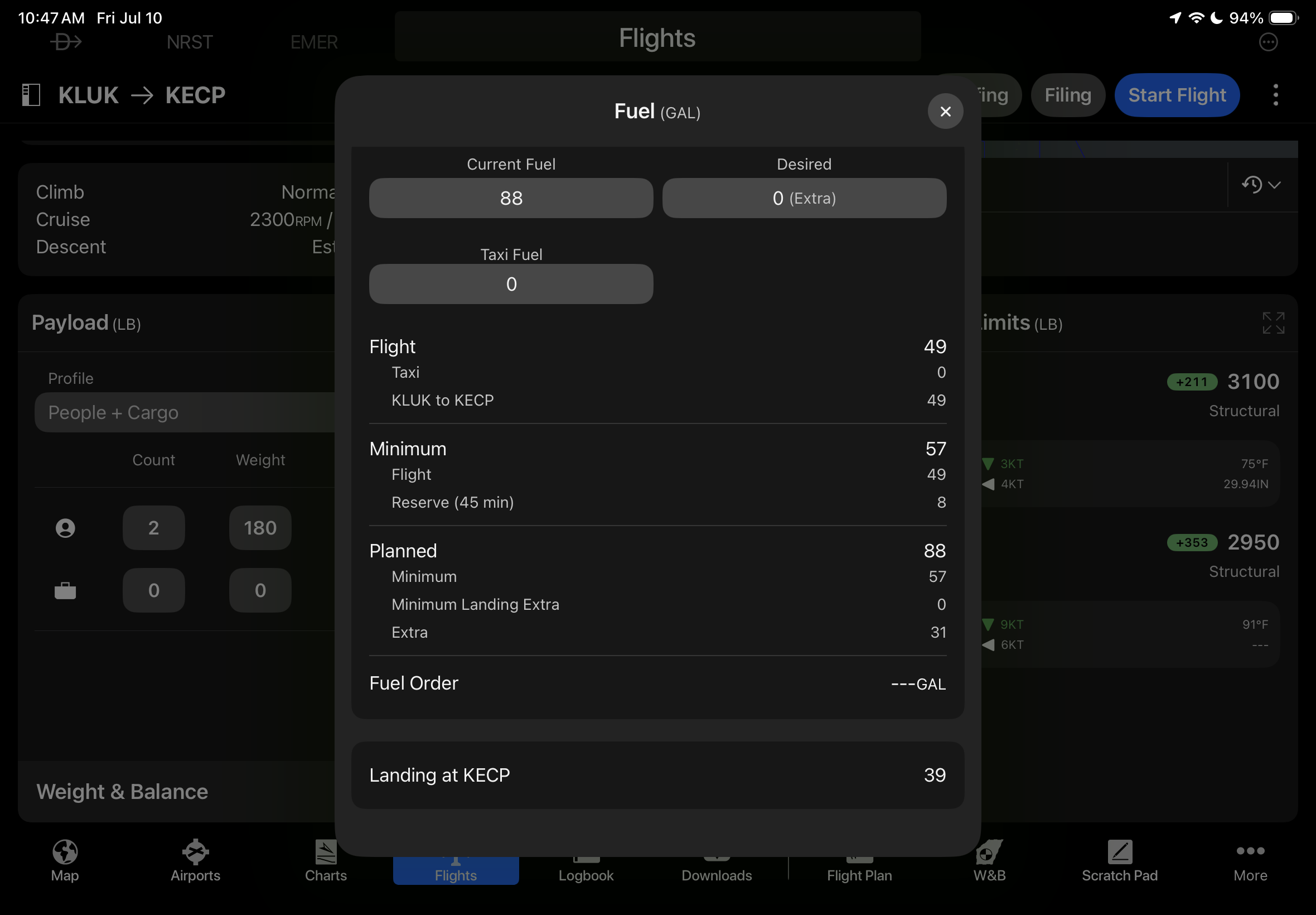
Next, enter your payload data and departure fuel. The fuel section can be expanded with additional details to help you determine the optimum amount:
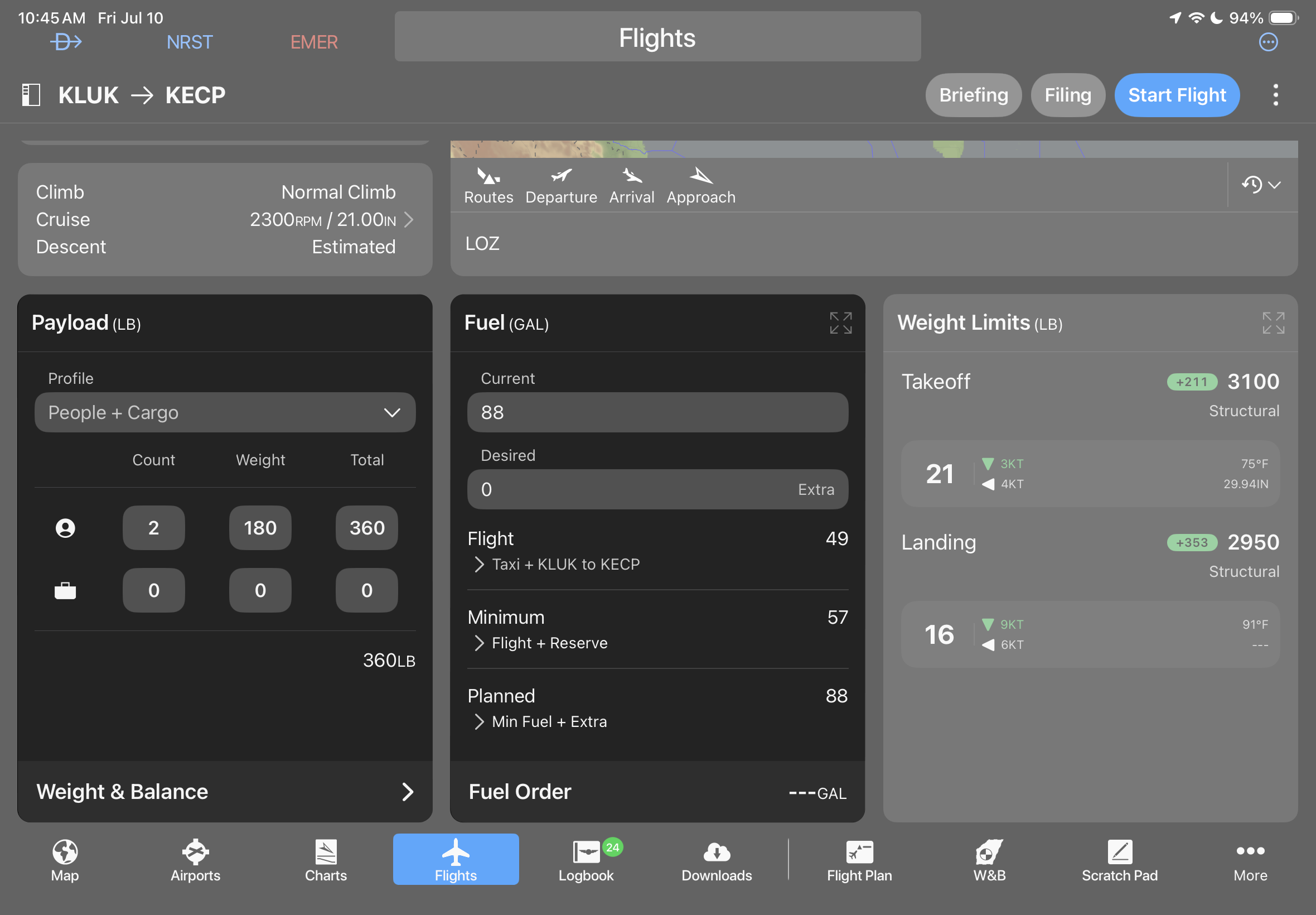
The last data block shows the planned takeoff and landing weights for a final preflight check. This also shows the expected runway based on current winds:
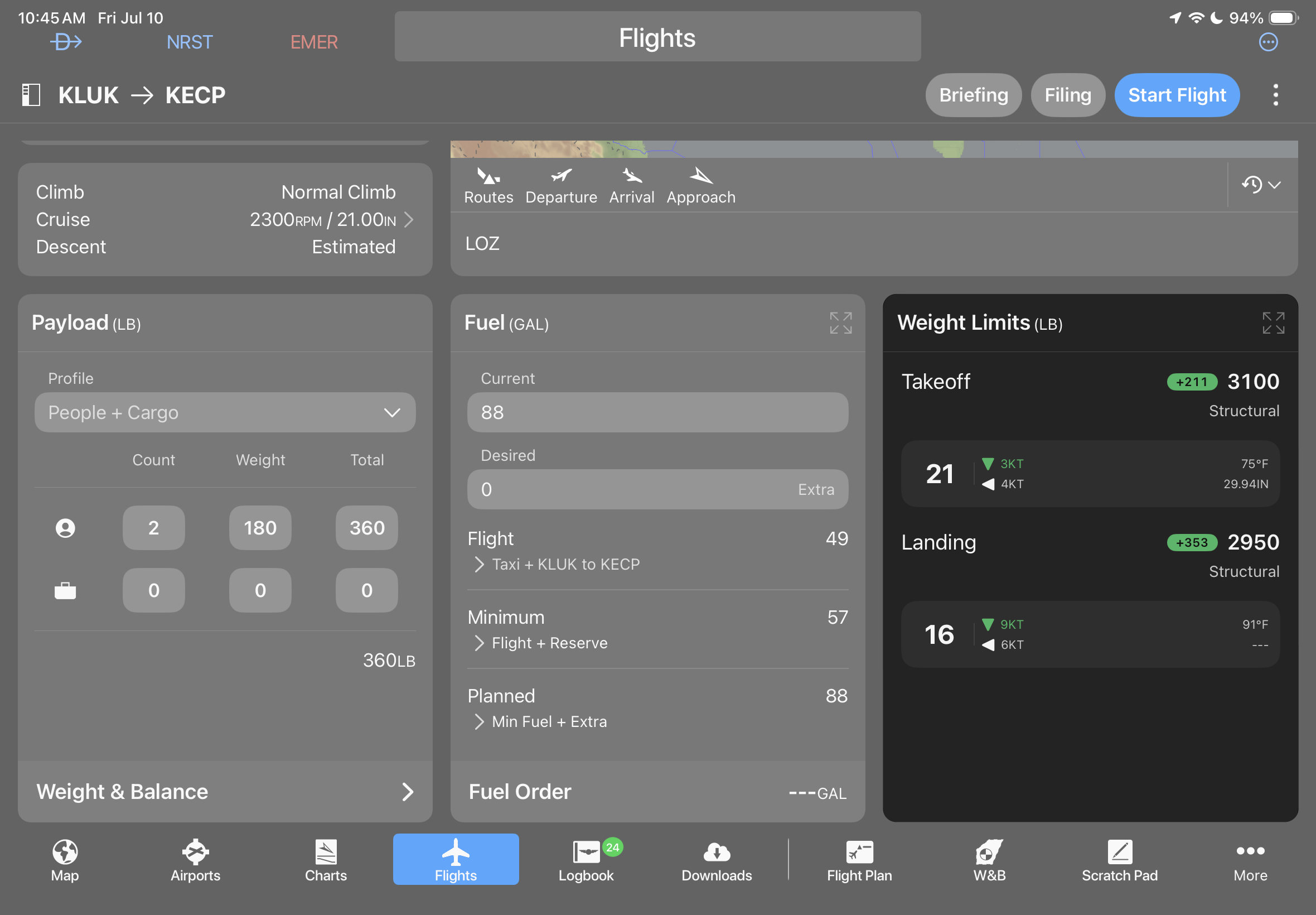
Now that you’ve finished entering the flight data, use the Briefing and Filing buttons at the top right to retrieve a weather briefing and file your flight plan:
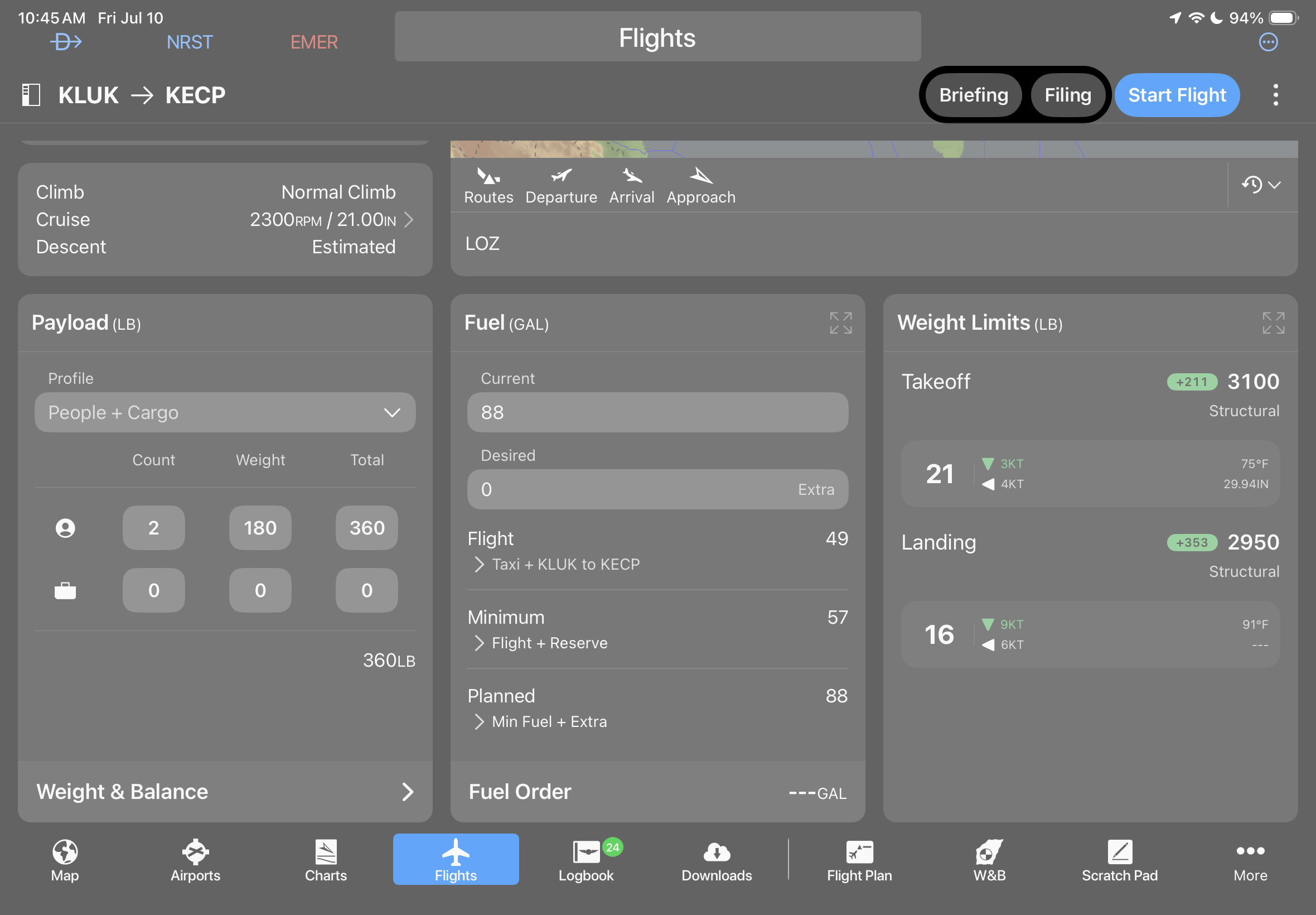
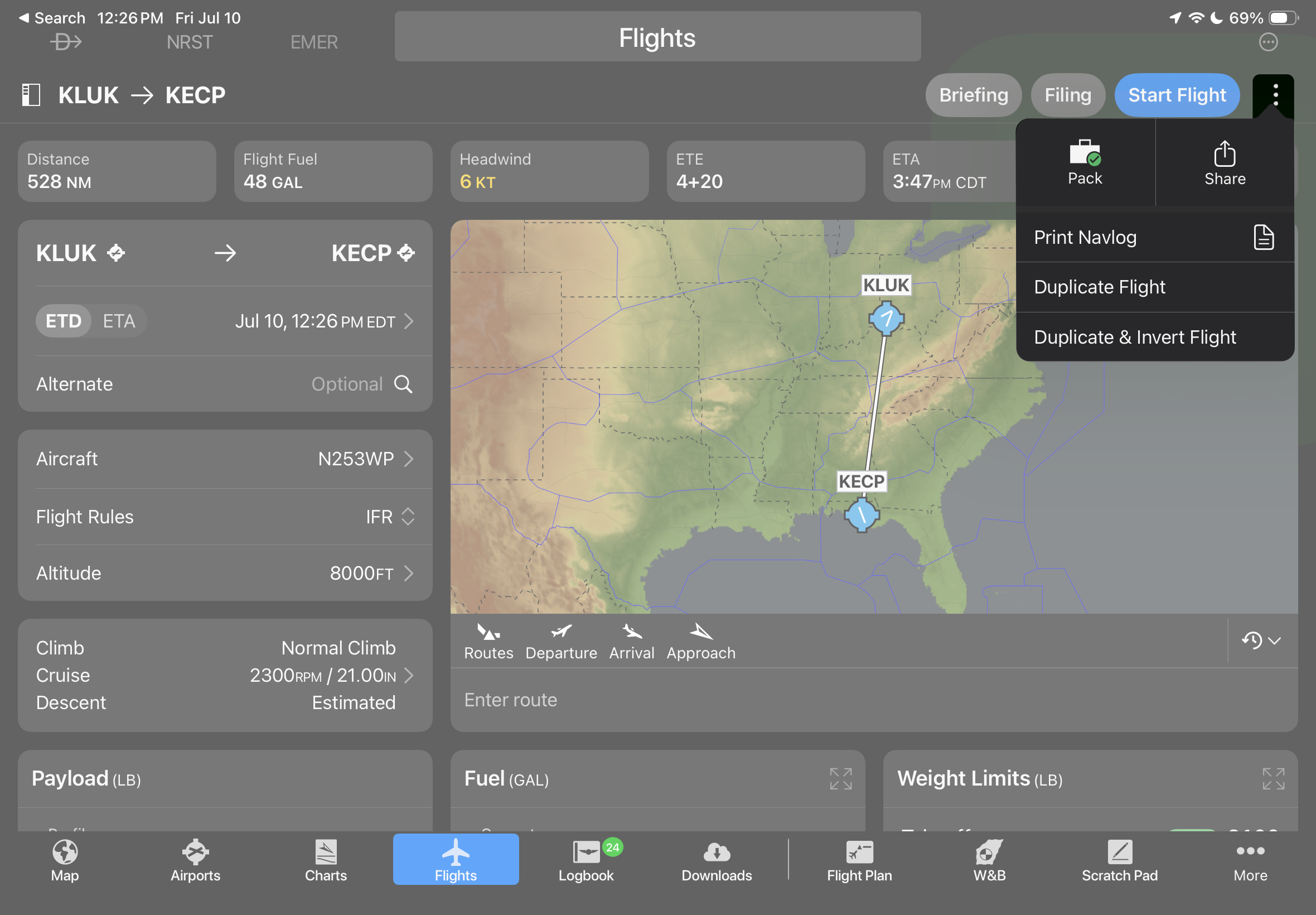
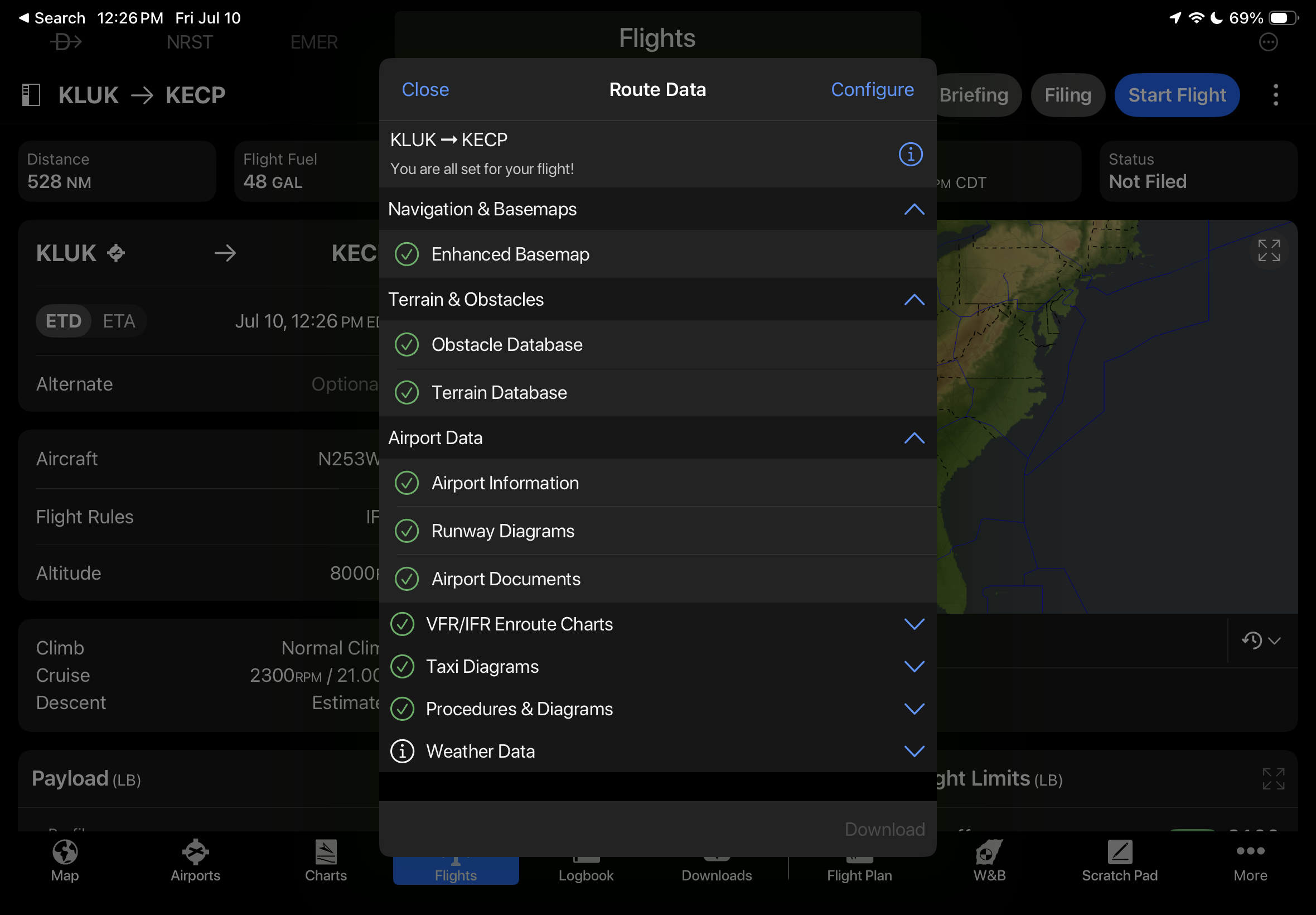
Lastly, tap the 3-dot button at the top right to access the Pack feature, which ensures all navigation databases and charts are saved to your device for offline viewing. If we had one criticism of this new design, it would be to make the Pack feature a dedicated button on the Flights page, since it’s easy to miss when buried in a menu.
The best part of the new Flights page is that it takes just a few seconds for a VFR pilot to plan a basic flight between airports, while also providing all the advanced capabilities the pilot of a high-performance airplane needs to plan a complex IFR flight in busy airspace.
Oshkosh Planning
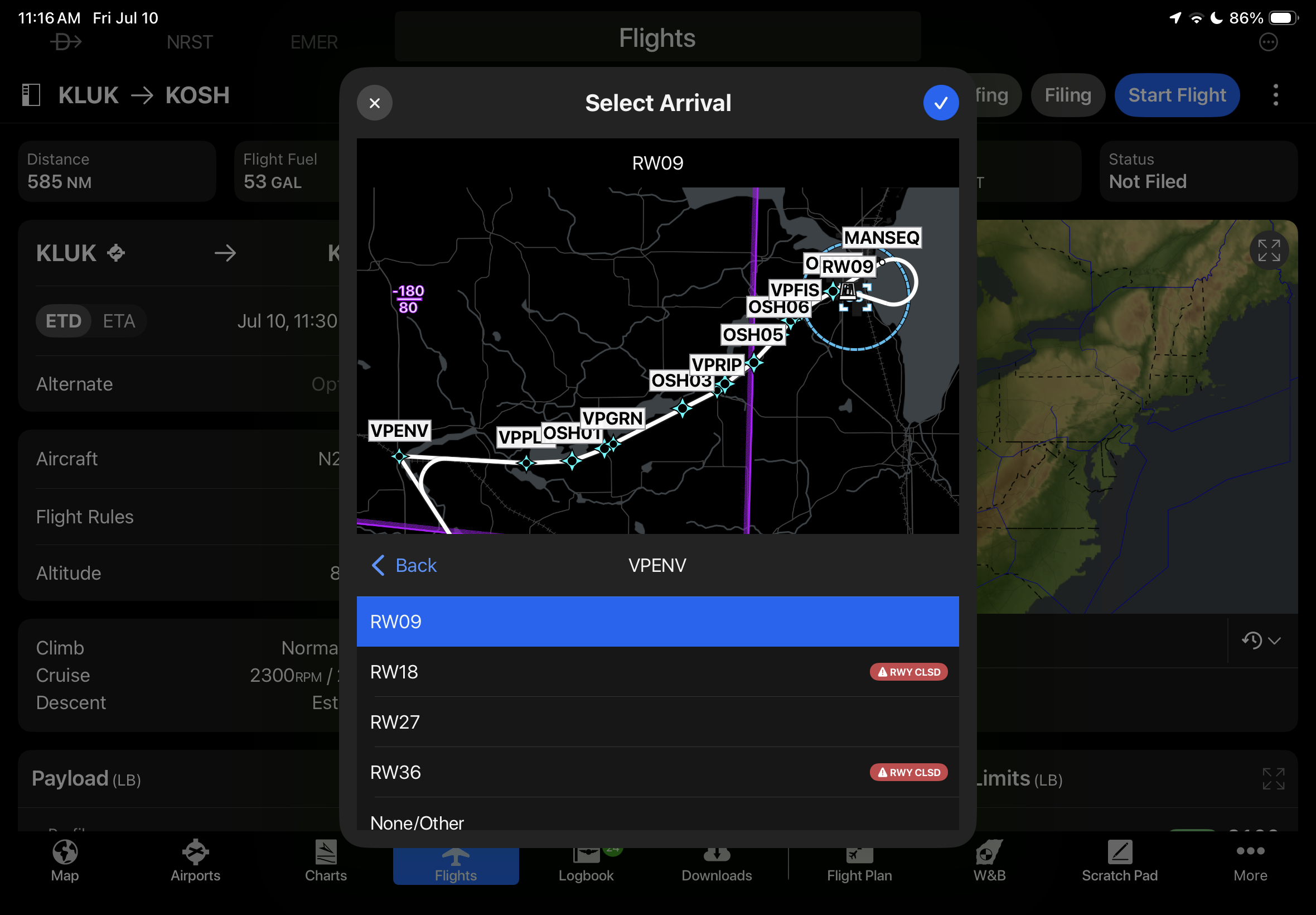
Garmin again included helpful tools to help pilots plan and fly the trip to Oshkosh this year. Starting in the new Flights page, you can select the FISK arrival using the Arrival button under the map. This will load the full sequence of waypoints, which can then be sent to the active flight plan in the panel, for those flying with a Flight Stream system:
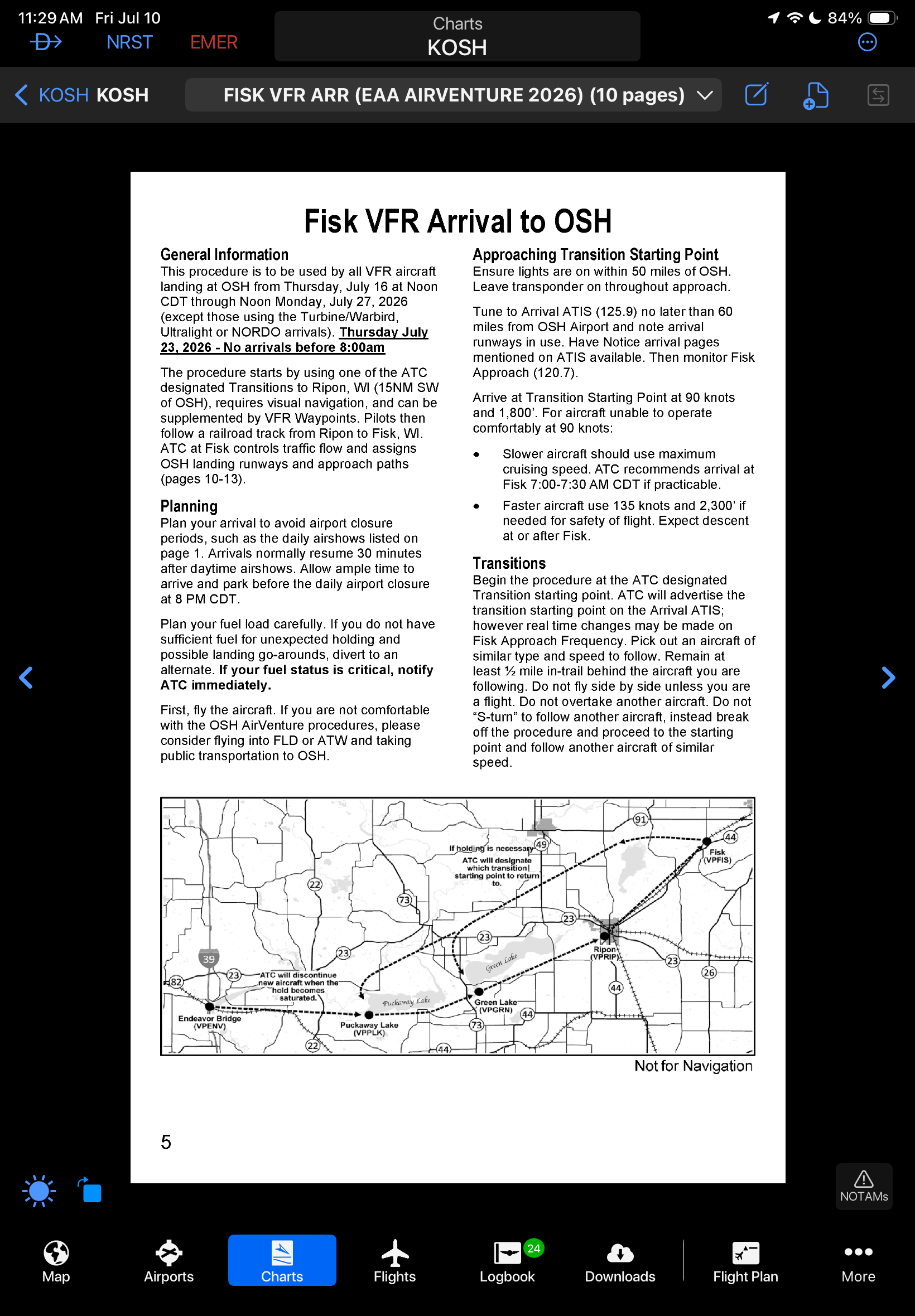
The full description of the FISK arrival is also included as an Arrival Procedure in the FliteCharts available for KOSH:
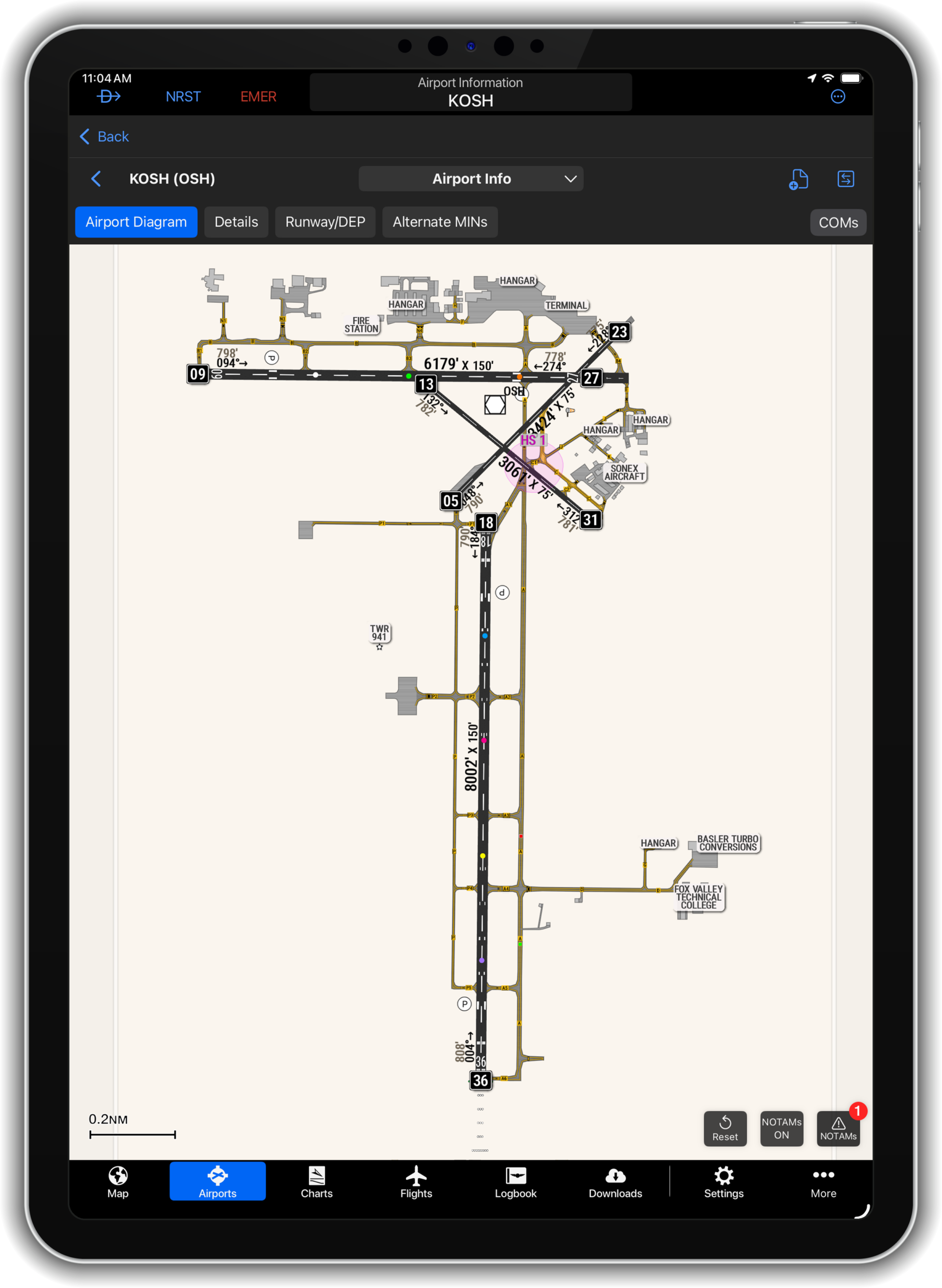
Lastly, the custom airport diagram for KOSH was also enhanced to include colored runway dots used by ATC, making it easier for pilots to brief and fly to the assigned landing point:

- Quiz: What do these aviation iPad app acronyms mean? - October 6, 2026
- How to retrieve a Mobile IFR Clearance using Garmin Pilot - September 30, 2026
- iOS Update Green Light program: iOS and iPadOS 27.0.1 - September 28, 2026

