
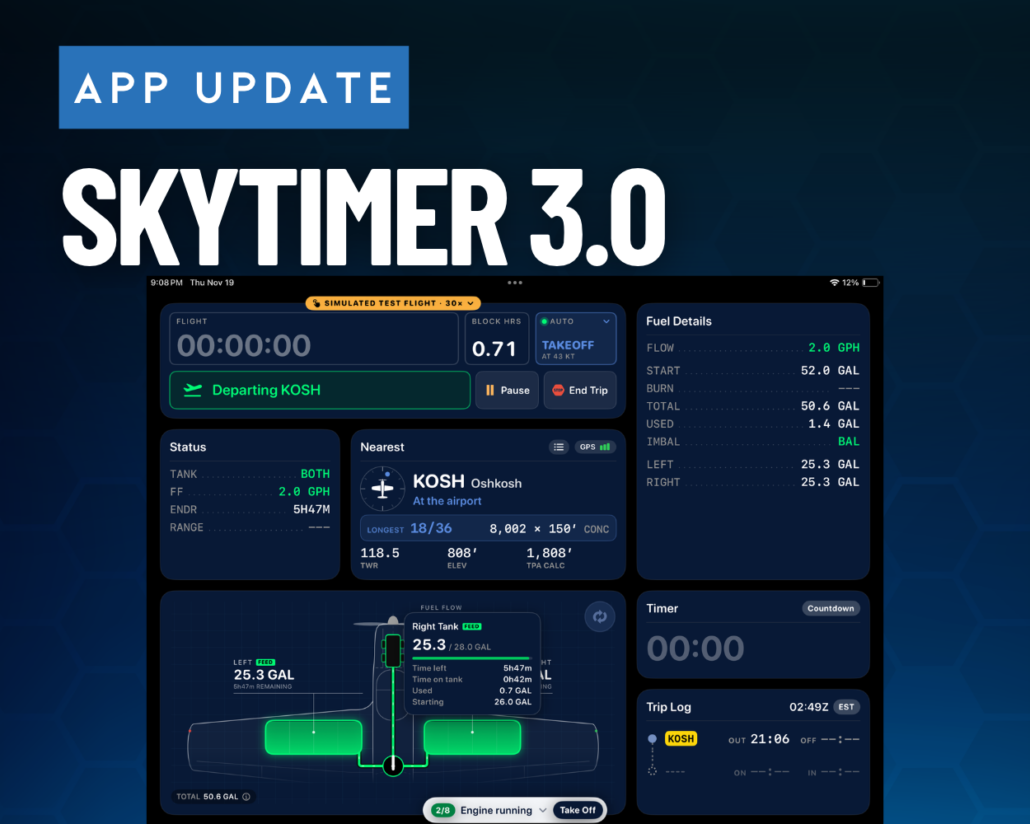
SkyTimer 3.0 brings live fuel diagrams and nearest-airport tracking
SkyTimer has long been one of our favorite single-purpose aviation apps—earning a spot on our annual Top 20 Aviation Apps list by doing a couple of critical cockpit jobs exceptionally well without getting in the way. Since we first reviewed the app in 2022, it has steadily evolved from a simple timer into a capable multi-tank, multiengine fuel manager, adding Apple Watch and Dynamic Island tools, support for up to seven tanks and four engines, and a dedicated iPad app earlier this year.
The newly released SkyTimer 3.0 represents the biggest overhaul yet. Rather than just adding another menu or toggle, the update redesigns the core flight experience around at-a-glance situational awareness across iPhone, iPad, and Apple Watch.
A visual, interactive fuel system schematic
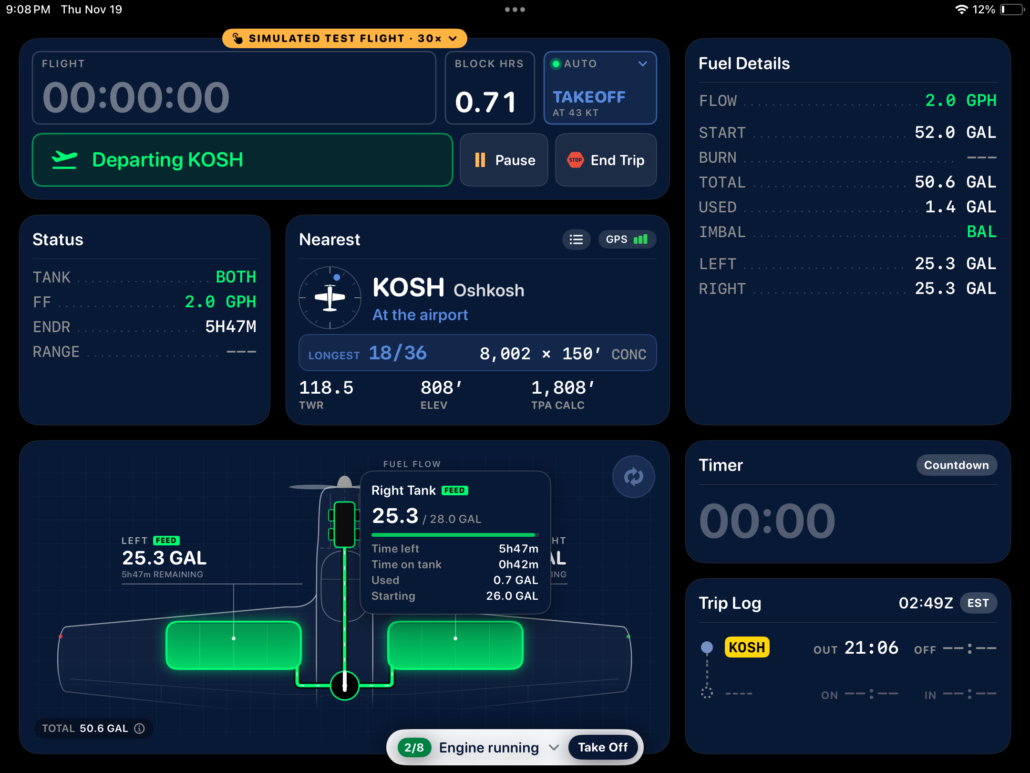
The headline change in version 3.0 is a completely redesigned in-flight screen centered around an interactive drawing of your specific aircraft’s fuel system. Instead of just reading numbers off a list, you see your actual tanks, fuel selectors, and transfer pumps depicted on screen—highlighting which tanks are actively feeding the engine(s) and showing live estimated fuel quantities inside each tank.
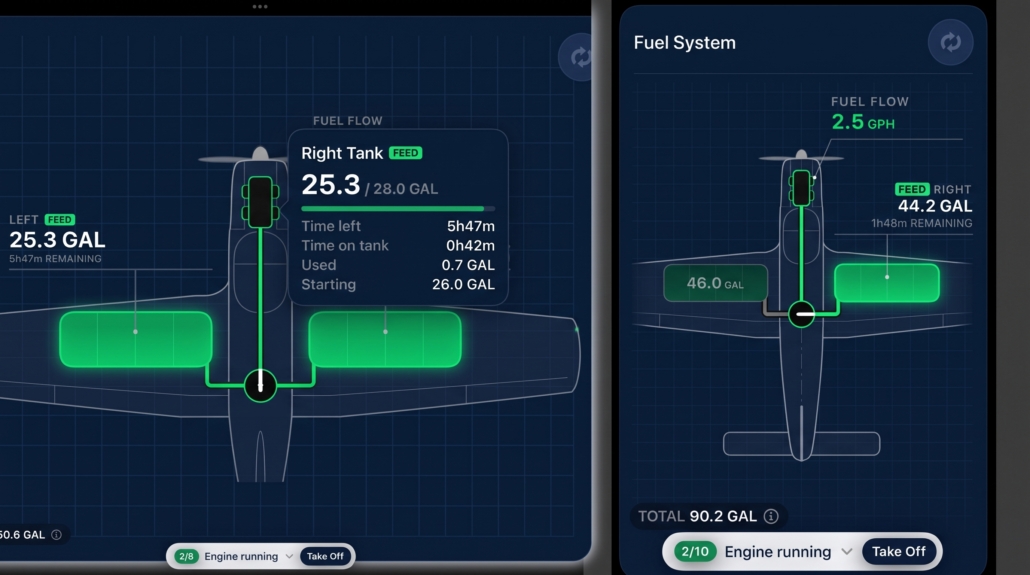
Interactive drawing of your specific aircraft’s fuel system on iPad and iPhone.
Endurance, current fuel flow, range, and Zulu time remain pinned in view, while a dedicated status bar counts down to your next scheduled tank switch or pump action. When it is time to switch tanks in the airplane, you can tap the valve or pump right on the schematic (or respond to a Time Sensitive notification) to update the app. If you prefer the previous layout, you can still revert to the old interface.
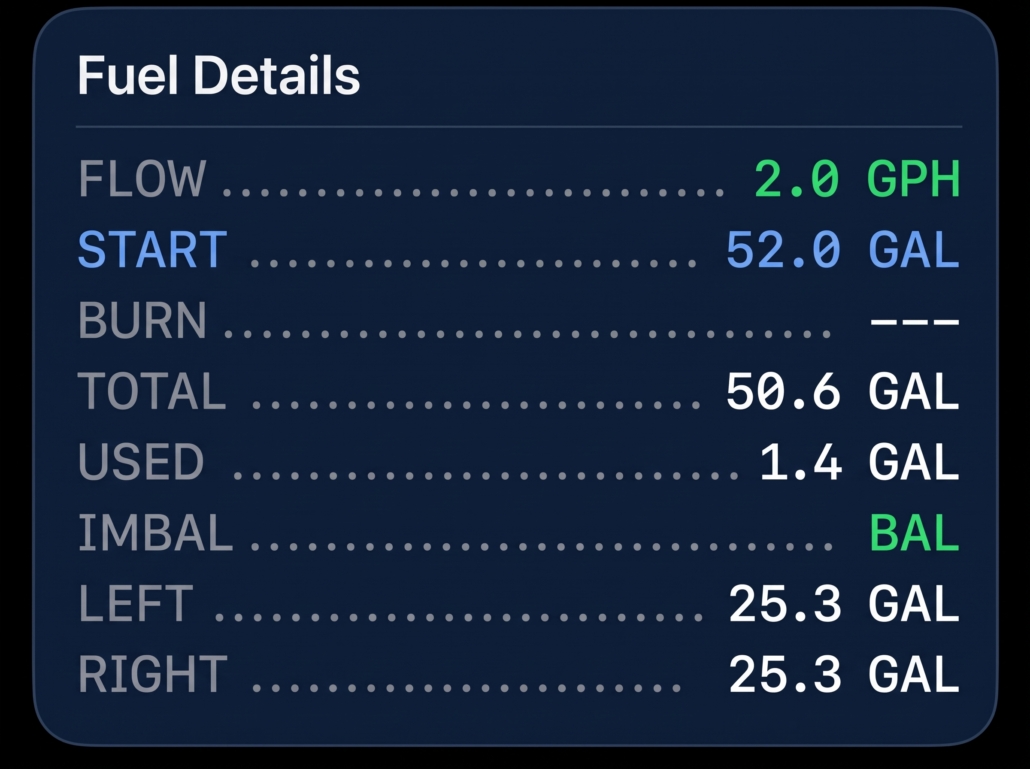
Fuel details help track fuel burn and balance fuel tanks.
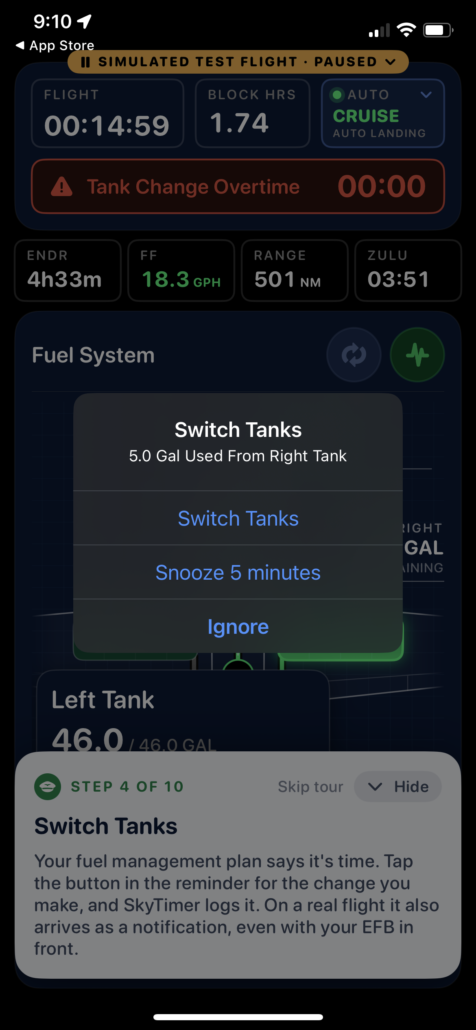
A timer for switching fuel tanks can be set.
Nearest airport—always in view
In a nod to classic panel-mount GPS units, SkyTimer 3.0 adds a persistent Nearest Airport readout directly to the flight view. The app presents the closest suitable airport like an ATC traffic call—showing clock position relative to your track alongside distance, longest runway length, tower/CTAF frequency, and pattern altitude.
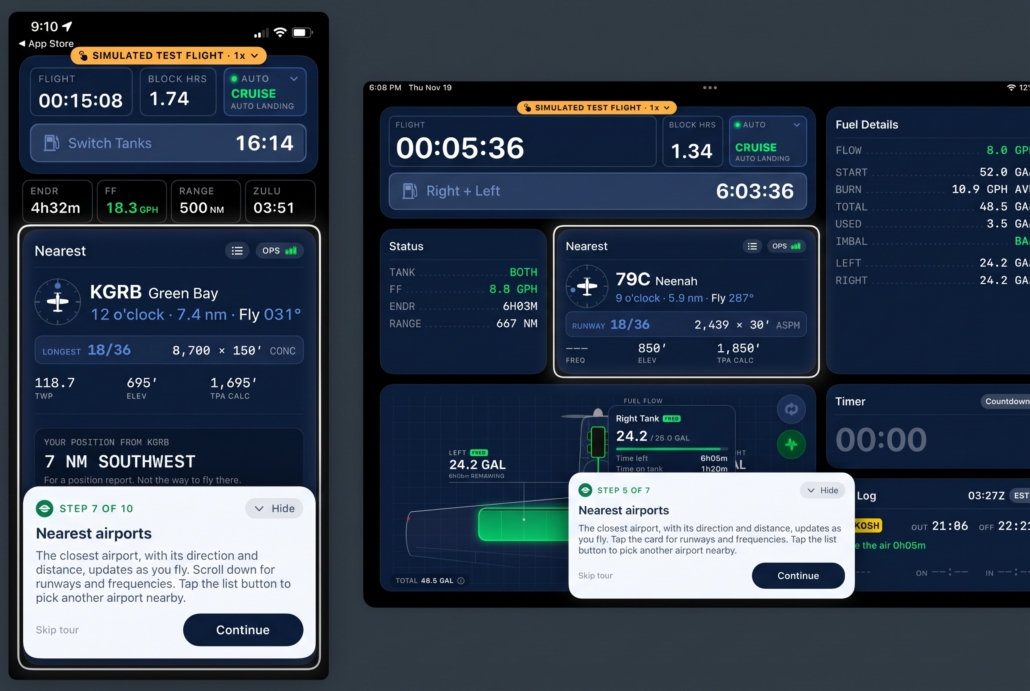
Nearest airport function on iPhone and iPad.
You can customize minimum runway length thresholds per aircraft profile so you aren’t pointed toward a strip too short for your airplane, or pull up a list of nearby fields within 50 NM with quick Direct To guidance. On Apple Watch, turning the Digital Crown cycles cleanly through a dedicated Nearest dial, upcoming reminders, fuel status, and route details.
Streamlined preflight, Hobbs/Tach tracking, and post-flight timelines
SkyTimer 3.0 also rethinks the workflow before engine start and after shutdown:
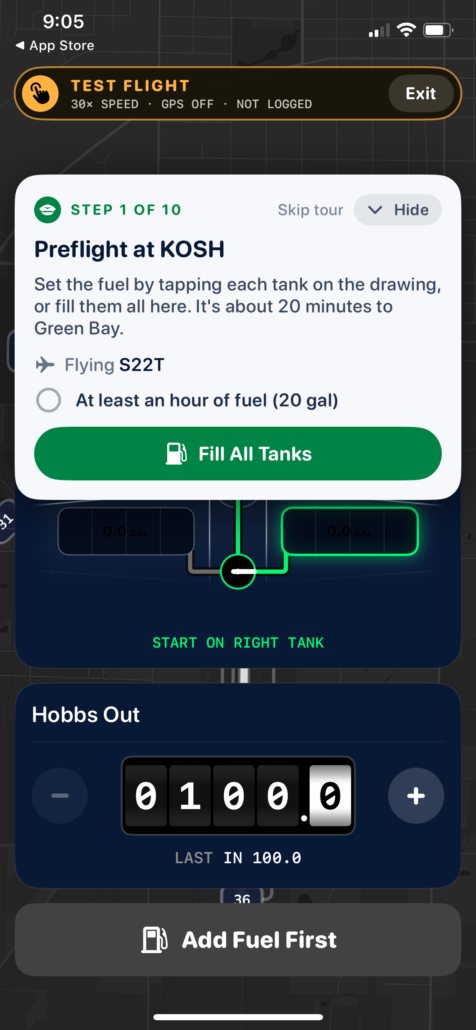
Visual preflight checklist with the ability to set starting fuel levels and meter readings.
- Visual Preflight: Pick your departure airport from a map, tap directly on the aircraft fuel diagram to set starting fuel levels in each tank, and log opening meter readings before taxi.
- Dual Meter Logging: You can now track both Hobbs and Tach times together at preflight and shutdown, making it much easier for aircraft owners, flying clubs, and partnerships to keep maintenance and billing records straight.
- Fuel Timeline: Saved trips in your logbook now include a visual timeline showing fuel levels in every tank across the entire flight, complete with markers for each tank switch, intermediate stop, and refuel.
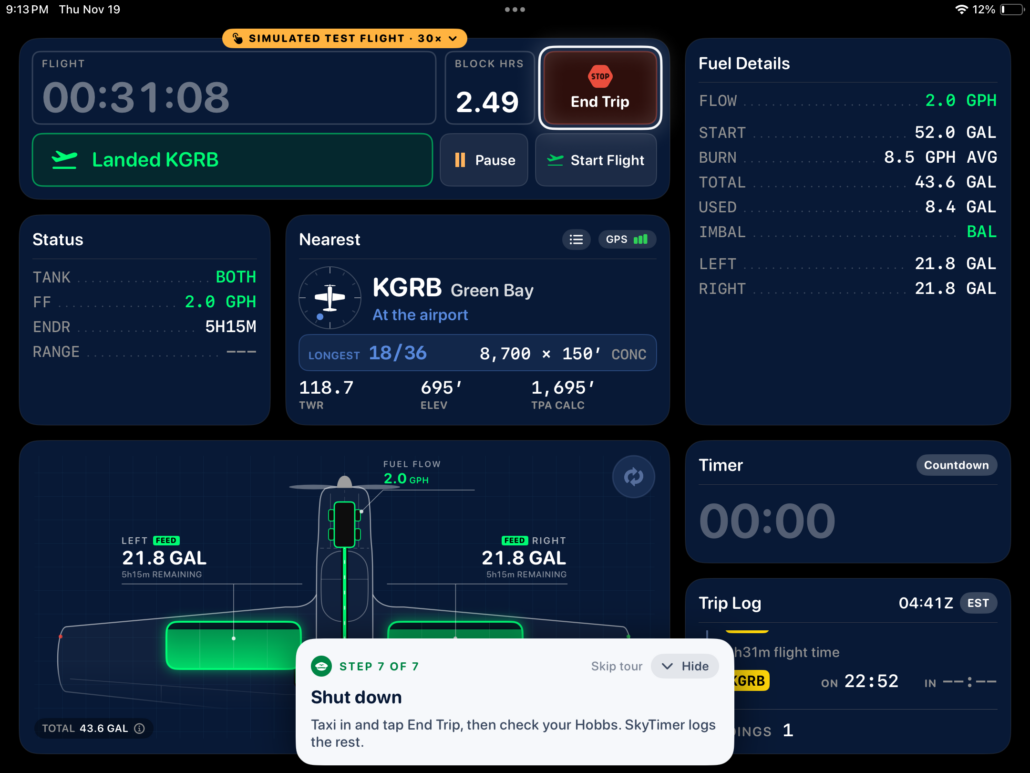
Tap “End Trip” and then check Hobbs at the end of a flight.
Faster aircraft setup and a “Test Flight” mode
Setting up a complex airplane used to mean building fuel profiles from scratch. Version 3.0 includes a built-in catalog of more than 150 common GA aircraft—from a Cessna 172 to twins and Bonanzas with tip tanks—that automatically populates tank layouts, capacities, and typical fuel burn rates.
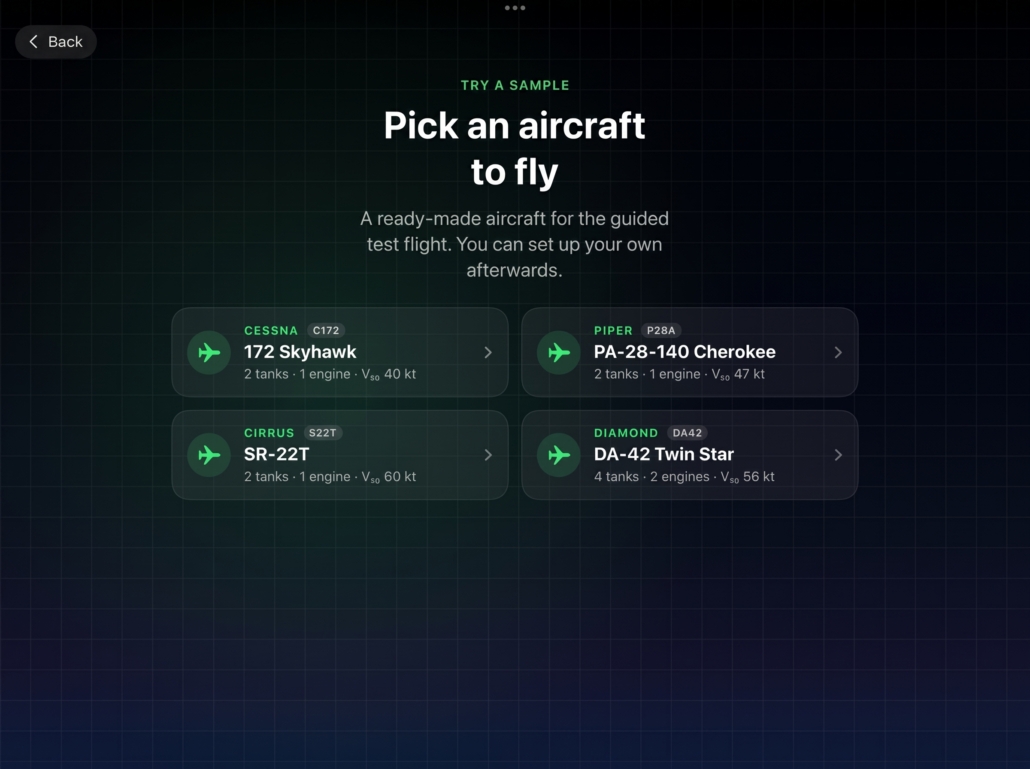
Built-in catalog of more than 150 common GA aircraft.
To help pilots learn the new layout on the ground without cluttering their logbook, SkyTimer 3.0 introduces a guided, three-minute Test Flight from Oshkosh (KOSH) to Green Bay (KGRB). You can run it using your own aircraft profile to see tank-switch reminders, nearest-airport callouts, and the new screens in action before taking it into the cockpit.
Test flight from KOSH to KGRB.
iPad, iPhone Duo, and Apple Watch refinements
On iPad, the new panel-based interface scales dynamically whether you run SkyTimer full screen in landscape or tucked into a compact window or Slide Over alongside ForeFlight or Garmin Pilot. Version 3.0 also adds custom layouts for the iPhone Duo—adapting between the compact cover screen and an expanded multi-panel view when unfolded—alongside an updated worldwide airport database and improved export handling for LogTen and FlightLoop.
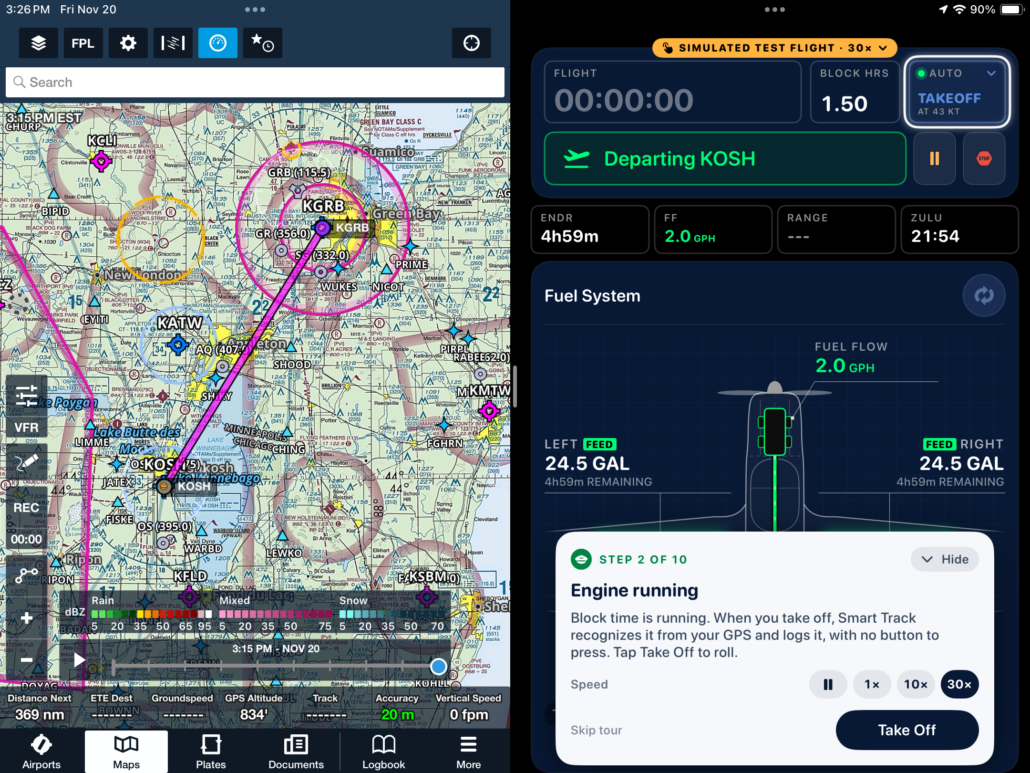
SkyTimer on iPad alongside ForeFlight.
Pricing and availability
SkyTimer 3.0 is a free update for existing users and requires iOS/iPadOS 17 and watchOS 10 or later. The base app is free to download and includes block/flight timers, Nearest airport details, and the guided test flight; unlocking live tank-by-tank fuel tracking, automatic takeoff/landing detection, and unlimited flight history requires a SkyTimer Plus subscription ($9.99/year or monthly options in the app).

- SkyTimer 3.0 brings live fuel diagrams and nearest-airport tracking - November 23, 2026
- Sporty’s Overhauls Study Buddy Test Prep Apps for iOS - November 6, 2026
- Sporty’s Pilot Training App Adds New Video Lessons and Test Prep for 2027 - October 22, 2026

Leave a Reply
Want to join the discussion?Feel free to contribute!