
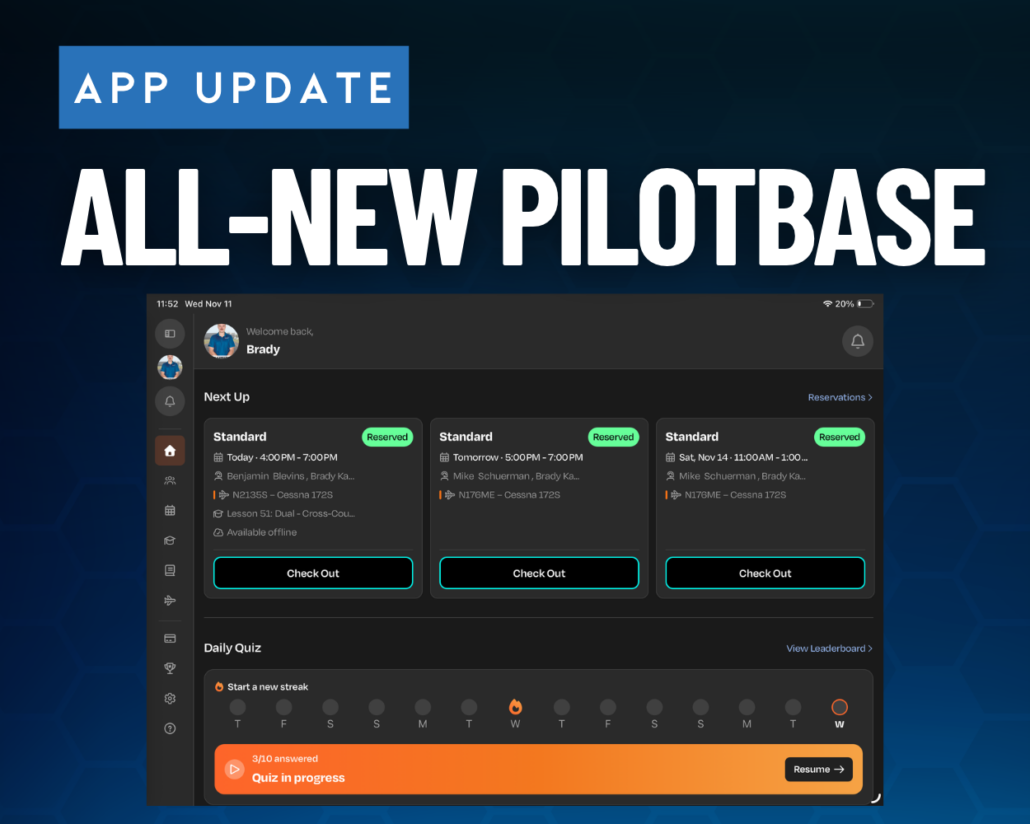
Pilotbase Launches All-New App for Flight Schools and Students
Pilotbase (formerly Flight Schedule Pro) has created a completely new, reinvigorated app allowing flight school management, instructors, and students to see everything they can in the web-based version in the app, bringing increased efficiency and capabilities. Before, instructors would typically have to pull up the web-based version of FSP on their iPad or iPhone to do most of their administrative work, but now they can use a dedicated app to manage their schedules and students’ training. All of your existing information that is in FSP is automatically included in your Pilotbase app, including documents, reservations, lesson progression, and more.
Sporty’s flight training syllabi and online ground school tracking capabilities are built into the app. Additionally, students can view their lessons and see what study material they need to review before their next lesson. Students can click on links that take them directly to the appropriate videos and handbooks in the Sporty’s Pilot Training App.
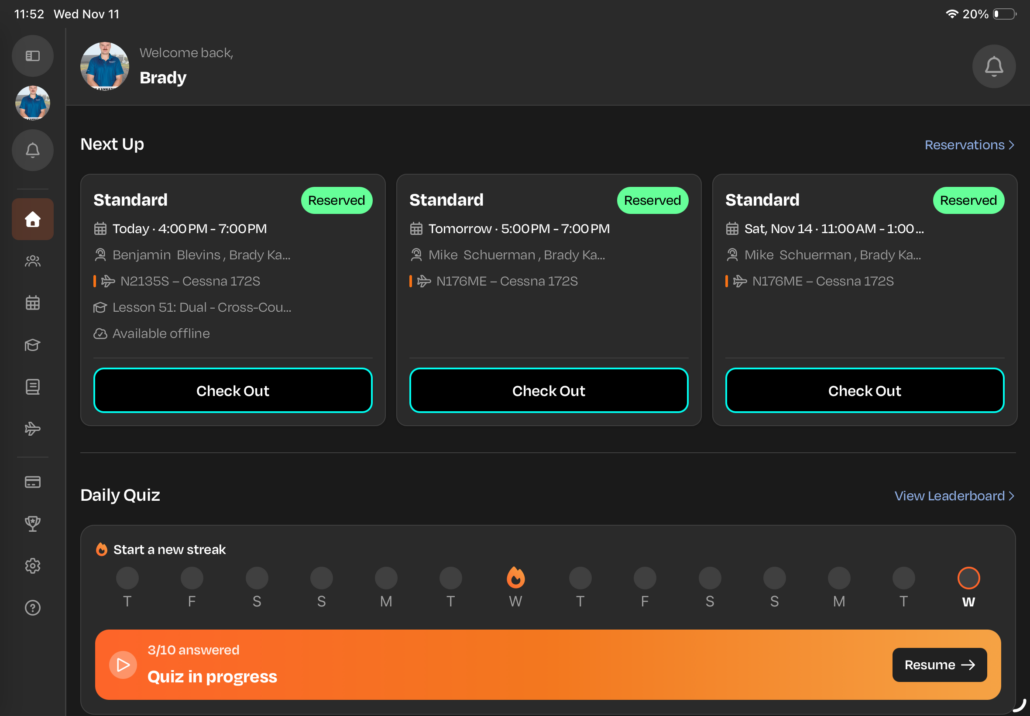
Instructors and students can easily see when their next reservations are, right from the home screen.
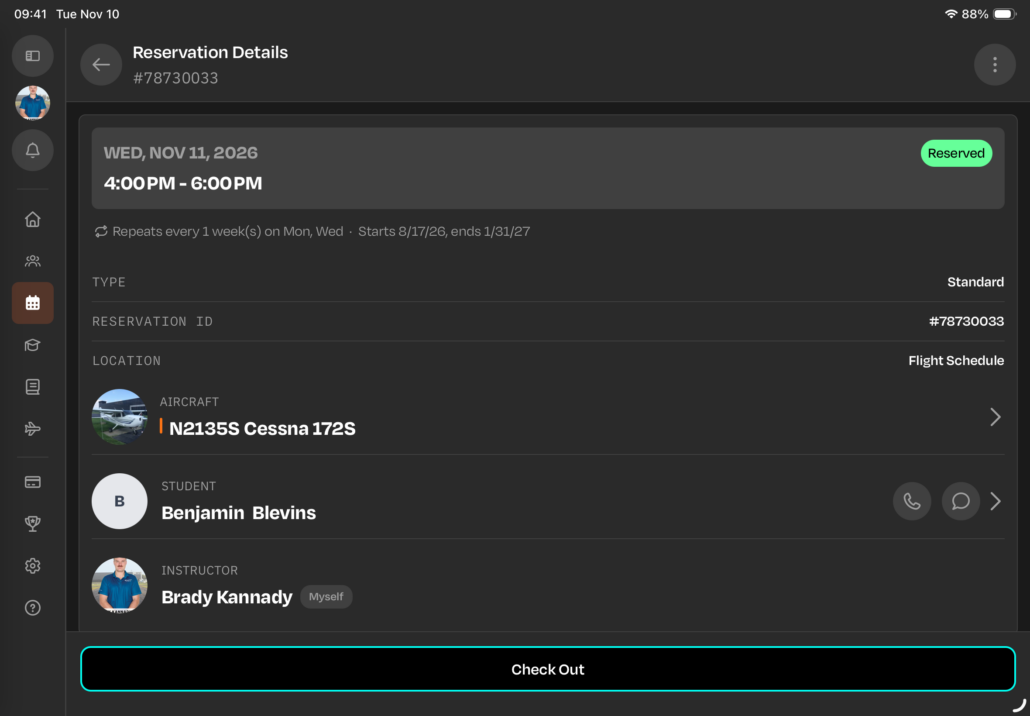
Clicking on a reservation pulls up relevant information. View reservation specifics, like time, reservation type, airplane, instructor, and student, on the reservation page.
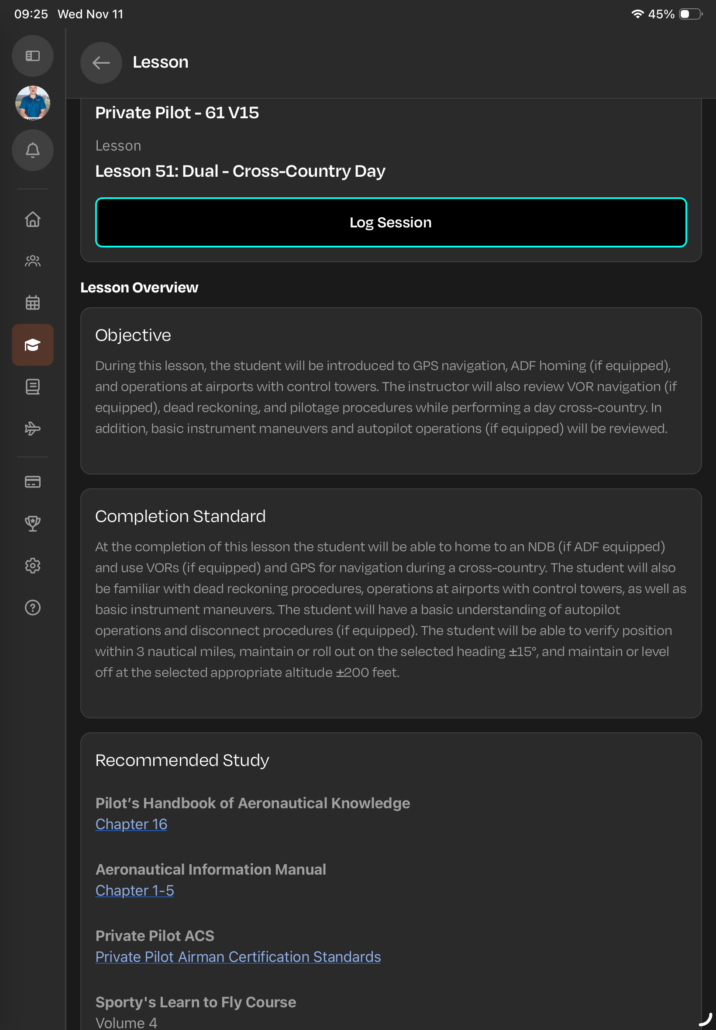
If a lesson is attached to the reservation, you can see lesson details, like the objective, completion standard, lesson minimums, and recommended study. These links will take the student to the relevant study material in the Sporty’s Pilot Training App. At the completion of the lesson, you can log the session into the student’s syllabus with their PIN and include notes on the completed tasks.
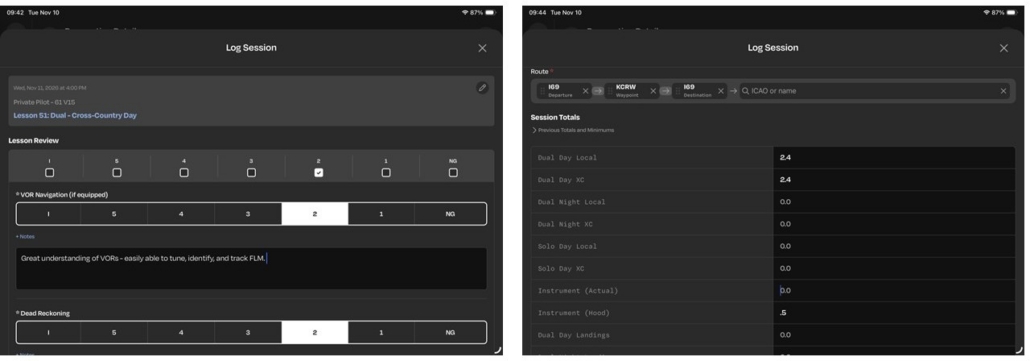
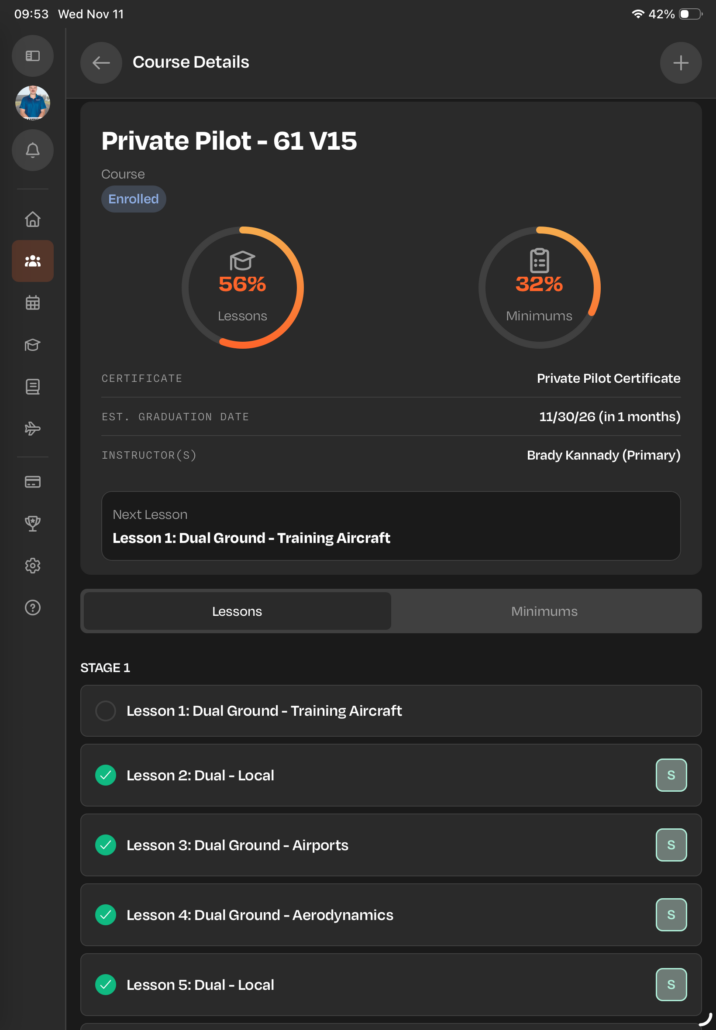
You can view a student’s syllabus from their profile page, including lesson progression and course minimums. Logging lessons here is easy and operates similarly to the desktop version of FSP.
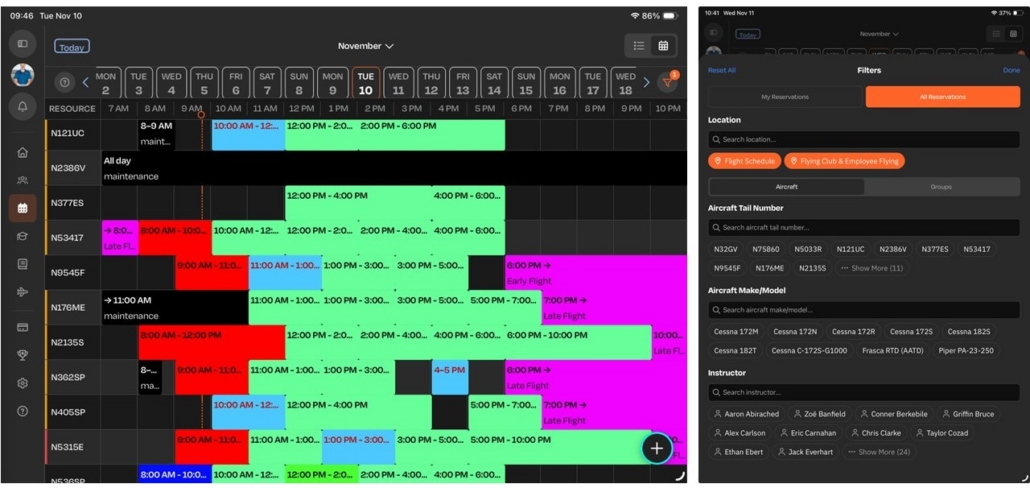
The scheduling tool remains similar to the previous app, but features a newer user interface and more filtering options based on airplane, location, instructor, activity type, and more.
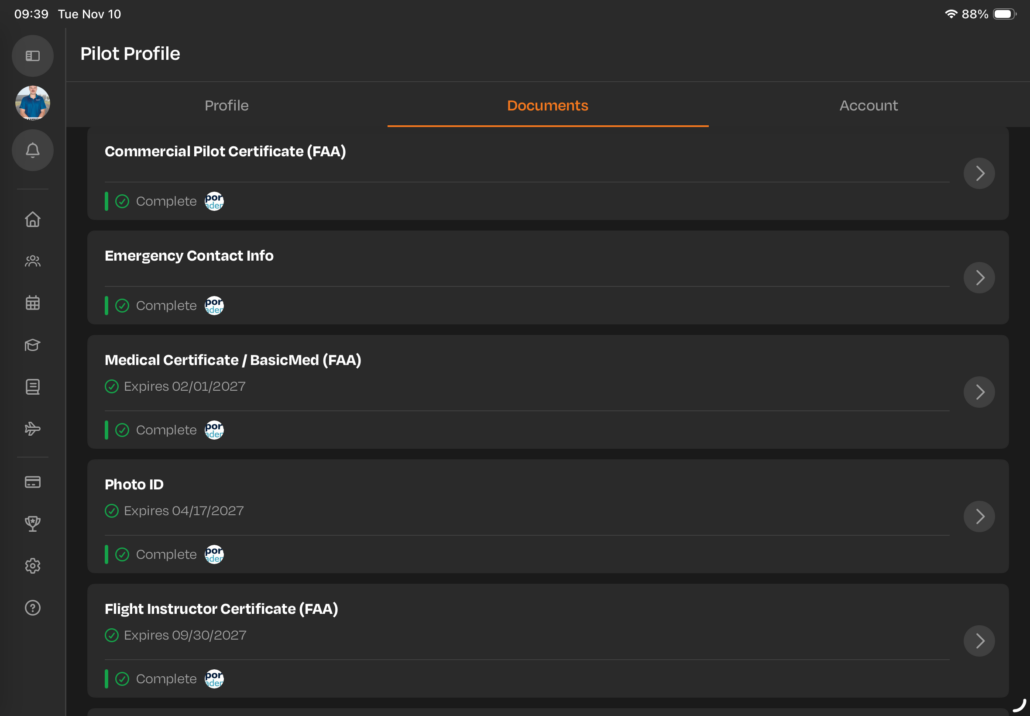
Your documents are uploadable and visible within the Pilotbase app. You can add in your own documents by going to your profile and selecting documents. Currently, you cannot access or upload other people’s documents through the app.
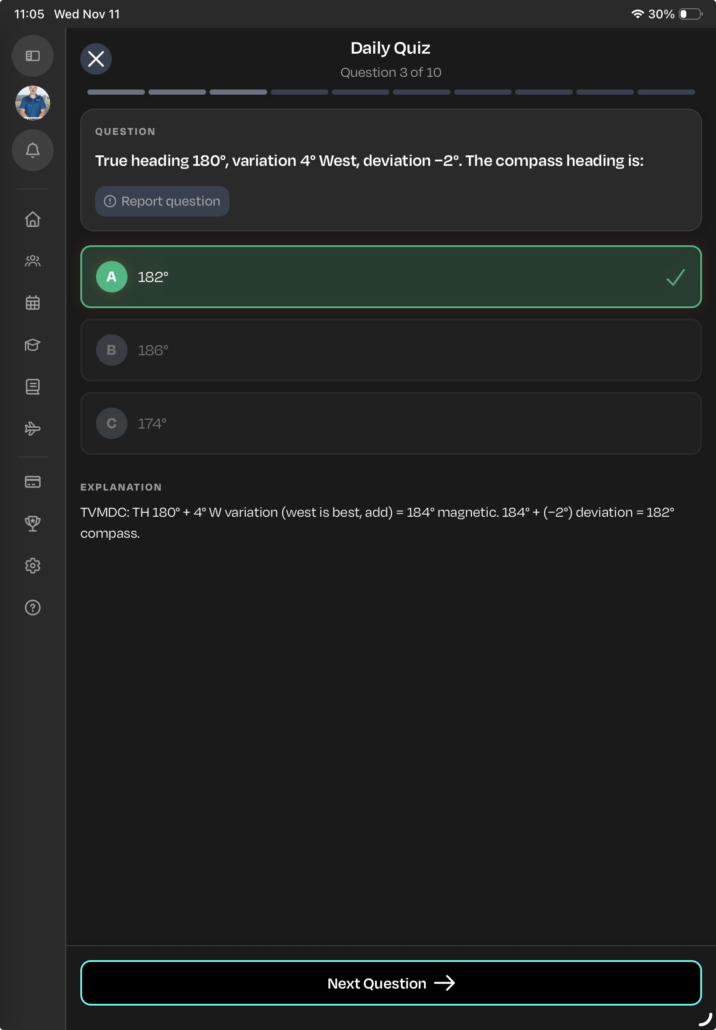
To help test your knowledge and continue bringing you into the app, Pilotbase includes a daily quiz that’s found on the home page. Take a quiz based on private, instrument, or commercial knowledge and receive an explanation on why the answers are right. Earn a streak by logging in to complete a quiz every day.
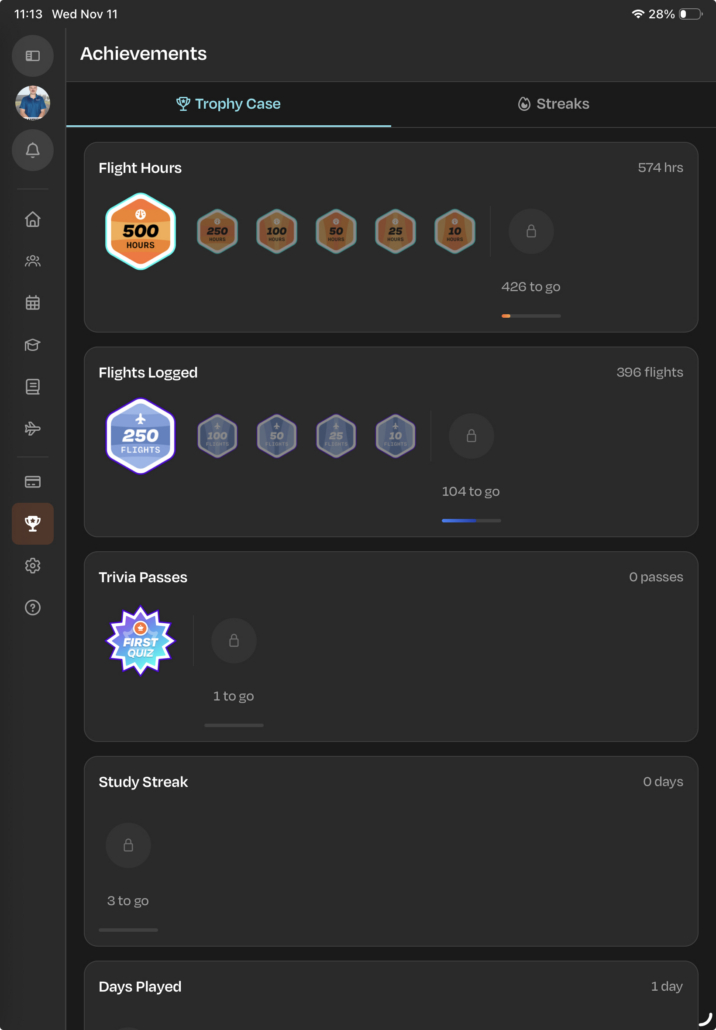
Earn achievements based on flight hours, flights logged, quizzes completed, and more. You can export these out of Pilotbase to share with others.
Pilotbase makes it easier to manage your schedule or your students’ training. View student progress in Sporty’s flight training syllabi, see how far they have progressed in a Sporty’s course, and manage scheduling and documents all in one app.
Download the App: Pilotbase is free to download for iPad and iPhone on the Apple App Store (and is also available on Google Play for Android users). You can learn more about the platform at Pilotbase.com.

Brady enjoys long, scenic cross-country flights, discovering new airports, taking in the views, and finding great places to eat along the way. He currently serves as Sporty's Flight School Sales Manager, overseeing the Flight School Advantage and dealer programs. These programs offer flight schools across the country discounts on products, access to Sporty's Part 141 services, and other resources to support their operations. Brady is also a flight instructor at Sporty's Academy.
- Pilotbase Launches All-New App for Flight Schools and Students - November 12, 2026

Leave a Reply
Want to join the discussion?Feel free to contribute!