
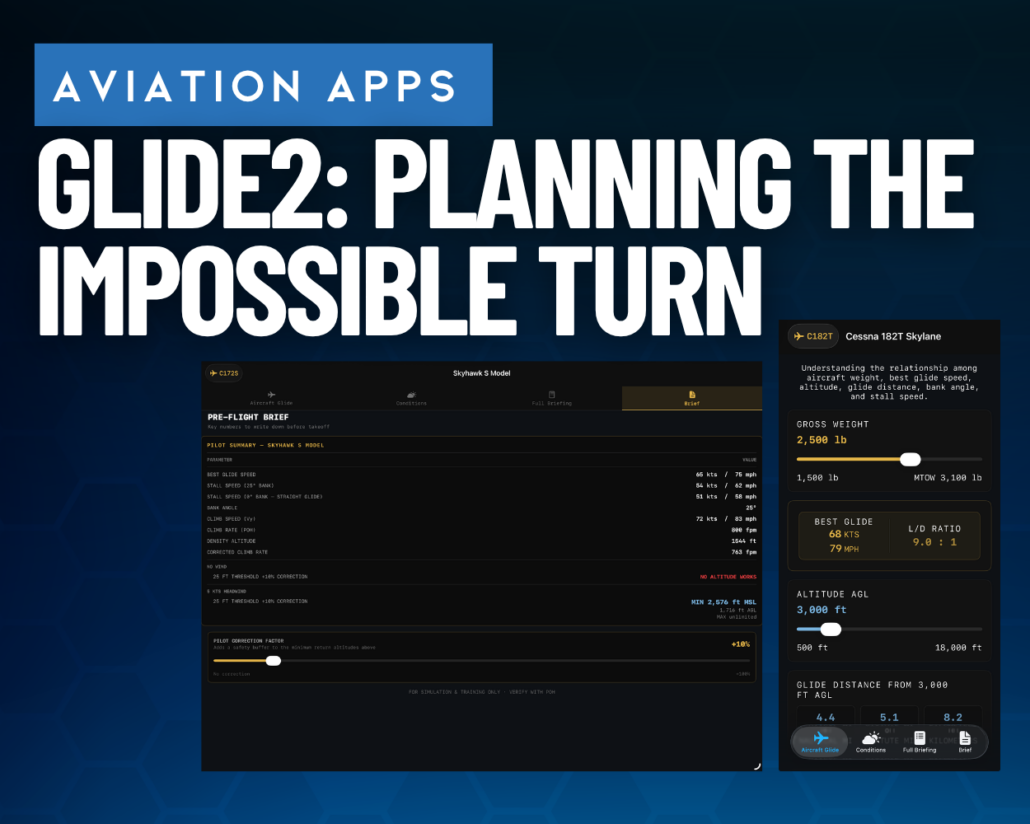
Glide2 app review: planning the impossible turn before takeoff
 The so-called “impossible turn”—attempting to return to the runway after an engine failure on departure—has been debated by pilots for decades. While some instructors teach it as a viable option under the right conditions, others warn that attempting the maneuver too low can quickly become unrecoverable.
A new app called Glide2 attempts to bring more structure to that decision-making process. Available free on the App Store, Glide2 is designed to estimate the minimum altitude required to safely return to the runway after an engine failure during climbout.
Rather than functioning as an in-flight tool, Glide2 is best viewed as a preflight planning and training aid. The app walks pilots through a wide range of aircraft and environmental variables, then performs the calculations needed to estimate whether a return to the runway is theoretically possible.
Not a quick calculator
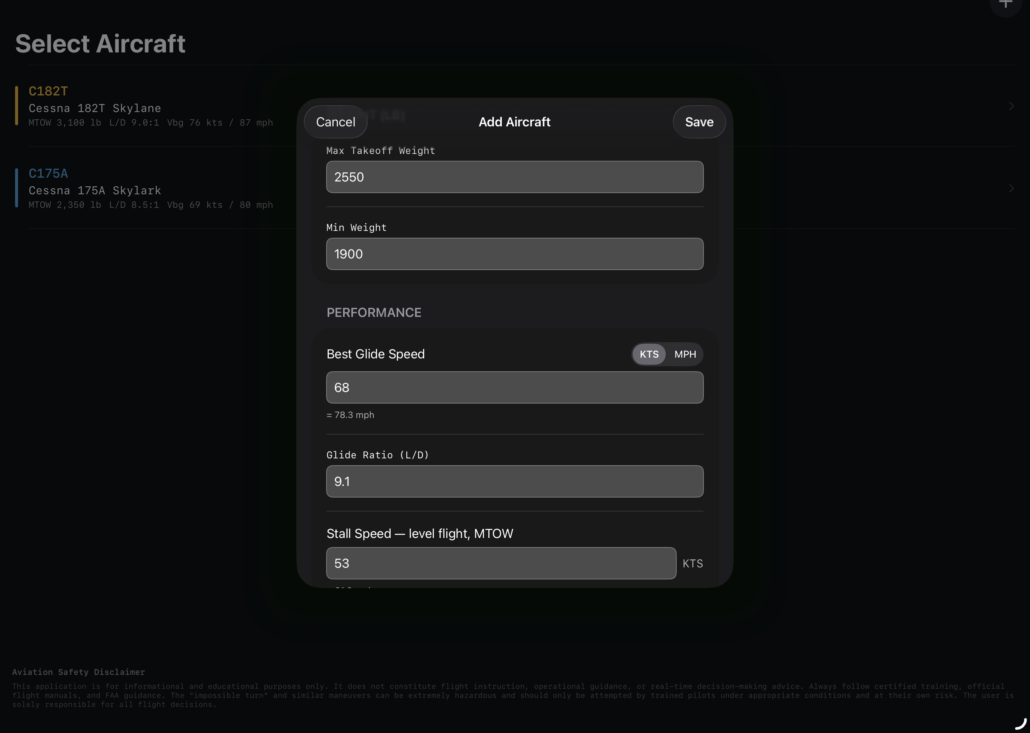
Glide2 is straightforward to navigate, but it’s not the kind of app you open moments before departure for a rapid answer. There’s a fair amount of setup involved, especially when creating custom aircraft profiles.
The built-in aircraft library is somewhat limited, so for this review I created a profile for a Cessna 172S Skyhawk. That process required entering aircraft-specific performance data including glide ratio, best glide speed, and climb performance. Since many aircraft POHs don’t publish glide ratio figures directly, some pilots may need to calculate those values independently from performance charts. (See this article from ForeFlight on calculating glide ratio).
Once the aircraft profile is configured, however, the app becomes considerably more useful for running different scenarios.
Modeling the variables
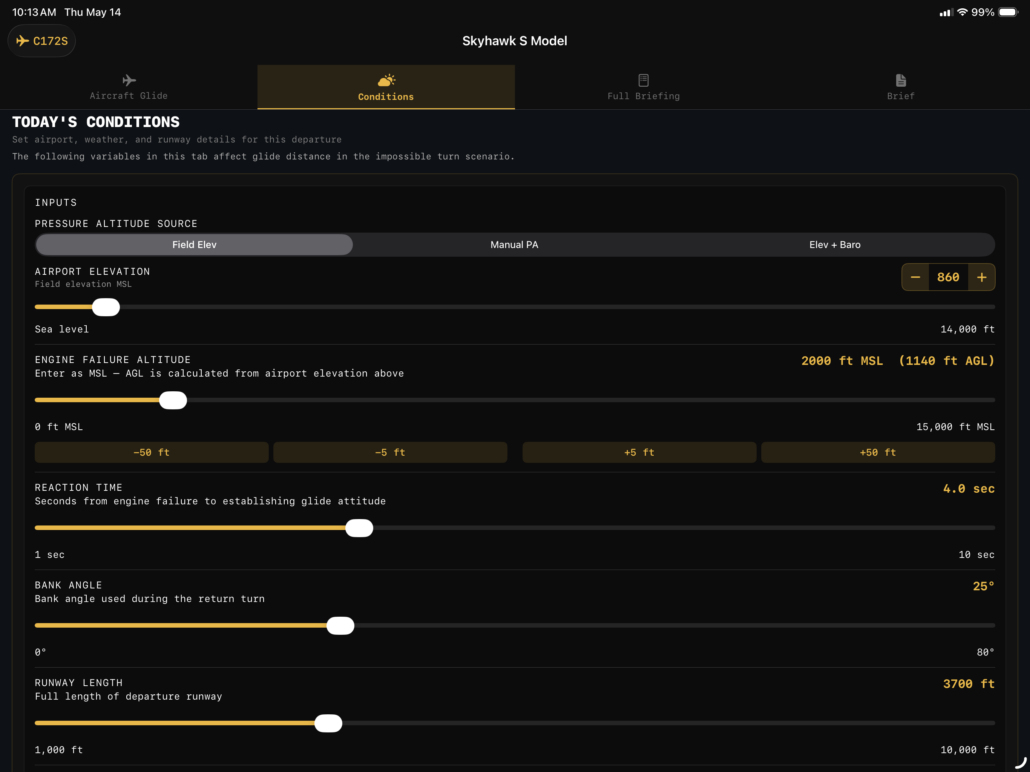
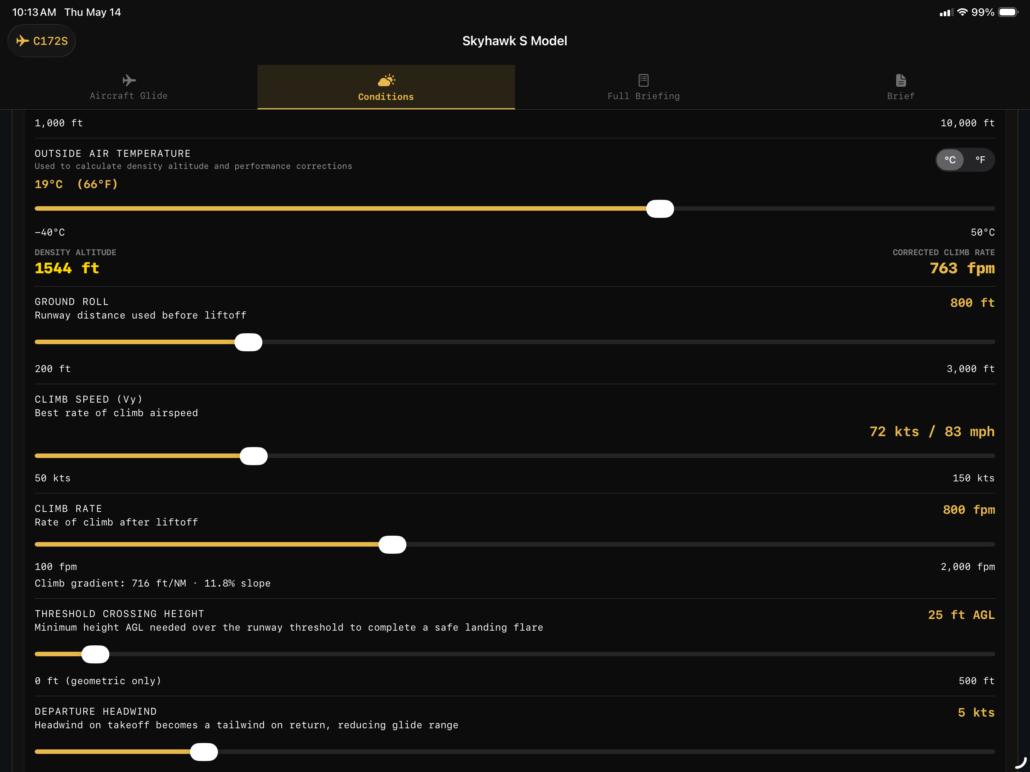
Glide2 allows pilots to adjust a surprisingly detailed list of parameters, including:
- Engine failure altitude
- Bank angle during the return
- Pilot reaction time
- Runway length
- Climb rate
- Temperature and density altitude
- Headwind component
- Aircraft weight
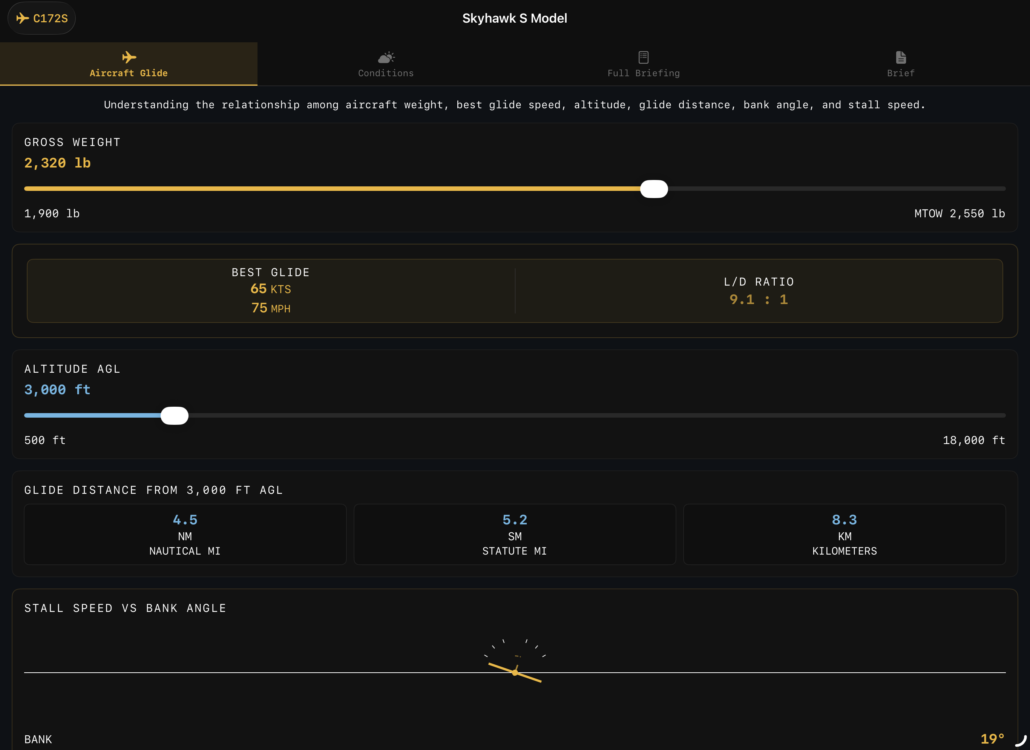
The app then estimates glide distance, stall speed increases due to bank angle, and the altitude consumed during 180- and 360-degree turns.
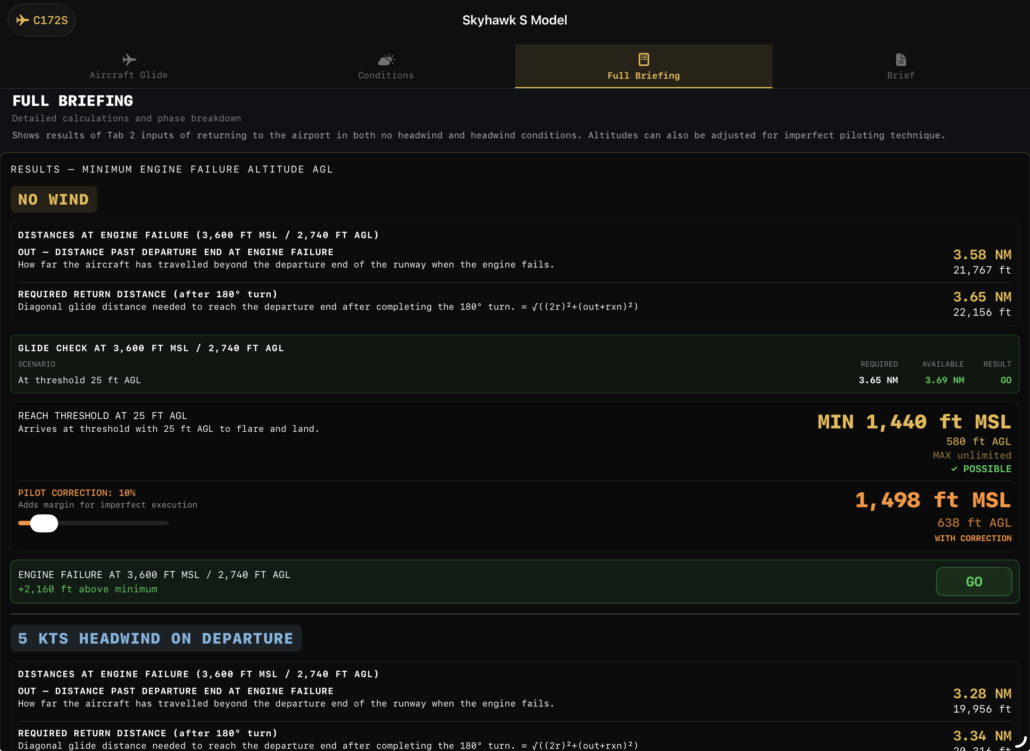
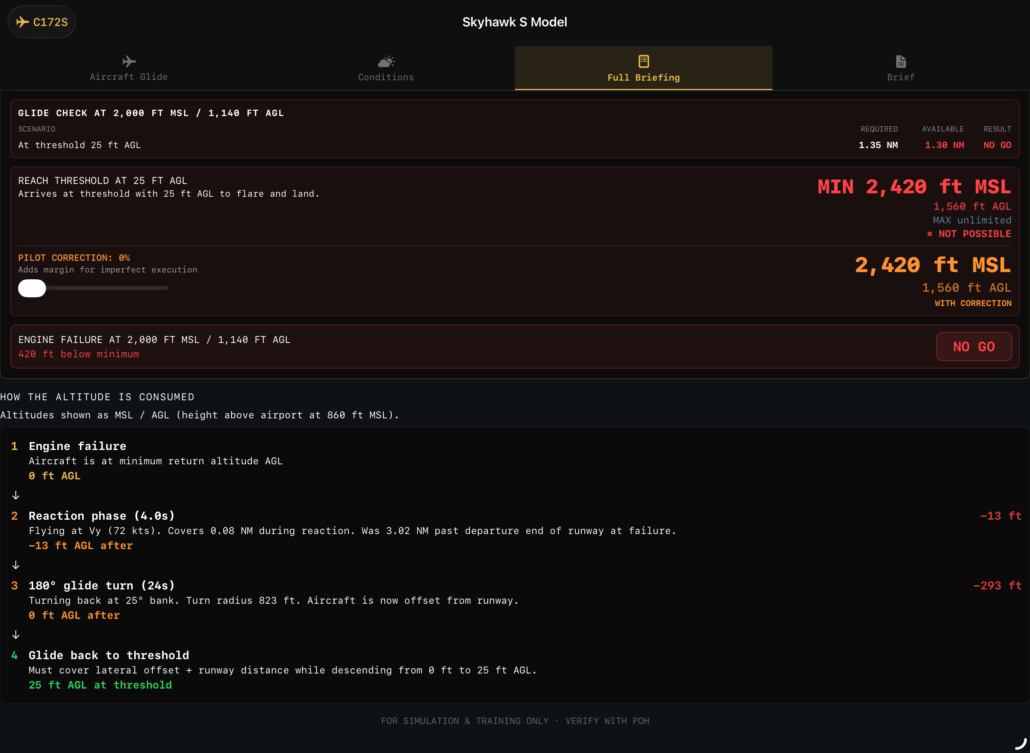
One of the more interesting aspects of the app is its breakdown of where altitude is lost throughout the event. Instead of simply presenting a “yes” or “no” answer, Glide2 also shows estimated turn times, altitude loss during maneuvering, and a calculated minimum altitude needed to successfully complete the return.
There’s even an adjustable safety correction factor, allowing pilots to build in additional margin beyond the raw calculations.
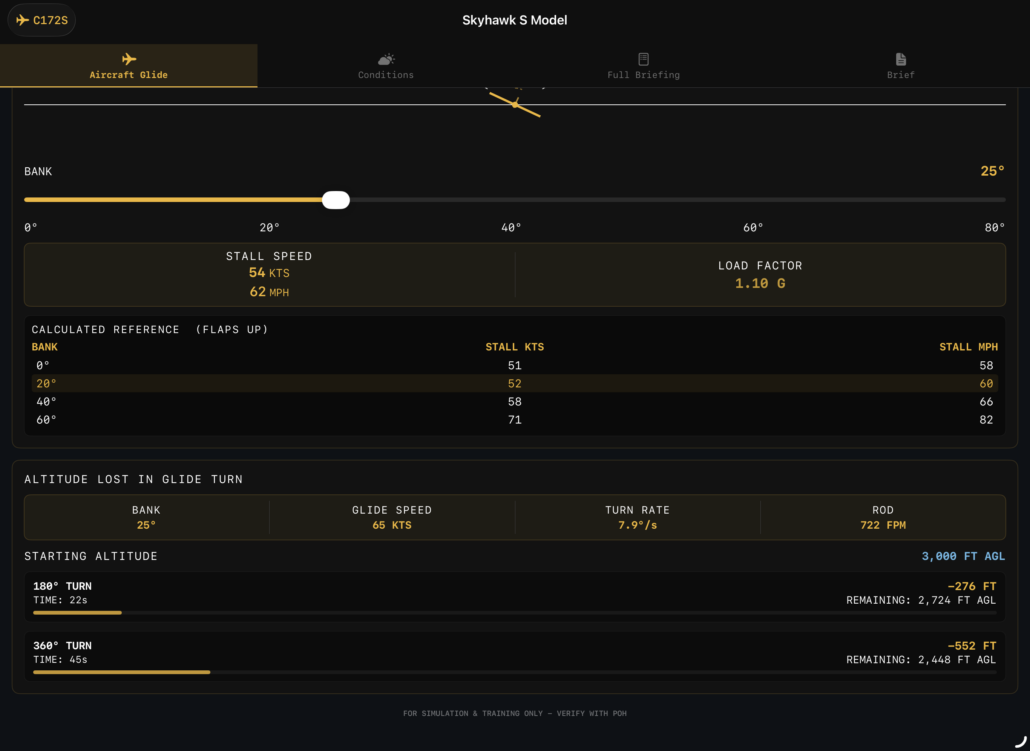
Educational value
The biggest strength of Glide2 may not be the final answer it provides, but the thought process it encourages. By requiring pilots to examine glide performance, reaction delays, wind effects, and turning performance, the app reinforces just how many variables influence a turnback maneuver.
It also highlights why generic “always turn back” or “never turn back” advice can be overly simplistic and how stall and glide speeds relate to weight.
Of course, Glide2’s results are only as good as the assumptions and aircraft data entered into the app, and the developer appropriately labels it as being for educational purposes only. Real-world pilot proficiency, aircraft condition, terrain, and stress levels can dramatically alter the outcome of an actual emergency.
Download the app
Glide2 won’t settle the impossible turn debate, but it does provide a useful framework for evaluating it. For a free app, it offers a surprisingly detailed way to examine emergency return scenarios and estimate realistic minimum turnback altitudes for a specific aircraft and departure setup.
Pilots interested in scenario-based training, emergency procedure analysis, or simply gaining a better understanding of departure performance may find it a worthwhile addition to their aviation toolkit.

- The Sporty’s Pilot Training App Adds a New Garmin Autopilot Course - September 2, 2026
- New Flight Gear Backpack Built Around Starlink Mini - August 28, 2026
- ForeFlight Introduces ClearNOTAMs: Plain-English, AI-Powered NOTAMs - August 18, 2026


One rainy day I built a spreadsheet to do exactly this with the same data inputs as an academic exercise. I’m eager to see how the app and my spreadsheet correlate. The spreadsheet has been useful for generating predictions for scenarios that I could then go out and test in flight.
Looks like a nice start to help discussion. I notice the rate of descent (ROD) figure does not change with bank angle. The calculator does a good job of generating zero bank ROD, but as bank angle increases, and the total lift vector tilts and the vertical lift component decreases. This, I believe will cause the ROD to increase as bank increases. I believe the ROD will increase by a factor approximately equal to the inverse of the bank angle’s cosine. Maybe some more astute aerodynamic engineers can add weight in
I do like that the app adjusts the best glide speed for weight. and includes factors for distance flown from end of runway based on climb rate and weather.
Thanks for the practical article. The points were helpful for readers comparing options and planning the next step. Ref rec5oh.