
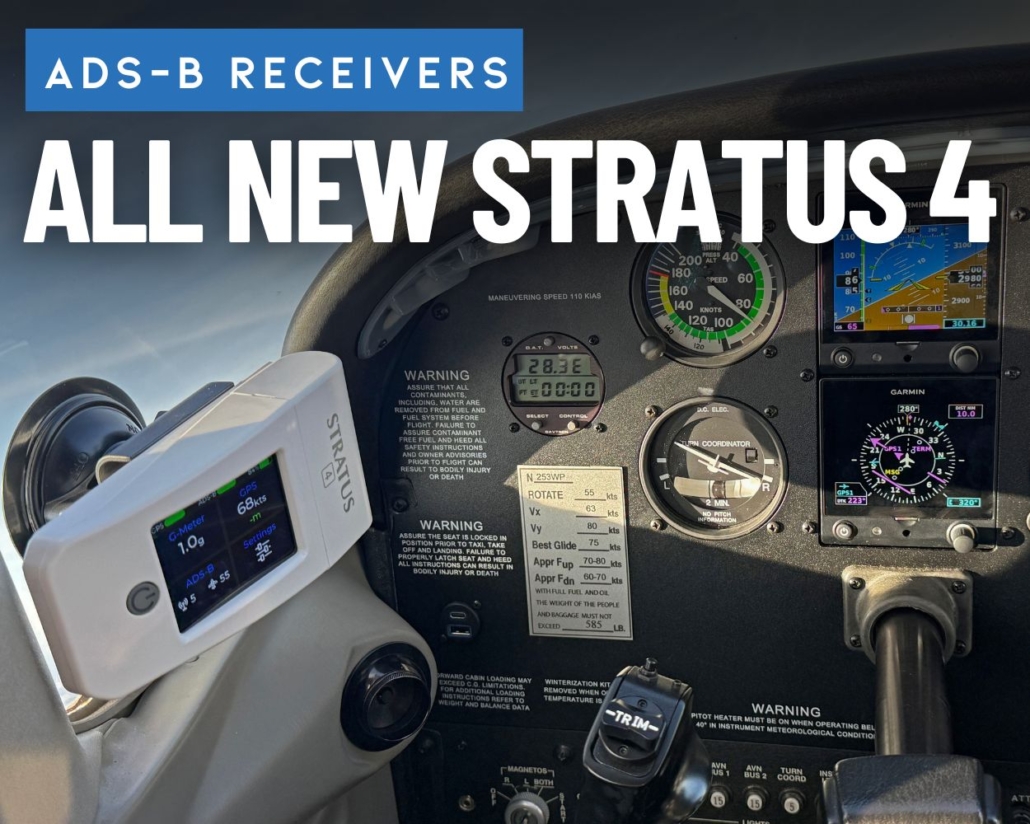
Pilot Report: Stratus 4 ADS-B Receiver
|
Getting your Trinity Audio player ready...
|
Pilots who have been flying with an iPad for more than a few years likely know the Stratus ADS-B receiver well, as it was the first portable ADS-B receiver to hit the market ten years ago. The original Stratus was revolutionary when released in 2012 and opened pilots’ eyes to the real benefits of the ADS-B system for the first time, in the form of subscription-free traffic and weather.
The latest model, Stratus 4, has grown up significantly since then and debuts an all-new design, sporting a bright color touchscreen and a new form factor. It offers several new features, including a G-Meter and Apple “Find My” compatibility.
Today, Stratus is best known for its open compatibility, as it’s designed to work with nearly every aviation app that supports ADS-B weather and traffic via the GDL-90 protocol. This is important to many pilots who value the flexibility to move between apps and know it will be compatible with new apps in the future.
Core Features
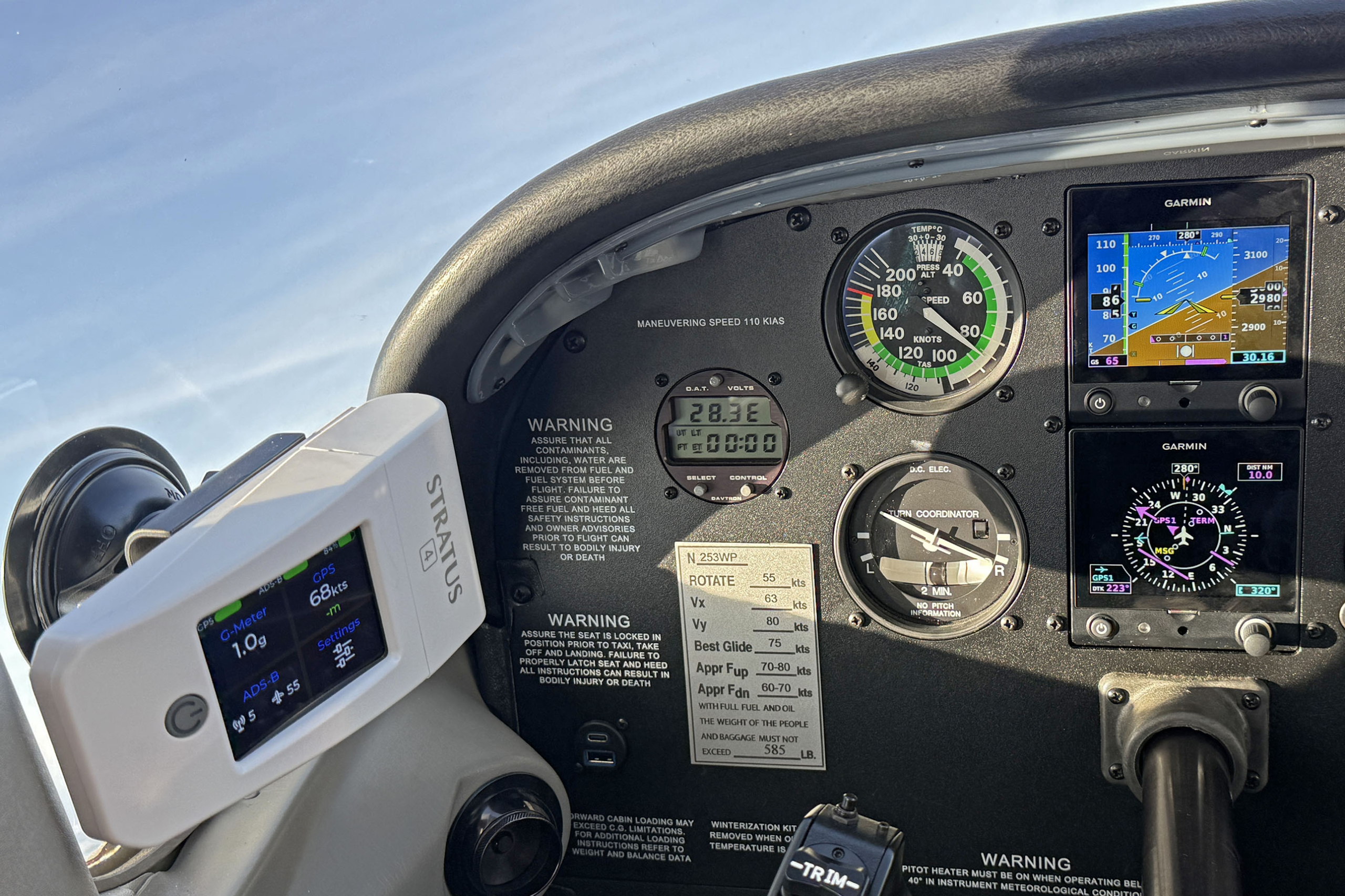 Before we jump into the new bells and whistles, let’s review what Stratus 4 continues to do well. The number one reason a pilot buys an ADS-B receiver is to view datalink weather and traffic on an iPad or iPhone. The latest Stratus model does this as well as any receiver available today.
When within range of an ADS-B ground station in flight, simply turn it on, connect your device to the Stratus’ Wi-Fi, and within a minute or two, you’ll be looking at radar imagery, the latest METAR, and the real-time location of nearby traffic.
Like the Stratus 3, it includes a WAAS GPS for accurate position data, AHRS for backup attitude, a flight data recorder, a pressure altitude sensor, and auto shut-off.
Stratus 4 is compatible with a large number of aviation apps, including:
- ForeFlight Mobile
- Garmin Pilot
- Stratus Insight
- Stratus Horizon Pro
- WingX
- FltPlan Go
- FlyQ
- iFly GPS
- Airmate
- AvPlan EFB
- Xavion
- SkyDemon
- OzRunways
- NAVIATOR
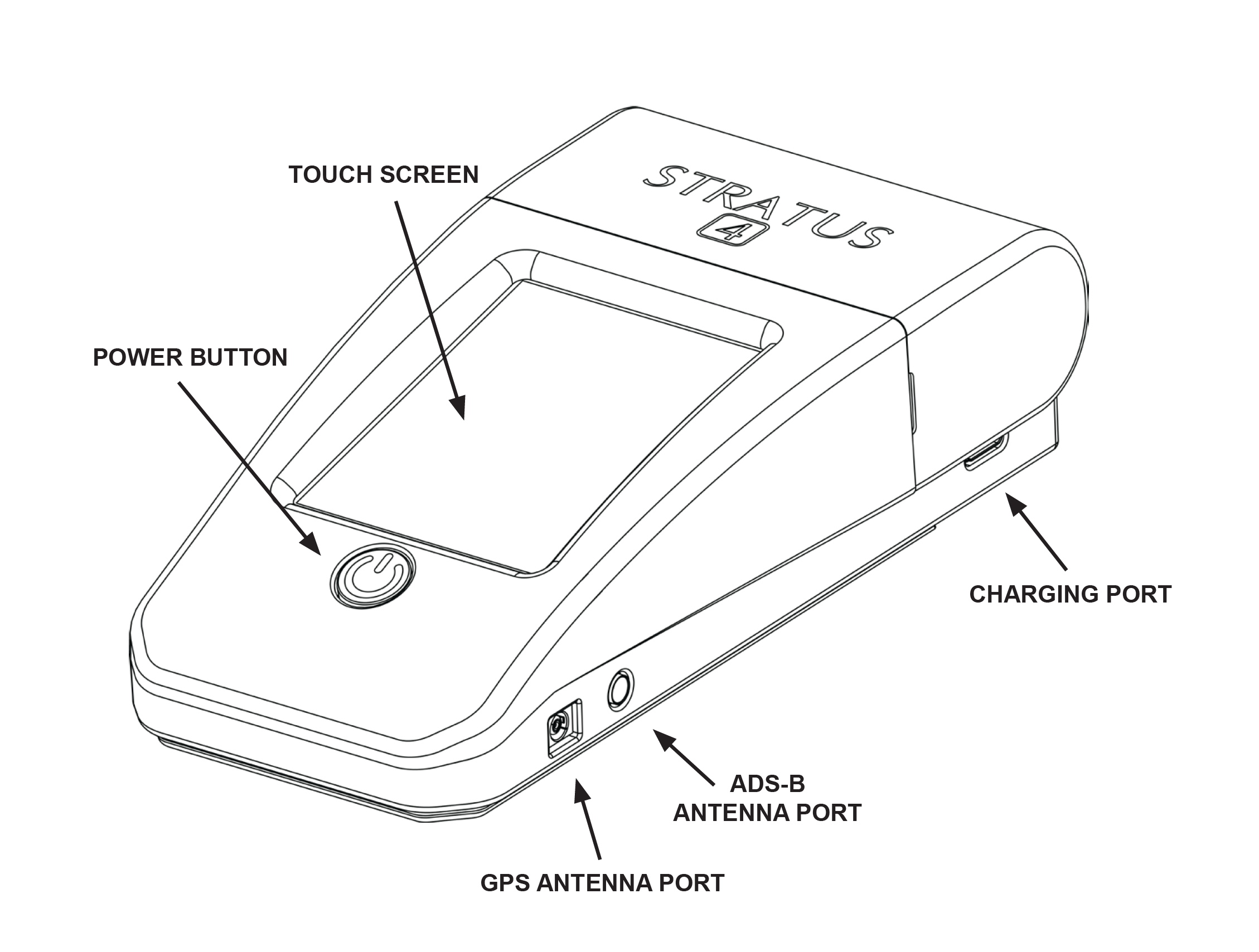
On the hardware side, it includes a replaceable 8-hour battery, USB-C charging port, measures 3.1″w x 6″d x 1.75″ h, and weighs 10.6 ounces. Like its predecessor, it includes external ADS-B and GPS antenna ports, allowing pilots to mount it behind or under the panel for a streamlined experience. Also in the box is a RAM suction cup and cradle to mount it on a side window.
What’s New
The most eye-catching new feature is a sunlight-readable color touchscreen display that keeps key metrics always in view. At the top of the screen, you’ll see GPS and ADS-B reception status, as well as battery percent remaining. The center of the screen displays a G-Meter, GPS groundspeed, GPS accuracy (in meters), ADS-B ground stations in range, and traffic targets being received.
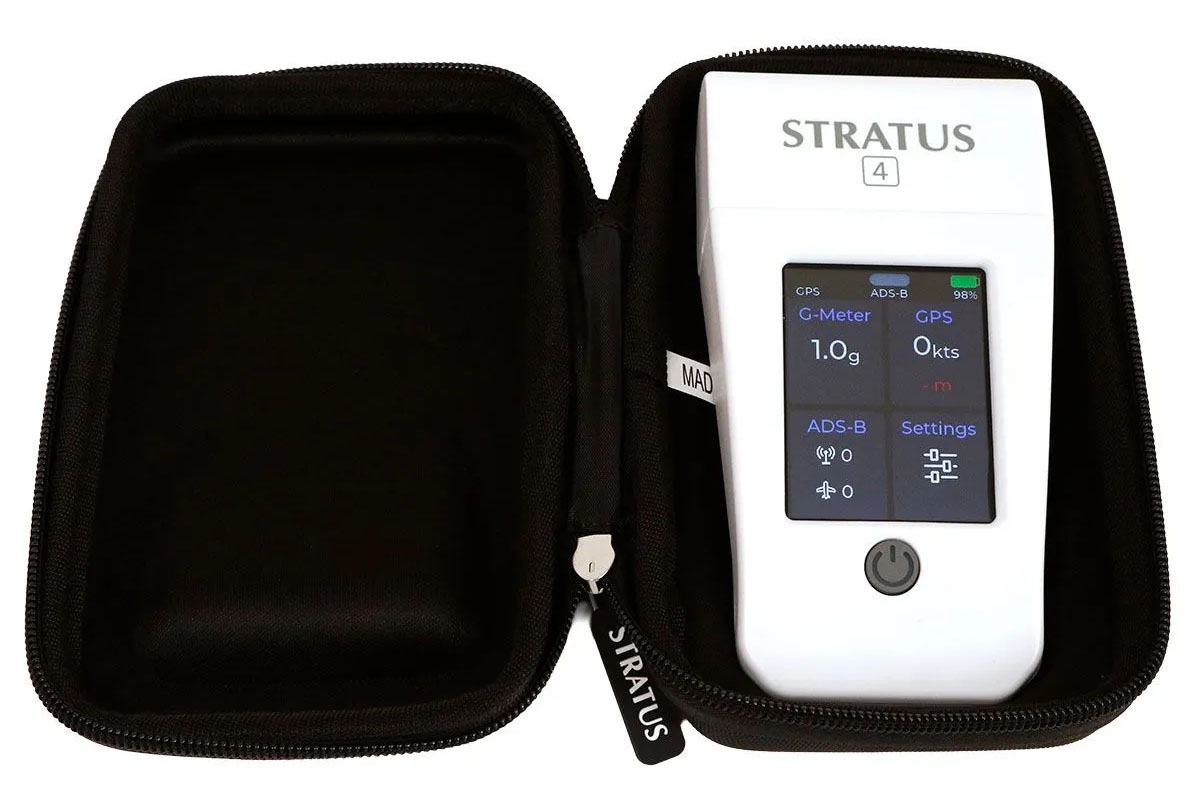
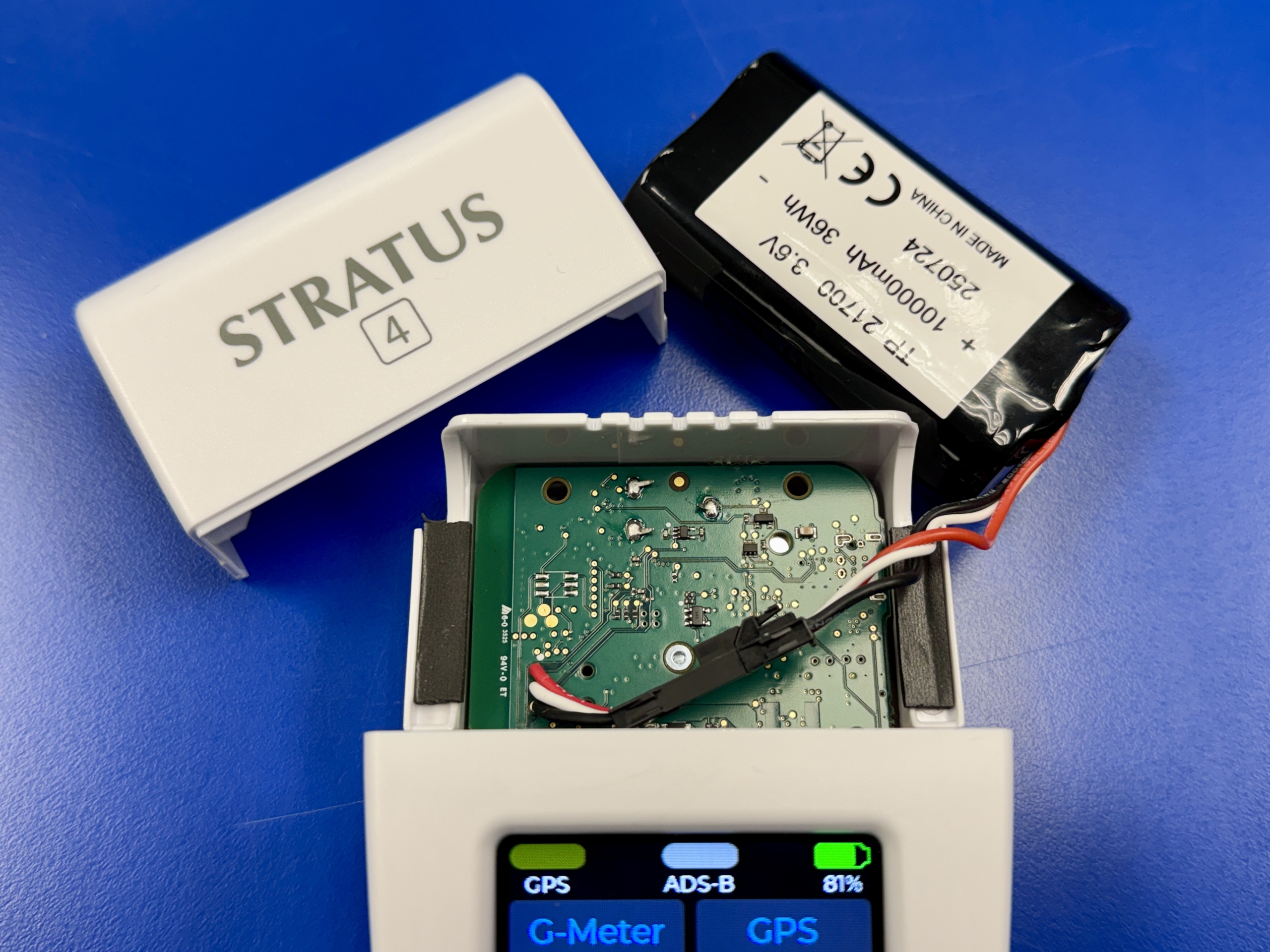
Stratus 4 includes an 8-hour rechargeable battery that will last for all but the longest flying days. What’s notable in this new version is that the battery is now user-replaceable from the top of the unit when it reaches the end of life, and requires no special tools to swap it out. This is a big deal and the first time we’ve seen this in a portable ADS-B receiver, and it will make pilots feel more comfortable knowing they can easily service the unit in the future.
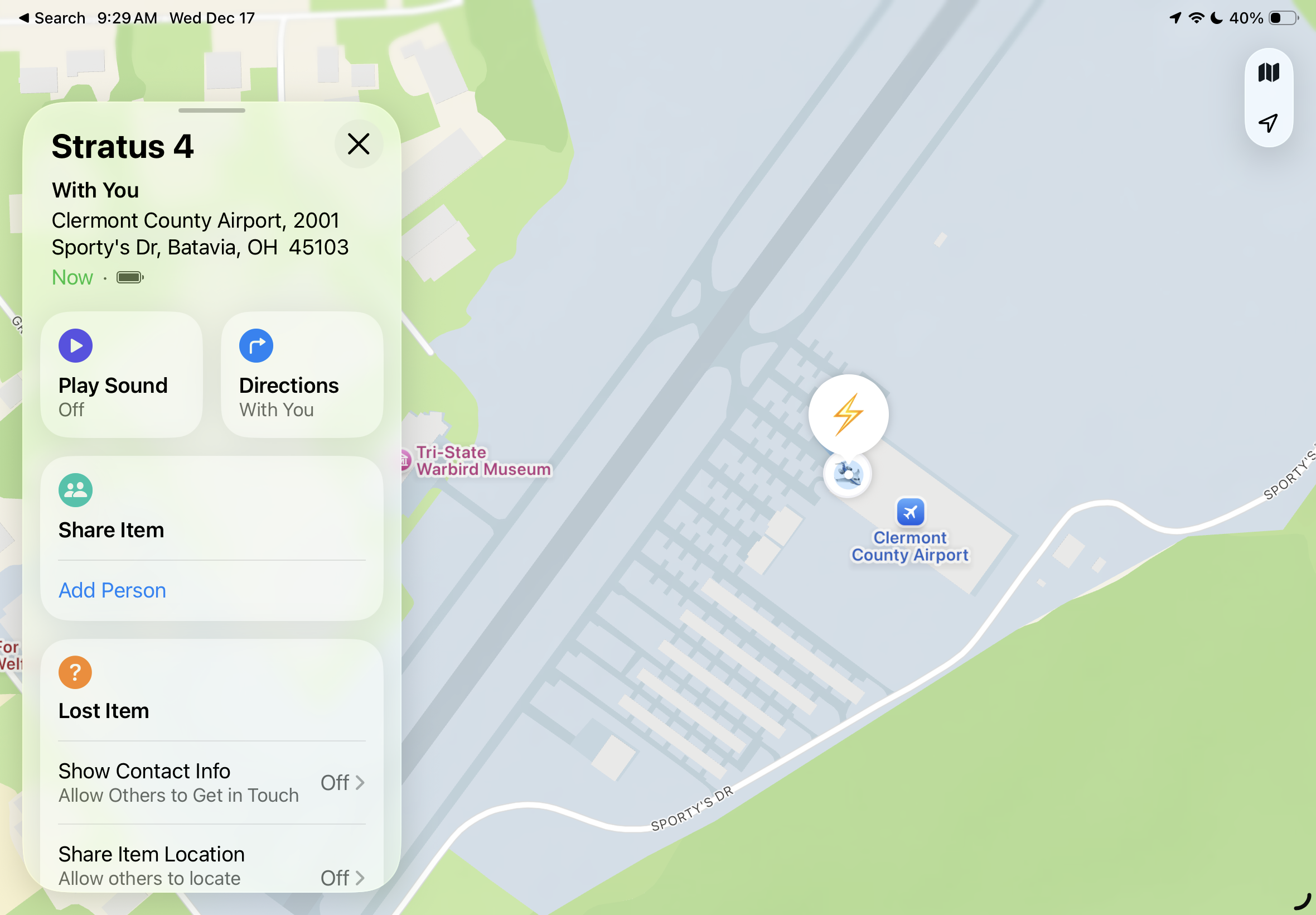
To help with the ever-challenging task of tracking all your pilot gadgets, Appareo included Apple’s official “Find My” capability in Stratus 4. This allows you to register the device to your Apple account and track the location from your iPhone or iPad. Think of it as having an AirTag built into the unit.
Flying with Stratus 4
Even with the new features and touchscreen display, Stratus 4 is as easy to set up and operate as previous Stratus models. Turn it on using the large power button on the front, connect your device to the Stratus Wi-Fi network, and start using your aviation app. GPS position will appear right away, and the ADS-B weather feed will be available as soon as you’re in range of at least one ADS-B ground tower.
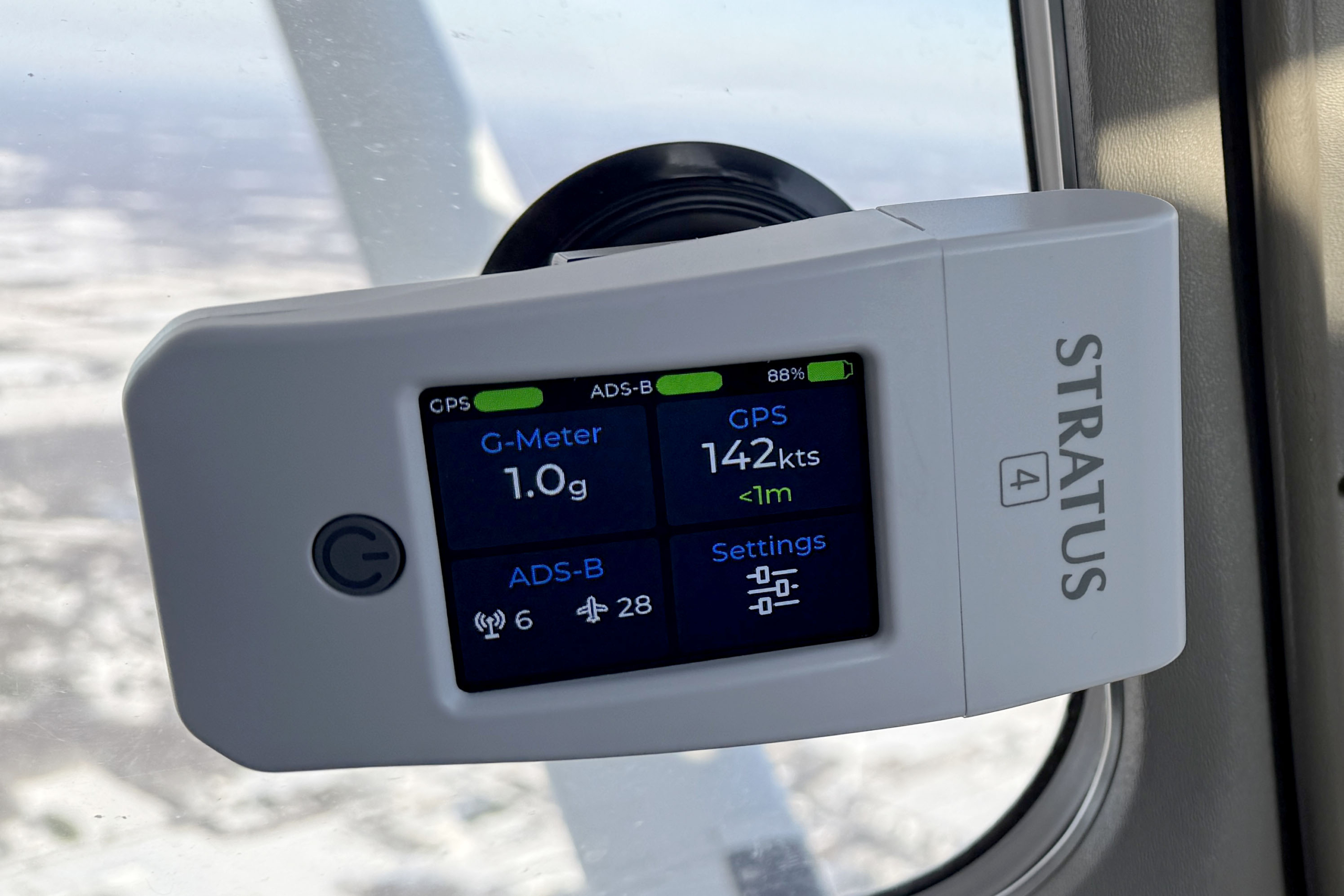
Stratus 4 comes with a RAM suction cup mount, allowing you to mount it on a side window. This is the ideal location, since it allows for clear reception of both GPS satellites in the sky and ADS-B towers on the ground. It also helps keep the device cool, since you have the flexibility to choose a side of the airplane away from direct sunlight. This location also provides the best viewing angle of the color screen.
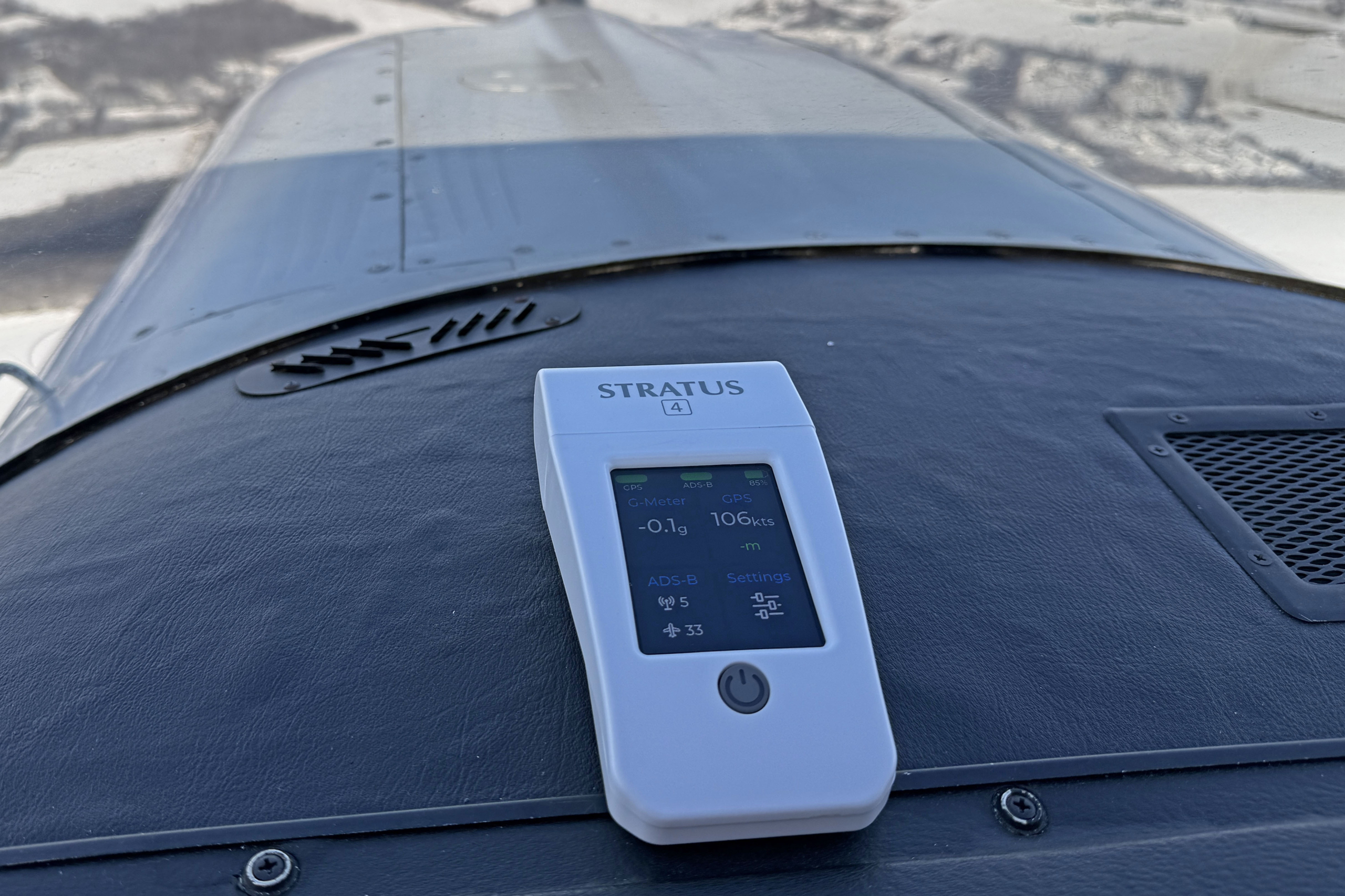
You can also place Stratus 4 right on the dash, but with some caveats. First, this tends to be a much hotter location on clear-sky days in direct sunlight, which can accelerate the heating of the internal battery. Second, the bottom of the device is hard plastic, so it wouldn’t take much to make it slide around. We’d suggest adding some rubber feet or grip material if this is the only spot that works for you.
When changing the Stratus 4 orientation in the cockpit, you’ll want to adjust the screen orientation as well to keep the data blocks easy to read. This is accessed from the main Settings button on the screen:
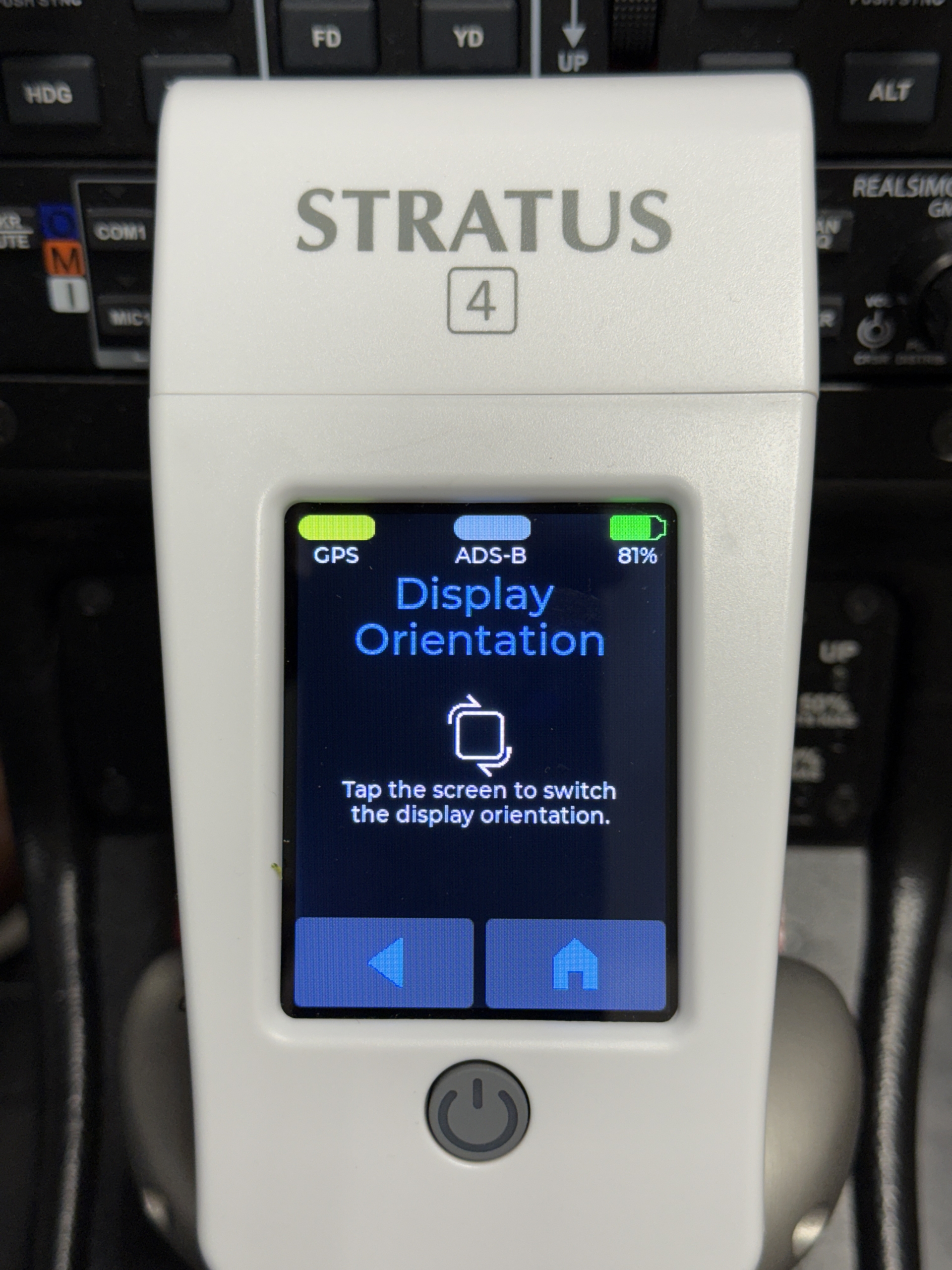
If you plan to use the AHRS feature for the attitude indicator display in compatible apps, you must align the device with the larger side pointing towards the front of the airplane. Then, it can be oriented sideways (as in the window suction cup image above) or lying on the dashboard, with the color screen pointing up.
If you forget which way it should go, turn the device over and reference the arrow printed on the back of the unit. Just make sure to mount it securely in place before powering it on, to allow the AHRS to calibrate.
As we mentioned earlier, Stratus 4’s greatest strength is its open compatibility with nearly every aviation app. We recently tested it on a flight with Stratus Insight, ForeFlight, and Garmin Pilot, all of which provided reliable GPS, ADS-B weather, and traffic information.
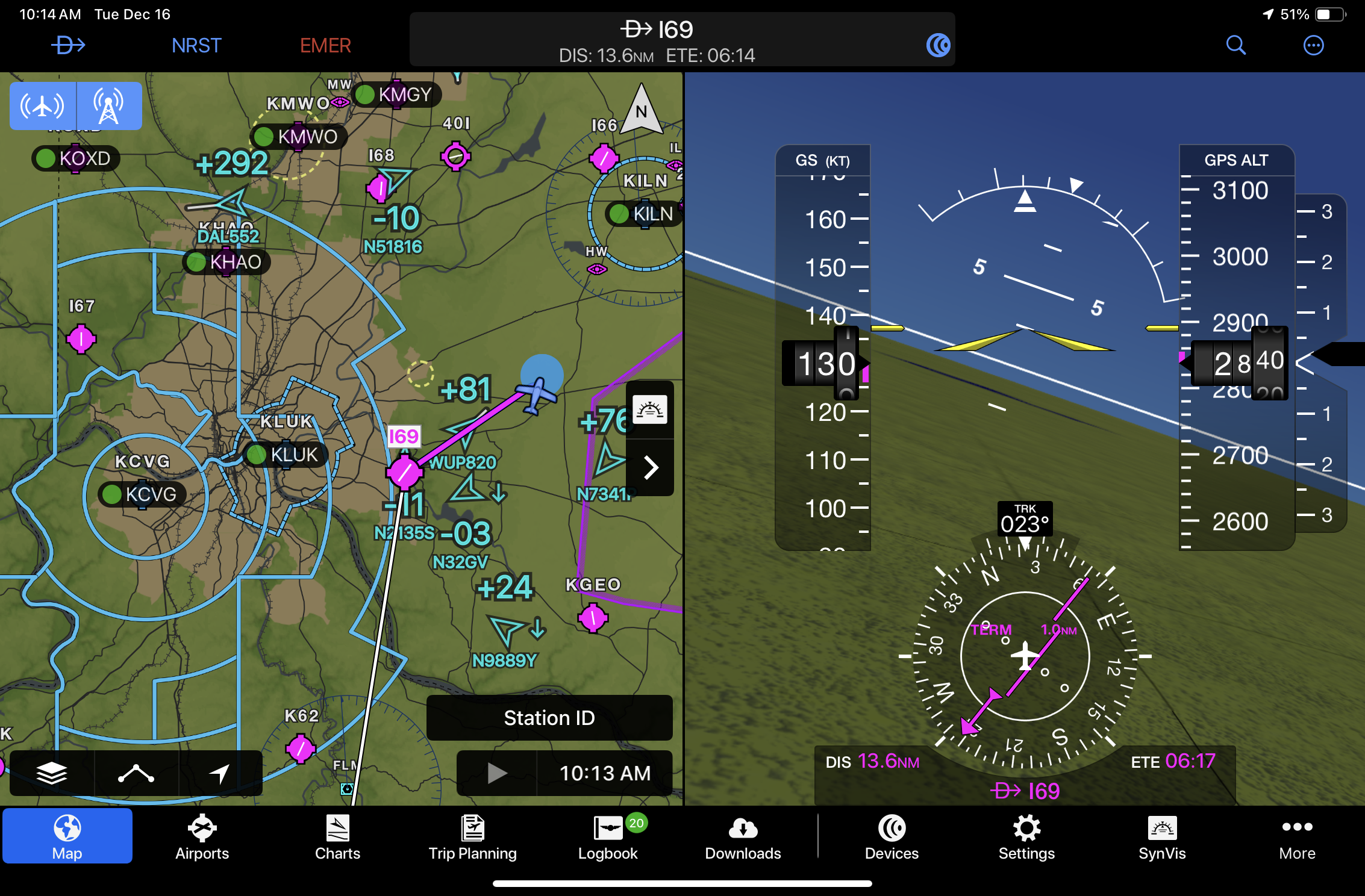
Stratus 4 works very well with Garmin Pilot, thanks to its ability to show split-screen views of moving maps, weather, traffic and/or synthetic vision. We’ll go so far as to say that it’s now the best portable ADS-B receiver for Garmin Pilot app users:
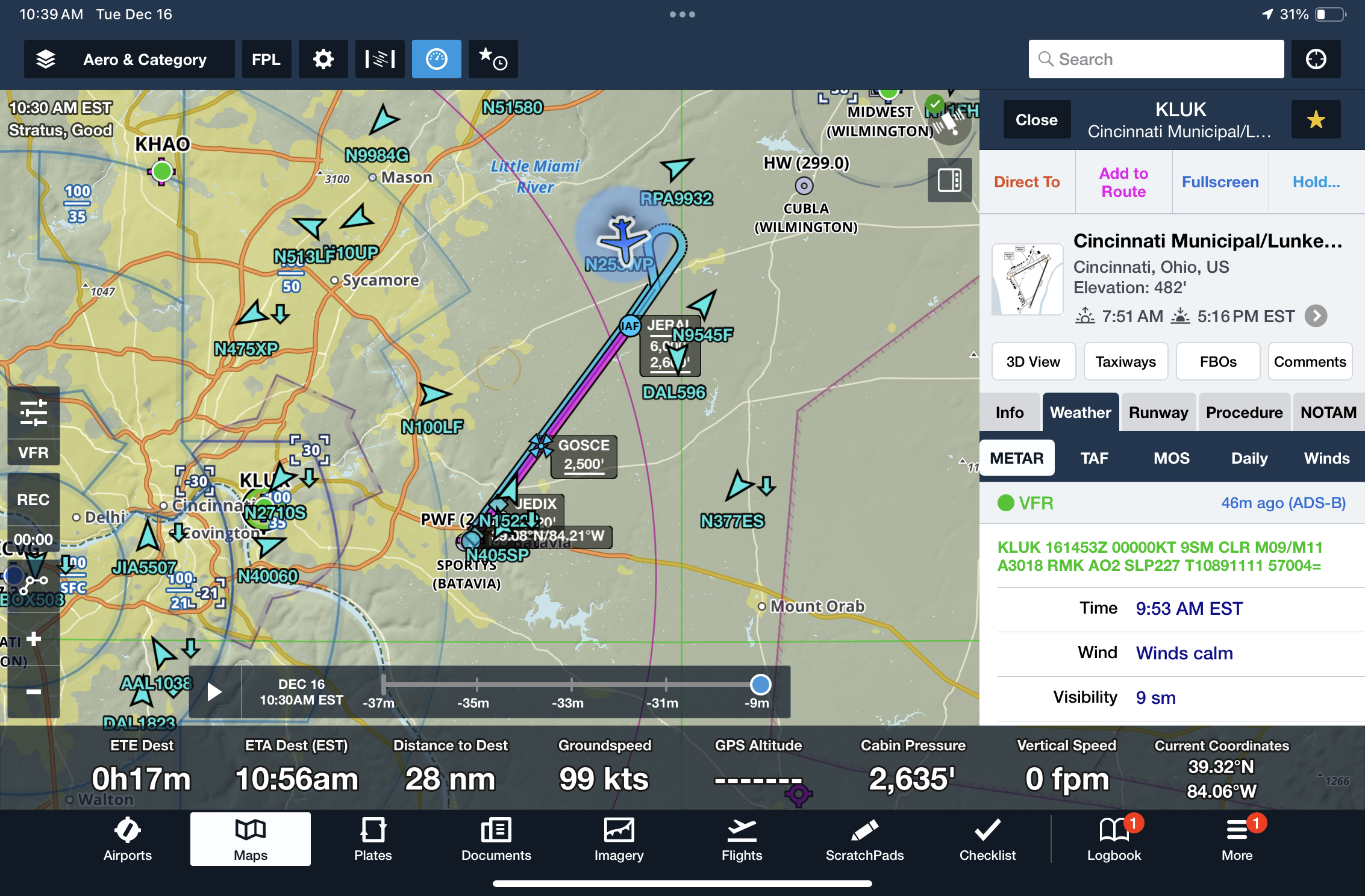
ForeFlight worked just as well, showing nearby real-time traffic and up-to-date airport METARs when connected to Stratus 4:
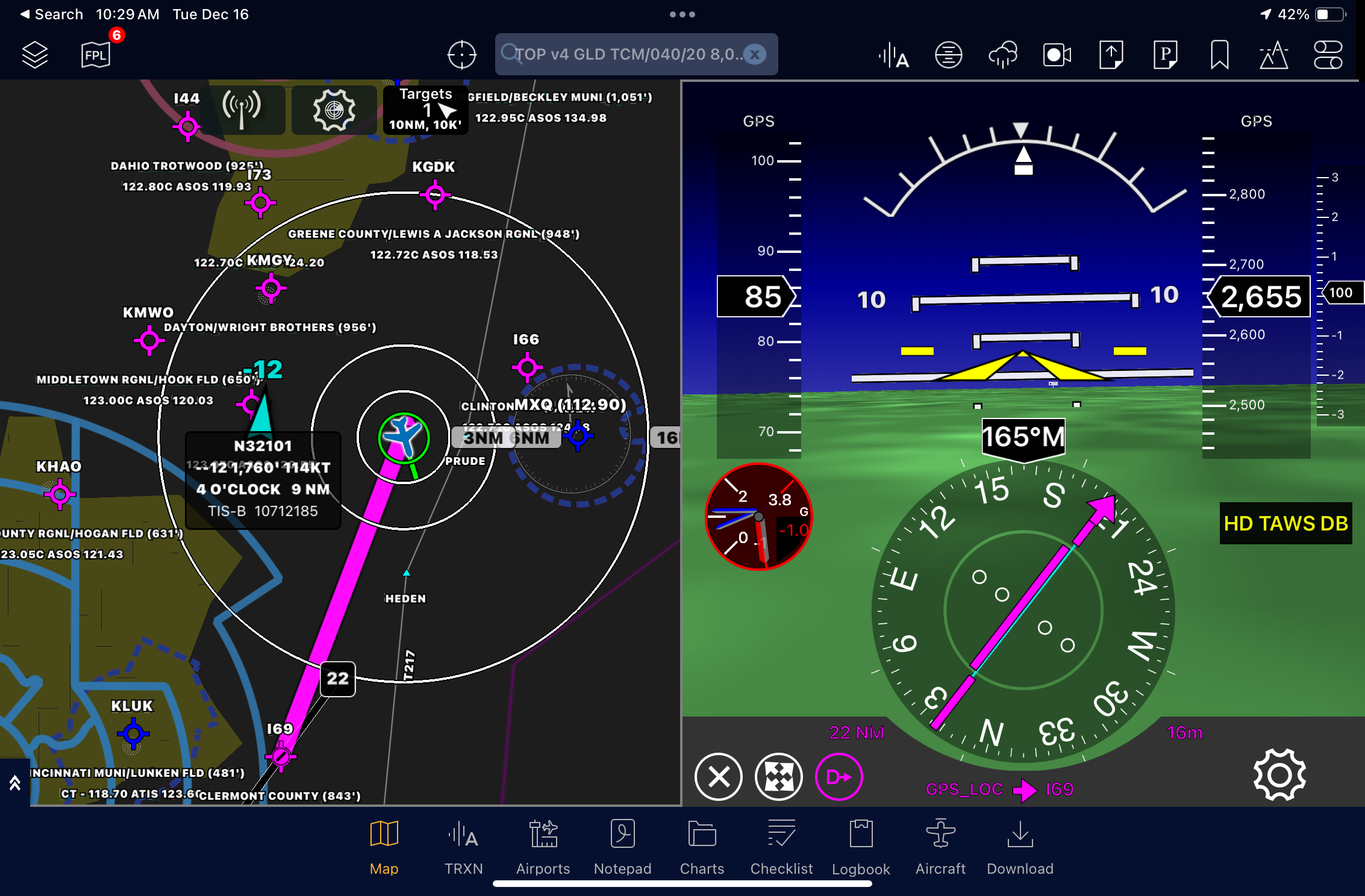
Stratus Insight, Appareo’s own aviation EFB app, includes the bonus of showing a G-Meter on the attitude screen, driven by Stratus 4:
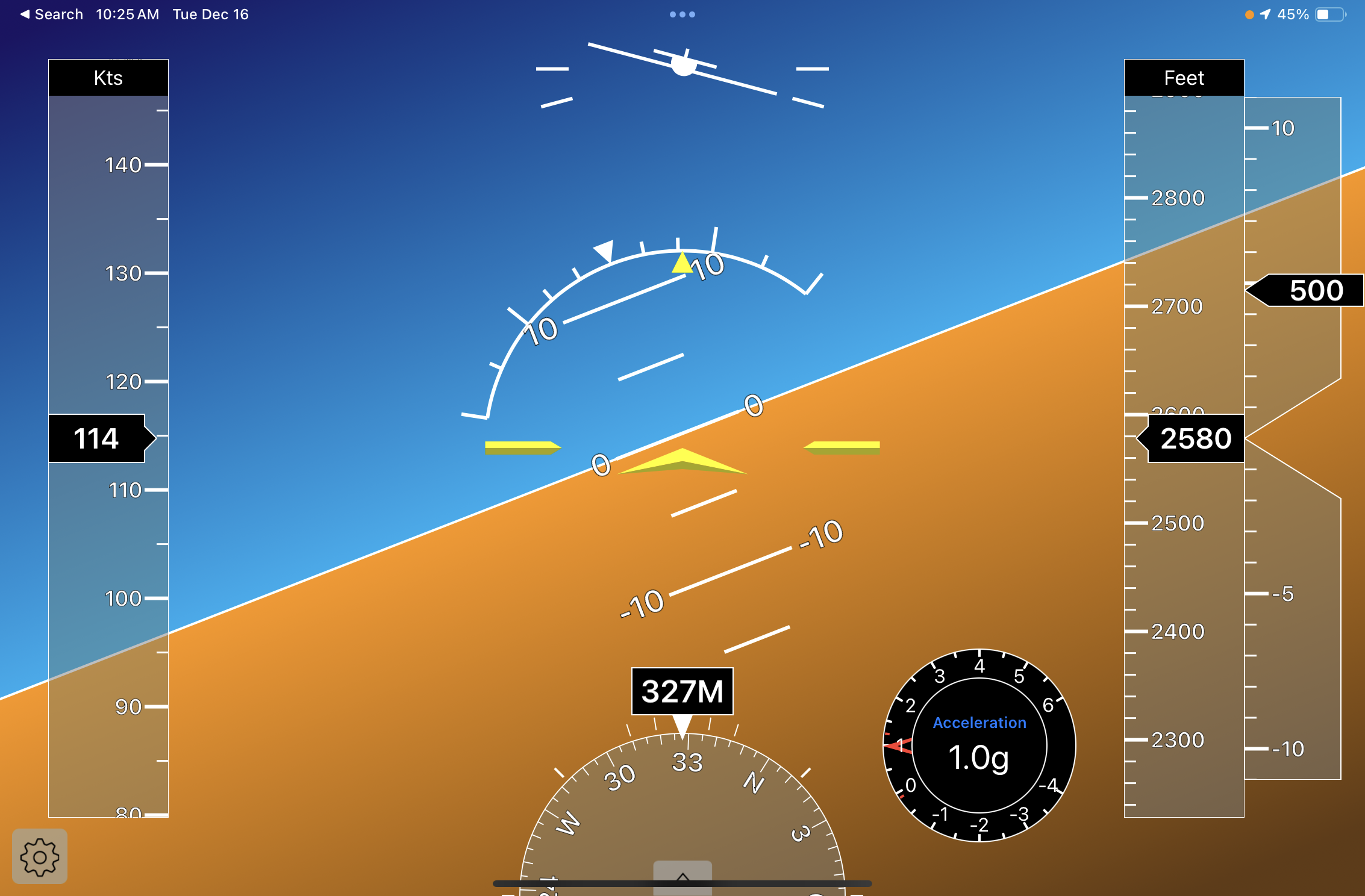
Stratus 4 is also compatible with the Stratus Horizon Pro app, which displays a large attitude and flight instrument display and includes the ability to record and transcribe cockpit audio (requires a separate audio adapter):
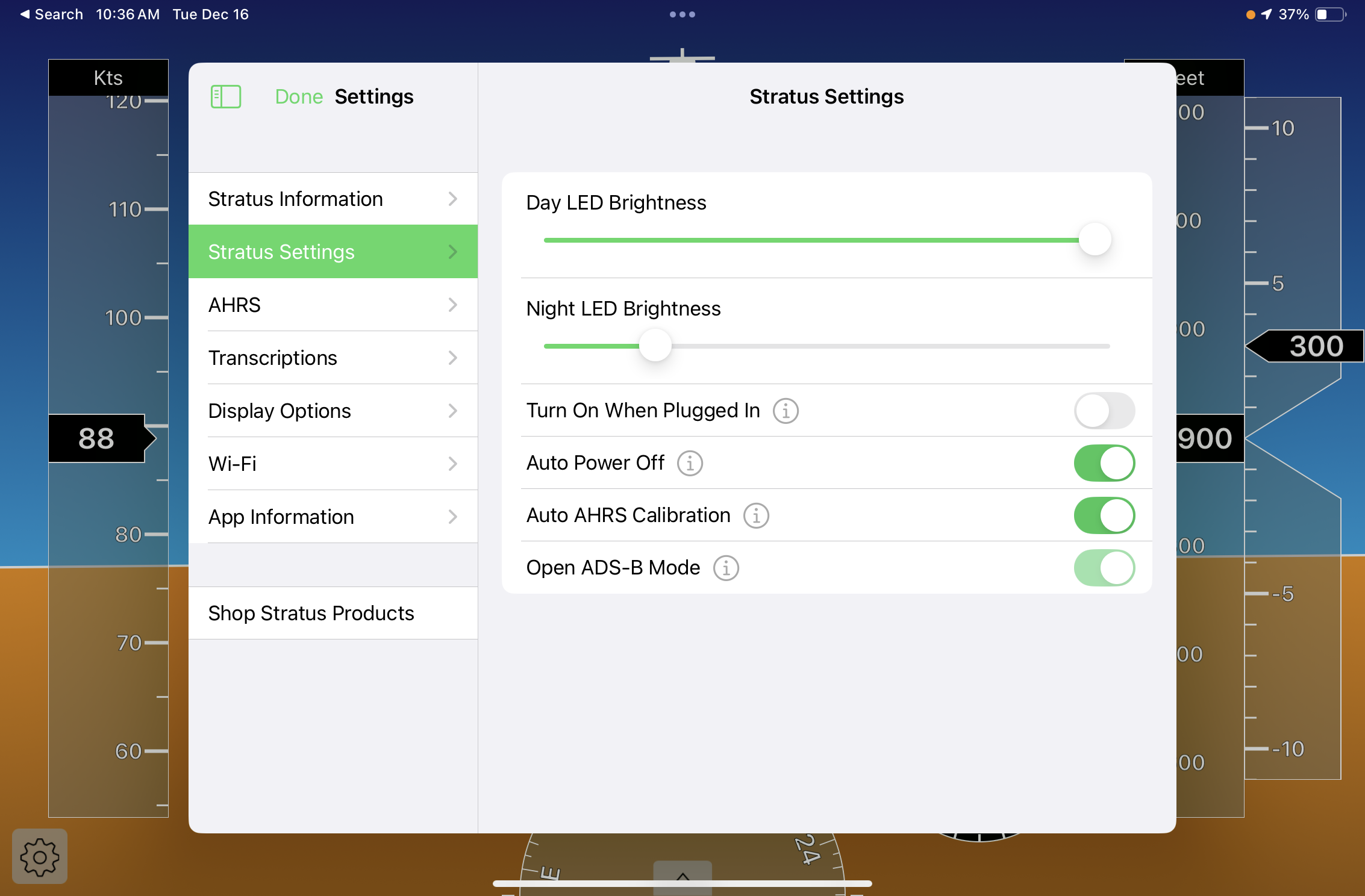
This is the app you’ll use to configure Stratus 4 settings, like screen brightness, power on/off behavior and AHRS calibration. This is also where you’ll go to update Stratus 4 firmware when new updates become available.
Conclusion
Stratus 4 is a well-built receiver, primarily designed for those flying with apps other than ForeFlight. We think it’s the best portable ADS-B receiver for pilots flying with Garmin Pilot, since all the features work well, and you can view basic receiver health and reception status in Garmin Pilot’s device status section. For those flying only with ForeFlight, we’d recommend sticking with Sentry, since it is designed specifically for ForeFlight and can be configured and updated without a separate app.
The main downside of the open ADS-B receiver concept is that you won’t have a tightly integrated experience across all apps, as you may have been used to with previous Stratus models. For example, you can only control screen brightness and device settings from the Stratus Horizon Pro app, and we experienced ownship detection issues that led some apps to show our location as ghost traffic at your current position. And in ForeFlight, the altitude and VS tapes on the instrument display were disabled and marked with a red X.
Despite these minor annoyances, Stratus 4 excels at providing ADS-B traffic and weather to aviation apps, and the addition of a color touchscreen is a nice touch to monitor device health and reception strength in flight.

- iOS Update Green Light program: iOS and iPadOS 26.3.1 - March 5, 2026
- The top 20 apps for pilots – 2026 edition - February 24, 2026
- ForeFlight vs. Garmin Pilot: key differences to help you decide - February 10, 2026


I started my Stratus journey with the 2S. When the 3 came out the company offered a trade-in program that I took advantage of and have been flying that mounted on a side window in the back. I’m semi-excited about the 4. I say semi since I have no real use for the color touch screen except perhaps on initial calibration. The feature that does make me think about trading mine in, is the ability to change the battery easily. The 3 requires breaking the label seal to get at 2 of the screws. It was a carry over from the 2S and the original one I had on that one failed and I bought a replacement. So if Stratus offers a trade-in I will likely do that since I’ve had mine since they first came out. Who know, I might even like the color screen.
I bought the original Stratus. Is still serves me but the limited battery life means that I always try to plug it into onboard power. With the exception of the g-meter, this new product is not a very different piece of equipment. I was hoping that the new Stratus would also incorporate a CO meter & Alarm. This updated gear missed a big opportunity.
I have a 3 and mounted it solid to the left side panel using their mount with ship Power ADSB and GPS ext antennas. I don’t like suction cup mounting not reliable !!!! The 4 has NO solid mount option a deal breaker for me …