
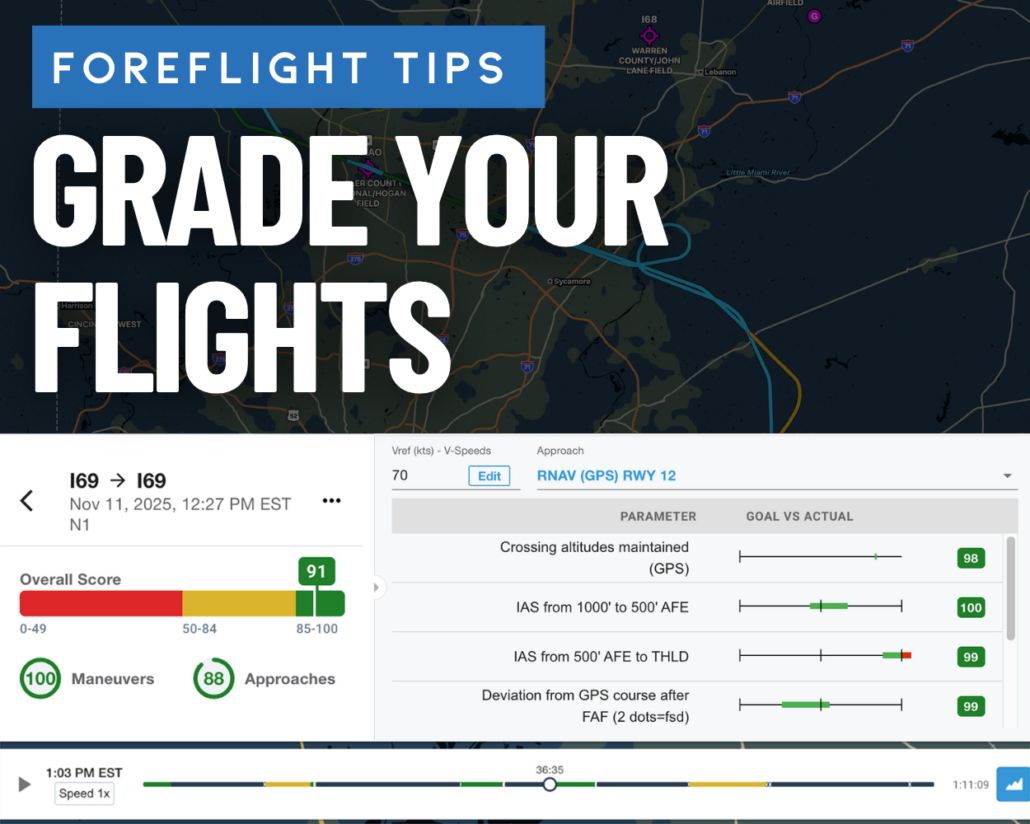
Use ForeFlight Debrief to grade and score every flight
|
Getting your Trinity Audio player ready...
|
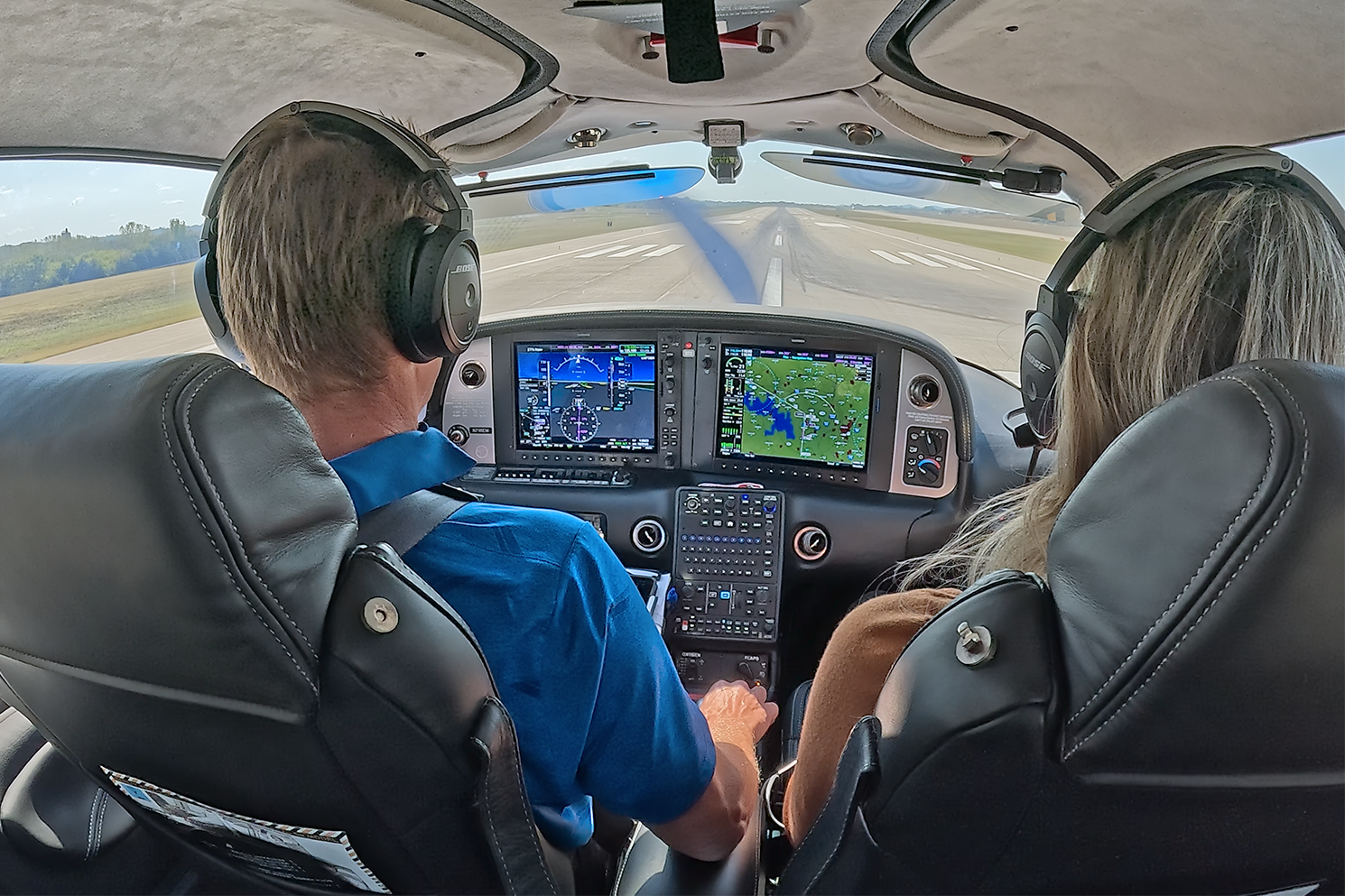 We all aim to do better on every flight, whether it’s better checklist usage, engine mangement or altitude control. We are often our own harshest critics, looking back after a flight and wishing we had done one or two things differently. Best case, it just ends up as a bruised ego; worst case, safety margins or ATC tolerances are compromised.
Flight Reviews and proficiency flights with CFIs are designed to catch bad habits and behaviors that might lead a pilot down the wrong path, but these are only required every two years, leaving a lot of time in between. What about those hundred hours in between?
That’s where ForeFlight’s Debrief feature comes in. This underutilized resource instantly analyzes your track logs and helps you identify what you did well and where you can improve. Beyond the polished interface and automatic scoring of each flight segment, the most important aspect, in our opinion, is its ease of use. Unlike every other debriefing app or resource that requires you to manually offload data from your panel or ADS-B receiver, ForeFlight Debrief’s workflow does all of this automatically. When back on the ground, simply open up the web version of ForeFlight, and all of the flight analysis and scoring data will be ready for you.
Logging Flights
First, ForeFlight Debrief requires a Premium subscription. Then, to record your flights, you’ll need a GPS source. This can come from the iPad’s built-in GPS, a Garmin-connected panel, or an ADS-B receiver. Next, go into the main Settings screen in ForeFlight and make sure “Enable Auto Start/Stop” is turned on.
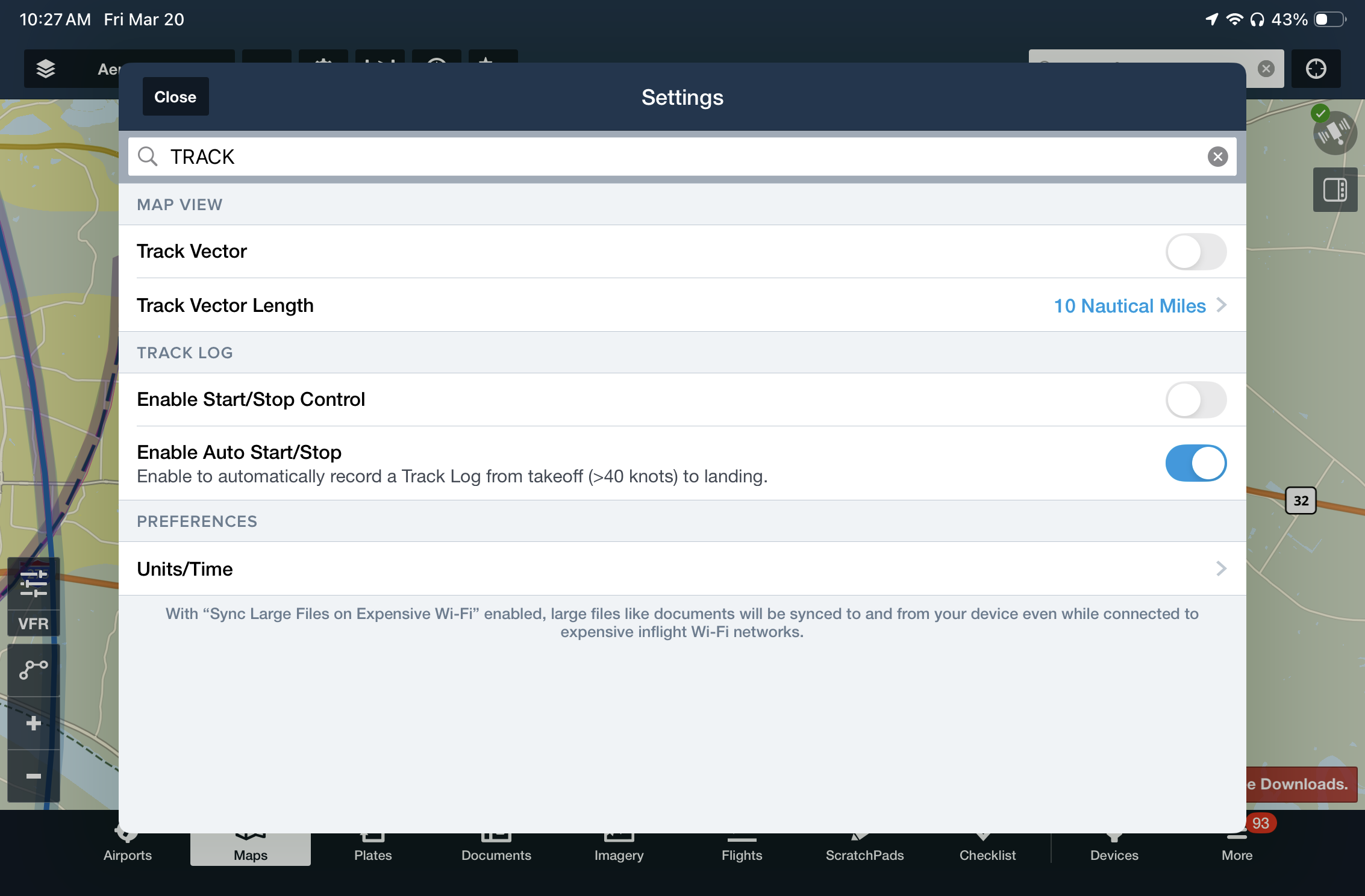
This will ensure ForeFlight automatically creates a track log for every flight from takeoff to landing, initiated when your groundspeed reaches 40 knots during the takeoff roll. When back on the ground, you’ll find the flight saved in the Track Logs section of the app.
For the best experience, we recommend using a Sentry Plus ADS-B receiver, which includes an AHRS to capture pitch and bank data. Sentry automatically records a track log on the receiver during your flight and transfers it to your iPad when the receiver is powered off:
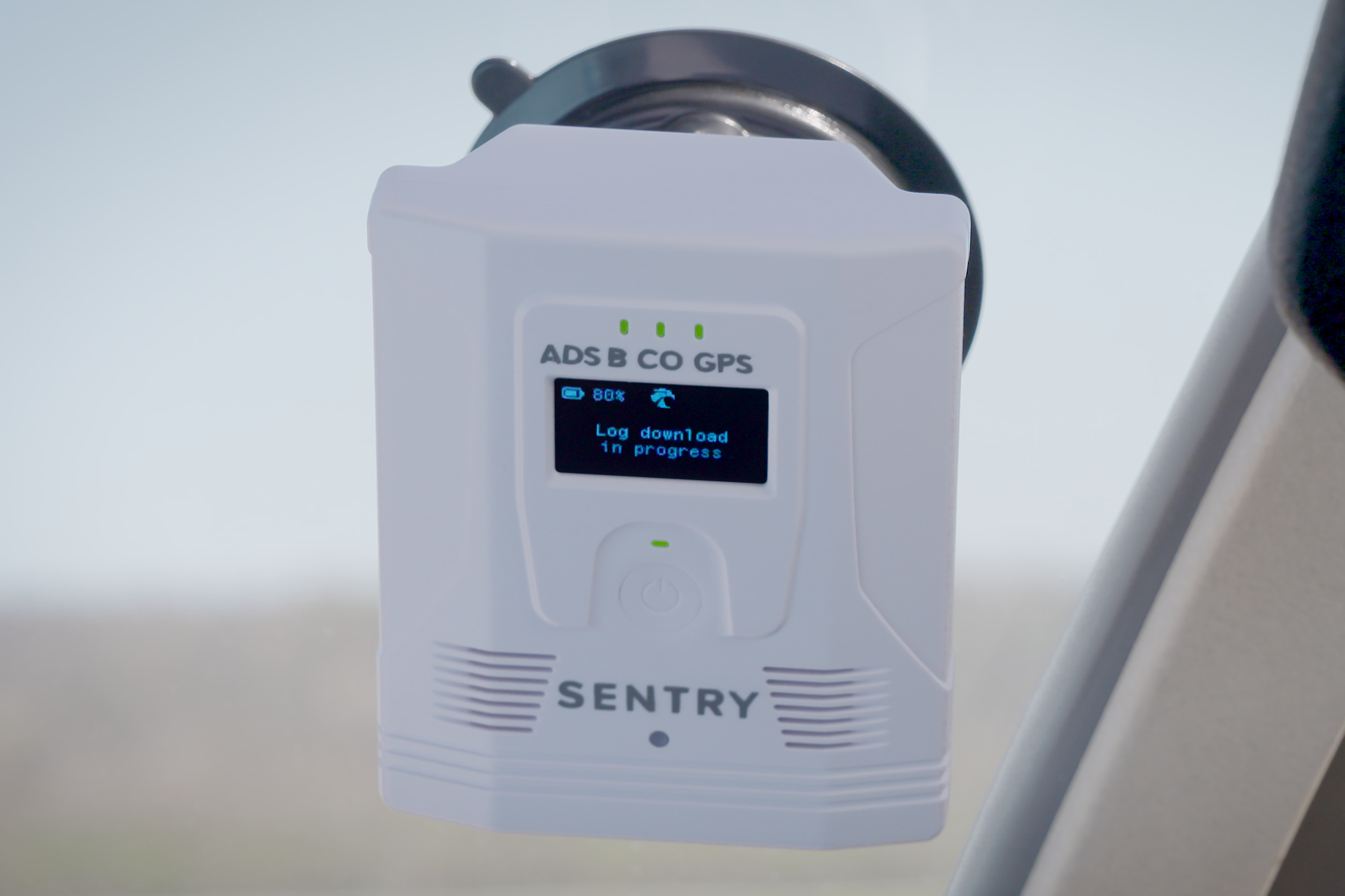
Then, as soon as your iPad connects to WiFi back at the airport, ForeFlight will transfer the track log to your ForeFlight cloud account, where it can be viewed in the web version of ForeFlight. This is the most important part to us, since every step of the track log transfer process is automatic, requiring no action from the pilot.
Scoring your Flight
Now for the fun part, where you get to dive into the details of your flight. ForeFlight has offered based debriefing tools in the app for many years now, which allow you to replay the flight on a map and see a graph with altitude, speed, pitch and bank data. This is nice for a high-level review, but it doesn’t provide much insight into your actual flight performance.
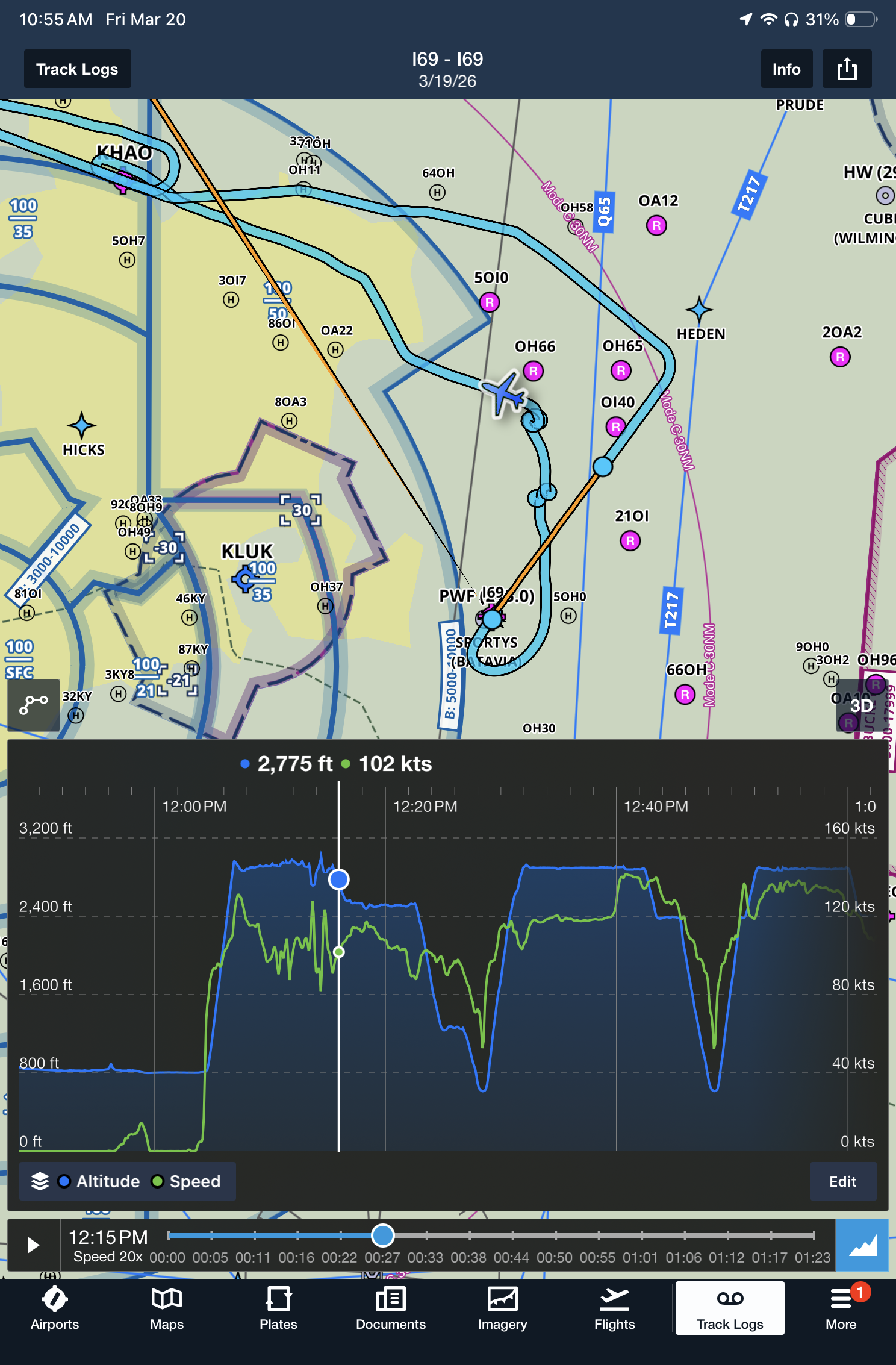
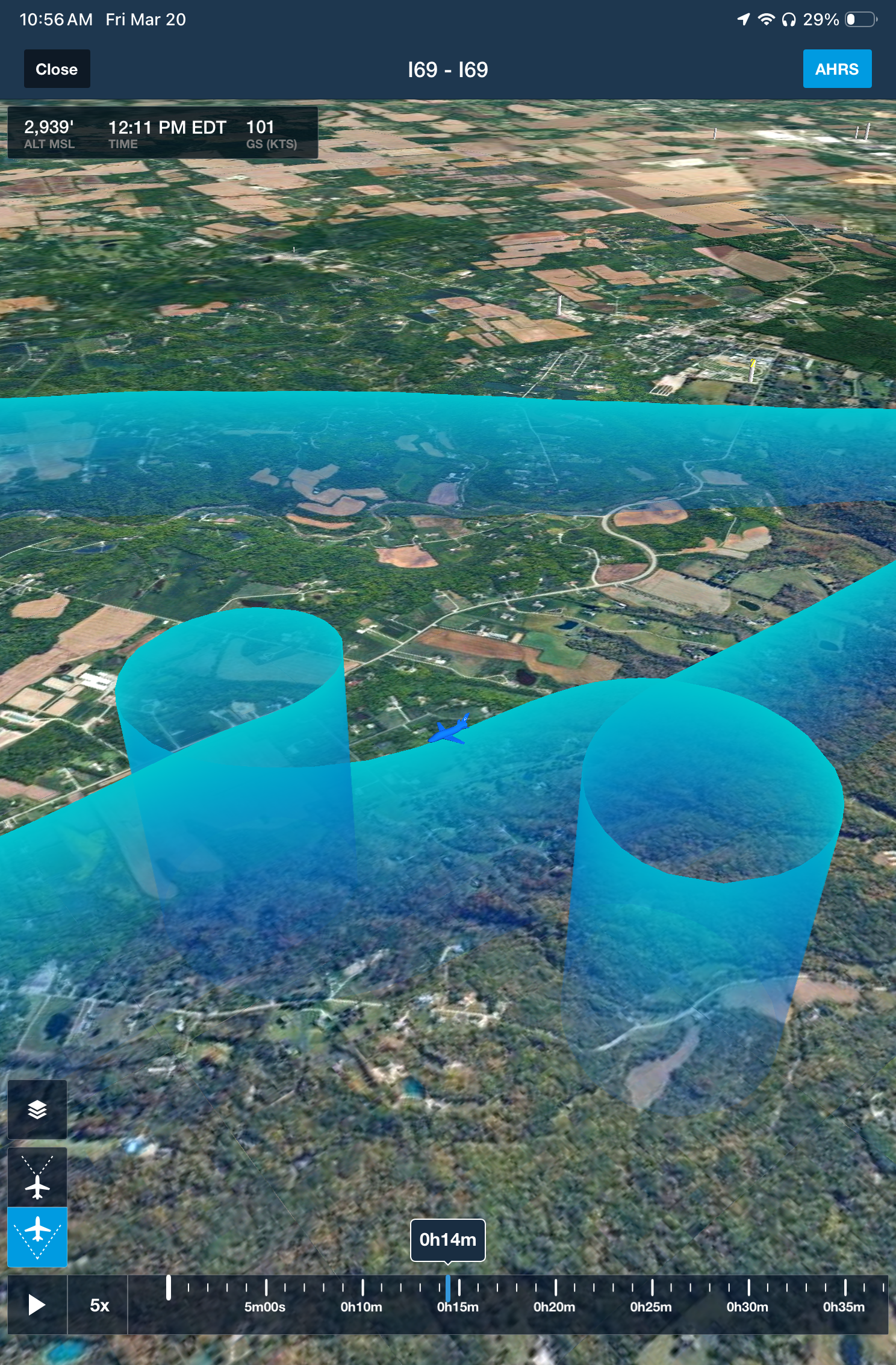
To access the full suite of debriefing resources, head over to the ForeFlight website and log in to your account. Go to the Track Logs section, and you’ll see the same track logs synced over from your app. If you haven’t looked at this feature recently, the first new data point that will stand out is a color-coded score next to the flight, based on an average of the scoring of every segment:
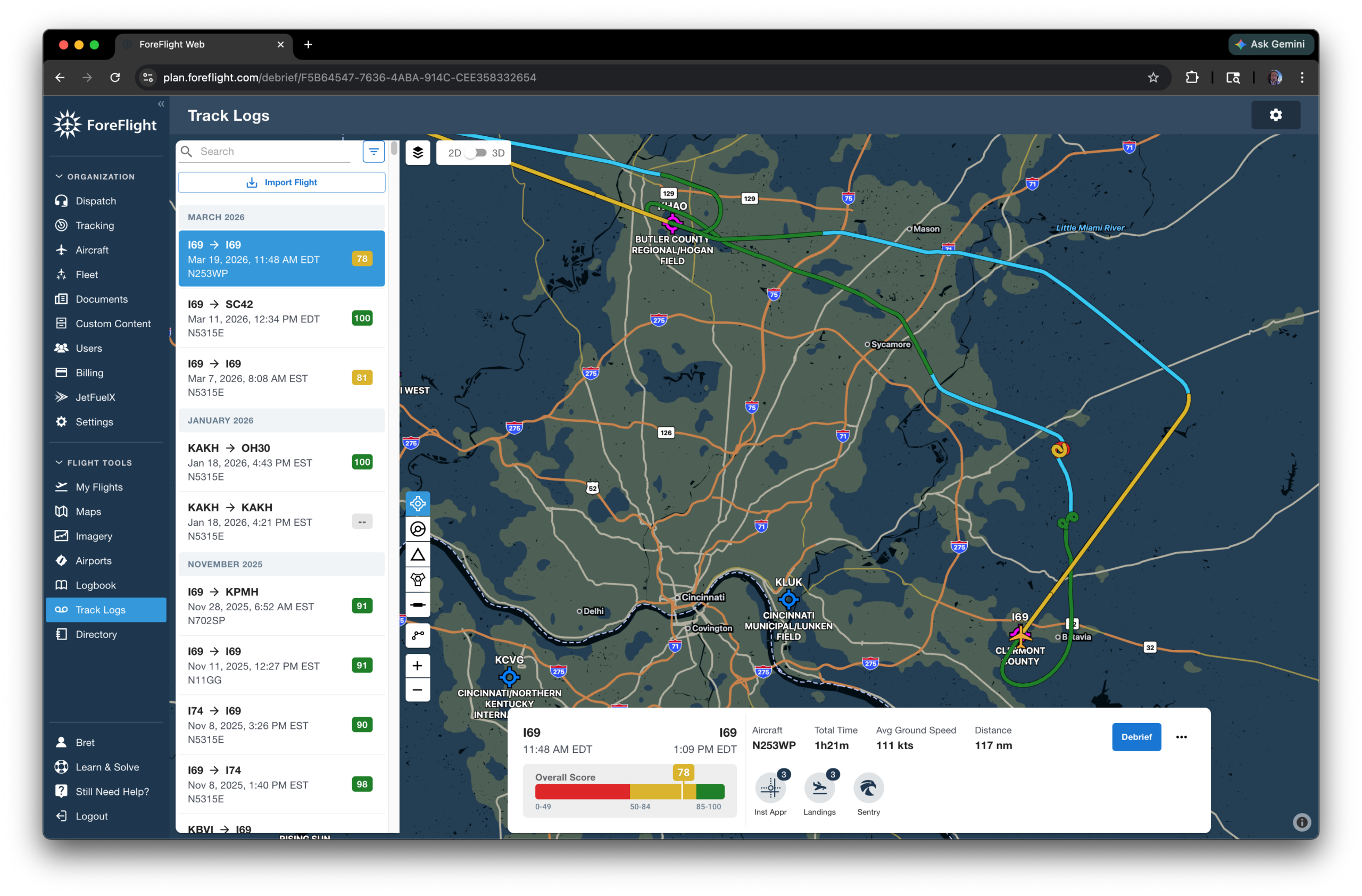
Press the new Debrief button at the lower right of the screen to start reviewing the flight details. The left side of the screen breaks the flight down into segments, based on flight maneuvers, instrument approaches, landings and more. Here’s a look at a steep turn, where the pilot received good marks for altitude, airspeed and heading control:
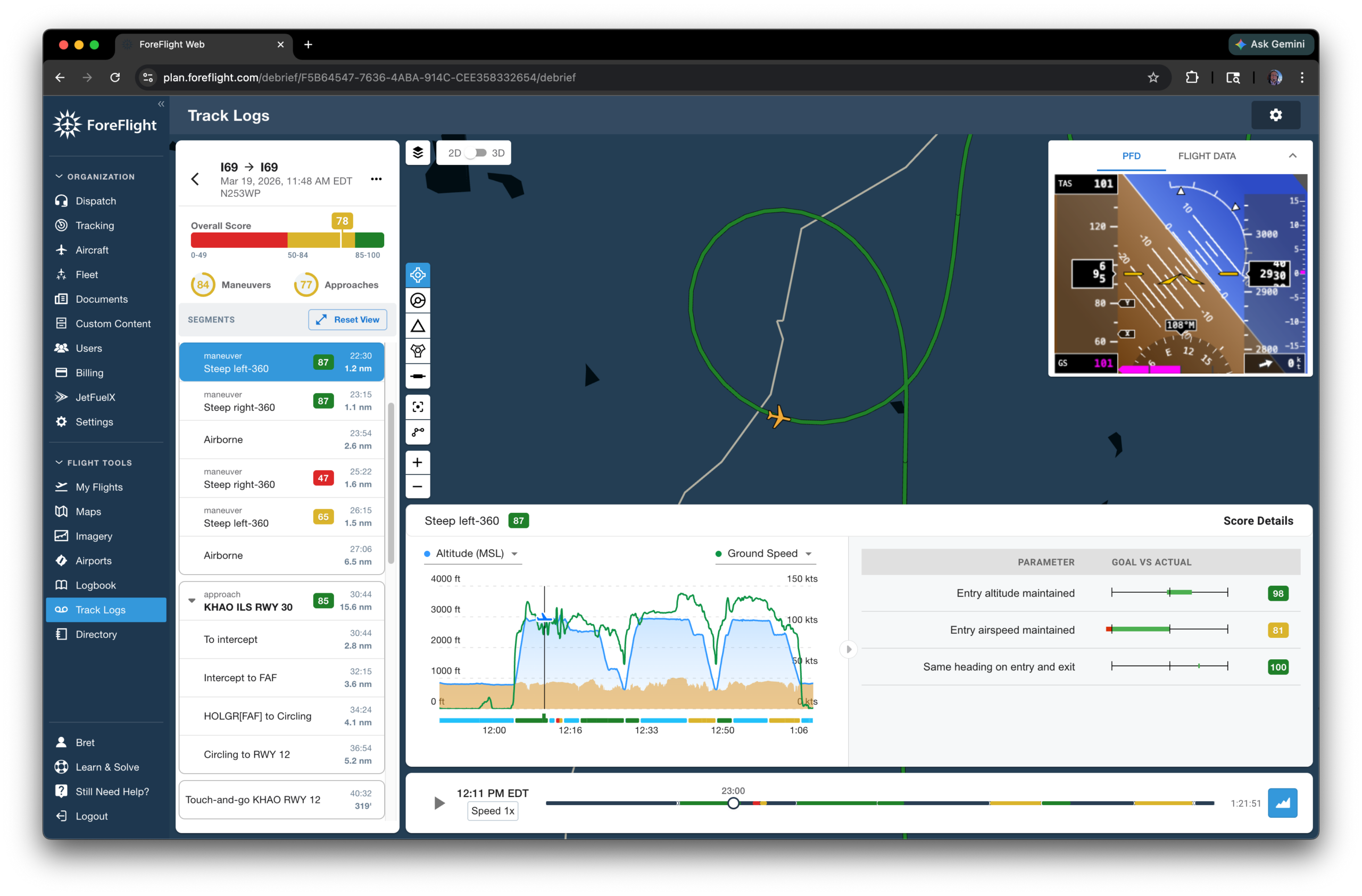
Debrief is an excellent resource to review your instrument approach performance, too. It automatically detects the approach type flown and will grade the following parameters:
- crossing altitude compliance
- deviation from the GPS course inside the final approach fix
- sink rate
- airspeed control
- circling within the protected area
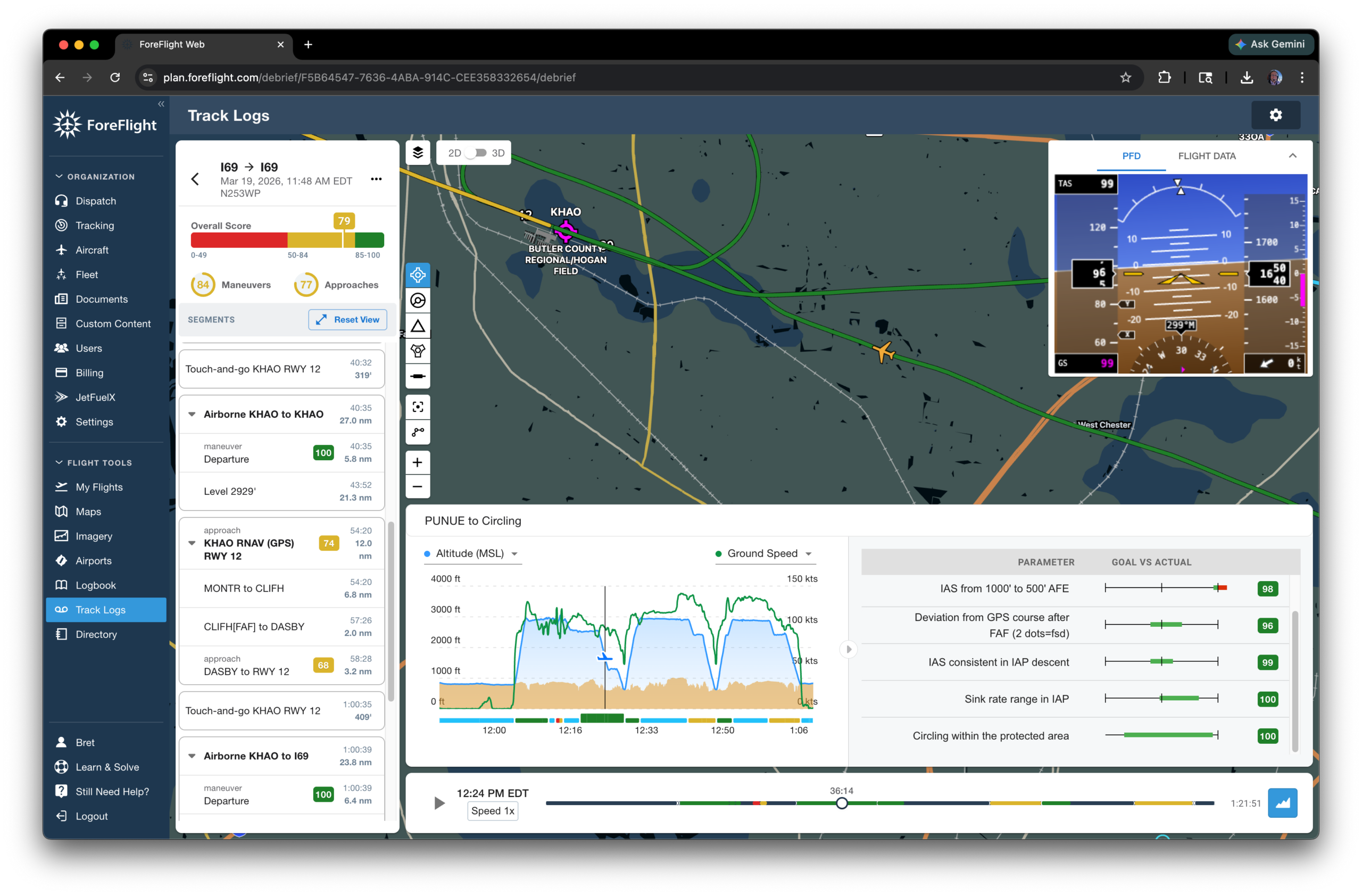
Lastly, here’s a look at the analysis of a normal landing:
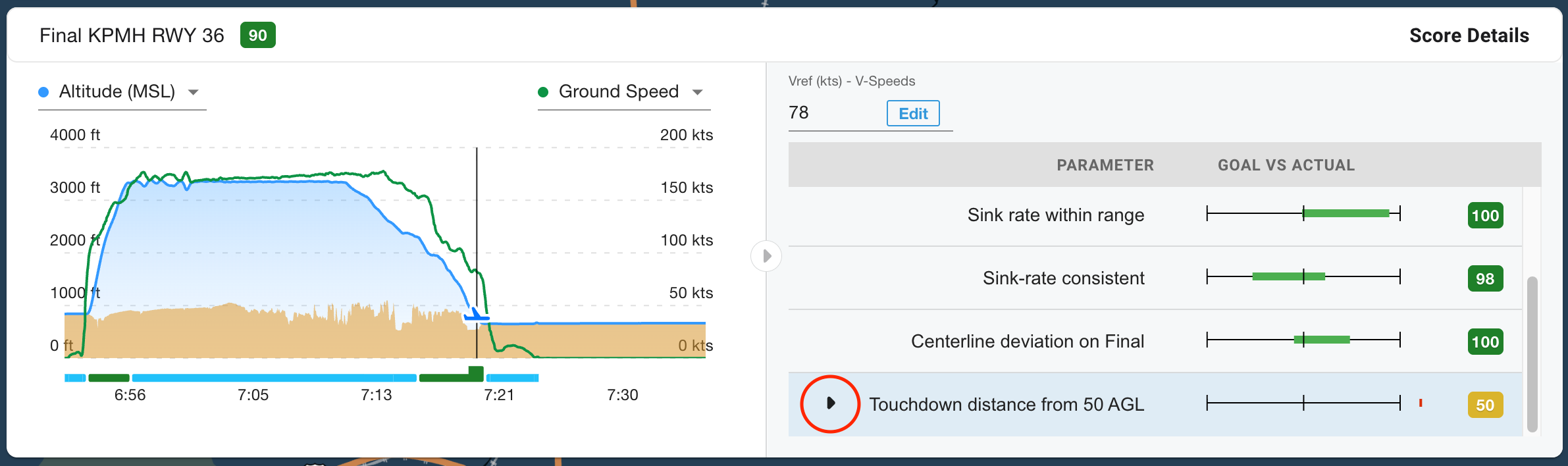
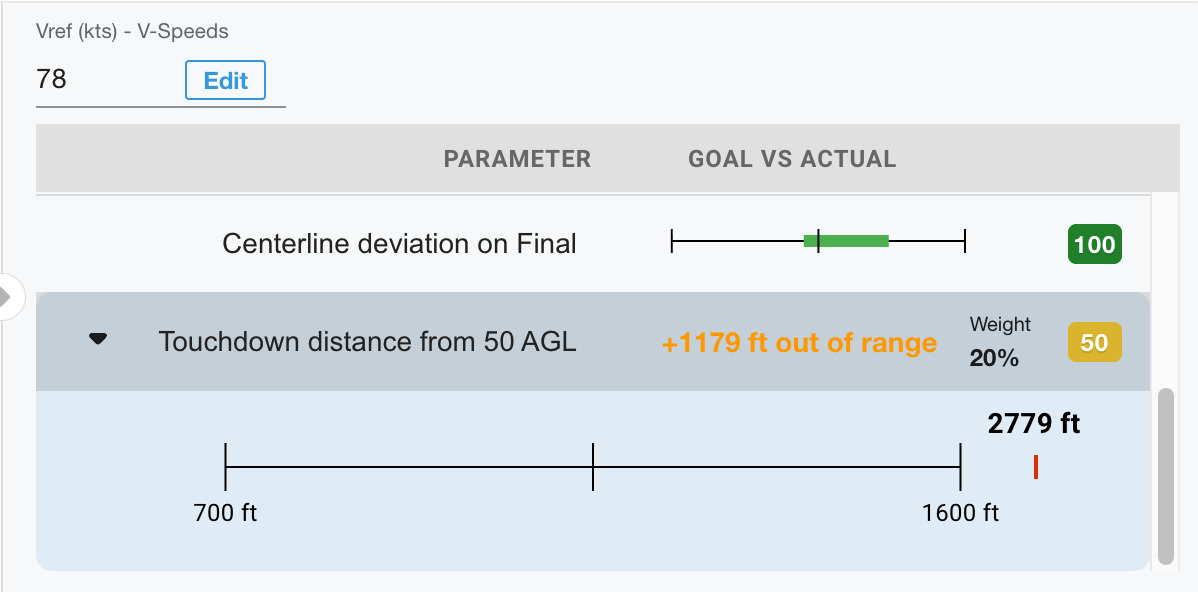
In the score details section, click the small black arrow that appears next to each parameter to view your range. In this case, we received a low score for “Touchdown Distance from 50 AGL”, but this was because there were birds standing in the touchdown zone, and we intentionally landed long on a 5,000′ runway:
ForeFlight Debrief has been available on the ForeFlight website for several months now, and if you’ve been logging your flights, you’ll likely find it has already analyzed and scored many of your past flights. Thanks to a well-designed interface, a hands-off workflow with Sentry Plus, and intelligent analysis and scoring, this feature can identify areas for improvement and help you become a better pilot.

- Use ForeFlight Debrief to grade and score every flight - March 20, 2026
- Heads-up, hands-free: How to use iPad audio alerts for safer flights - March 18, 2026
- Monitor fuel status and flight times with SkyTimer’s new iPad app - March 13, 2026

Leave a Reply
Want to join the discussion?Feel free to contribute!