
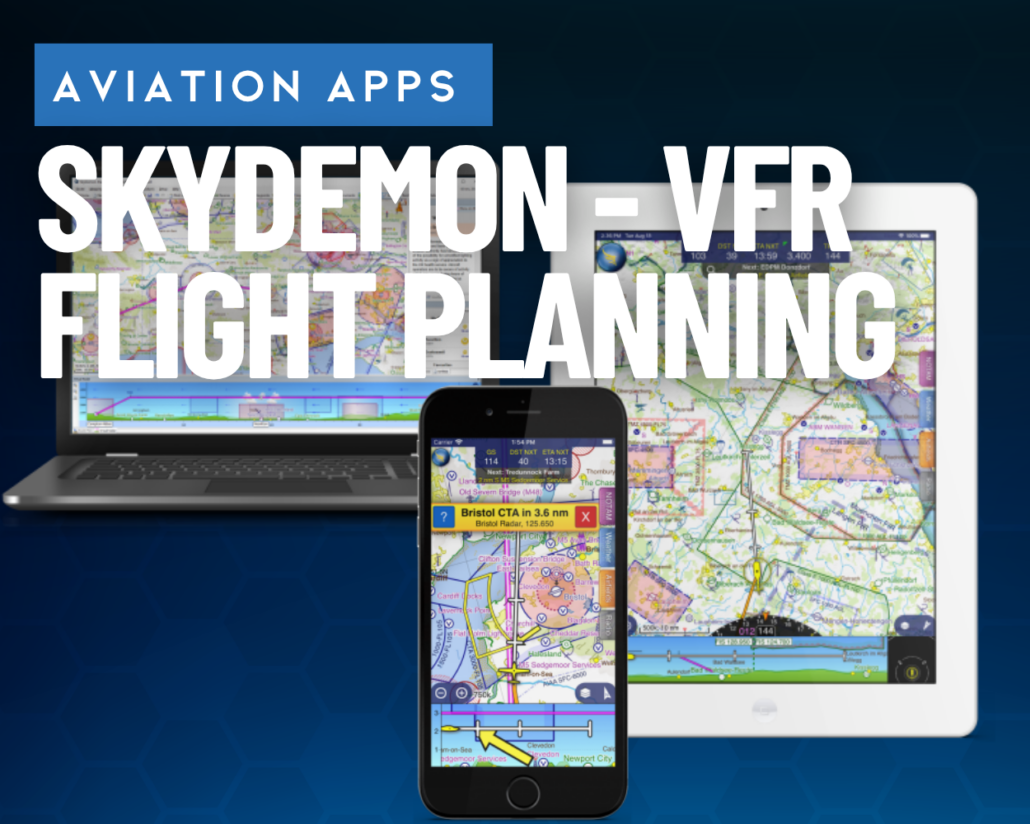
SkyDemon offers simple, VFR-only app experience—is it enough for US pilots?
|
Getting your Trinity Audio player ready...
|
Industry-leading apps like ForeFlight and Garmin Pilot are incredibly capable pilot assistants, loaded with literally hundreds of features to make flying easier and safer. But not all pilots want the latest bells and whistles. In fact, for some VFR-only pilots they can create a steep learning curve and even become a distraction.
That’s why SkyDemon, a long-established app in Europe, is making a renewed effort to attract US pilots. While the app does not offer sophisticated weather tools or IFR flight planning options, it does feature an intuitive and streamlined interface that might be appealing for weekend pilots. We’ve been testing it for the last three weeks—here’s our PIREP.
A unique approach
One thing is clear as soon as you open up SkyDemon: this is not a ForeFlight clone. The app has a distinctive look and feel that is more like a dedicated GPS navigator than a collection of FAA charts. In fact, if you’re looking for a sectional layer, you’ll be disappointed—there isn’t one. SkyDemon is all about data-driven maps, specifically maps that are tailor-made for low-level VFR flying with an emphasis on airspace and obstacles.
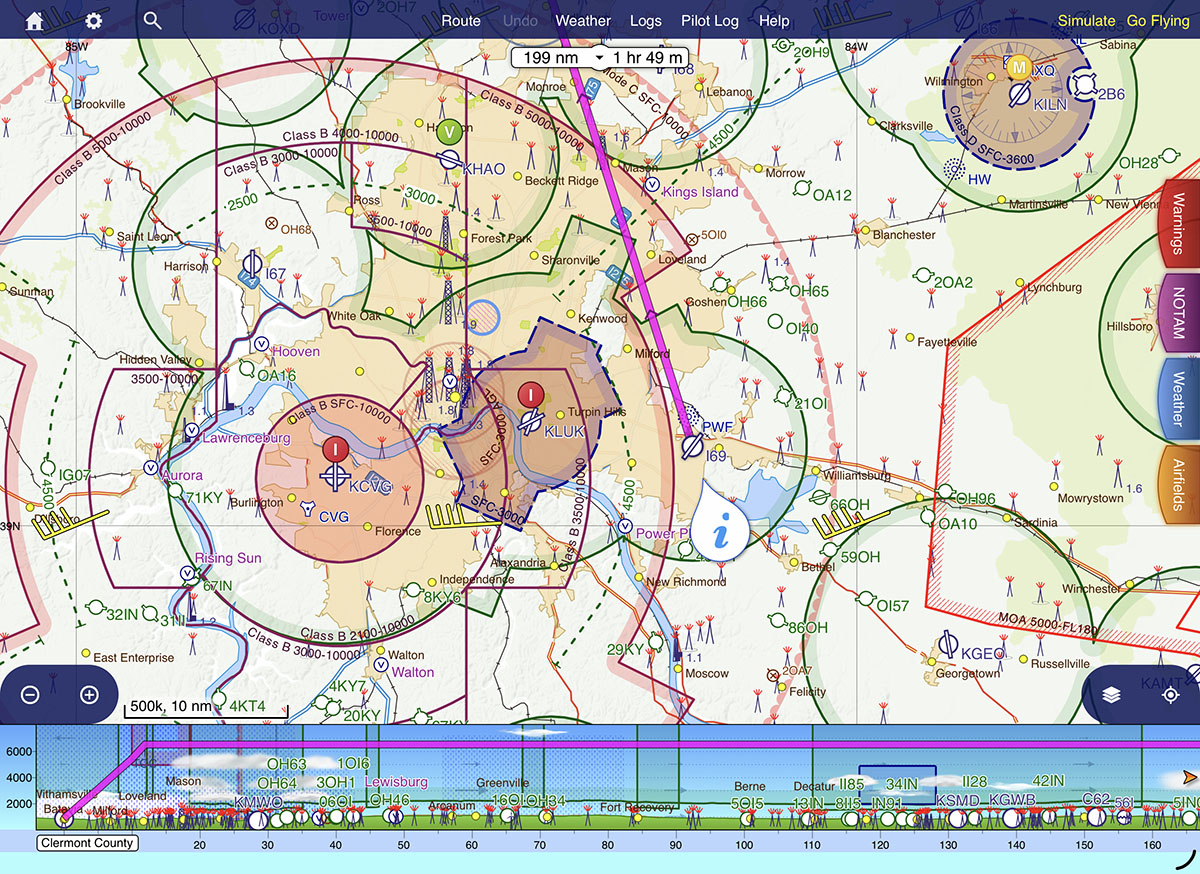
There’s also no synthetic vision page, no dedicated traffic page, and no weather imagery page. This app is all about visual flight planning.
Planning mode
The other distinguishing characteristic of SkyDemon is a very clear separation between planning mode and flying mode. By default the app is in planning mode, which allows you to review airport information, check METARs and TAFs, and evaluate different altitudes with the profile view at the bottom. There are three options for planning a flight, and once again the bias is towards VFR flying:
- Press the Create Route button at the bottom left to enter a traditional route, with a departure airport, a destination airport, and option en route fixes.
- Press the Find a Destination button if you’re not sure where you want to fly (ideal for a $100 hamburger trip). You can filter airports by runway length, fuel price, and more.
- There’s also the option to plan a local flight (using the Create Route button) within 5/10/25/50/100 miles of your departure. This will draw a ring around your departure airport, and is helpful for brainstorming recreational flights.
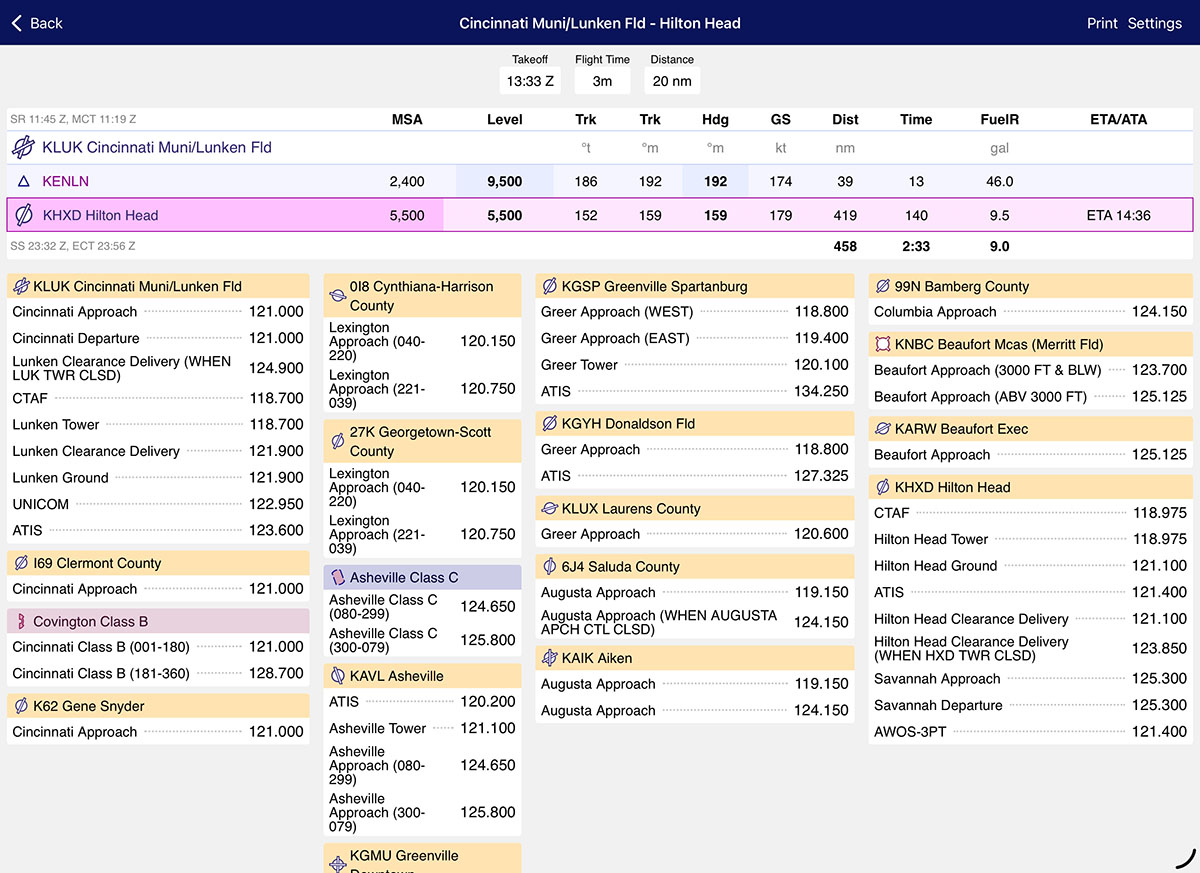
Once you’ve reviewed your route on the main map page, you can tap the Pilot Log button at the top of the page to access a detailed flight overview. This includes leg information, en route ATC frequencies, and total fuel burn. It’s in a printable format if you like to review paper nav logs (tap the Print button at the top right corner).
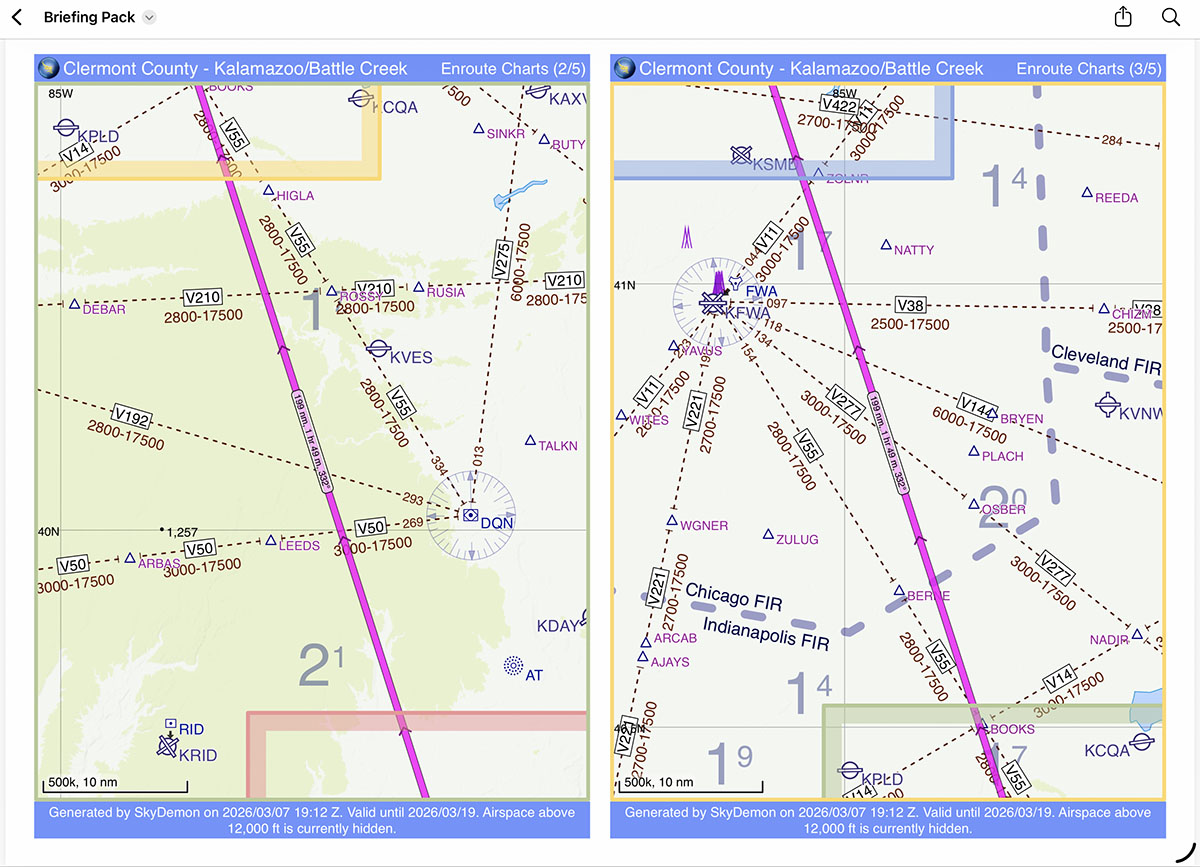
Another innovative feature is the Briefing Pack. Tap the Route button at the top, then Create Briefing Pack. this is almost like an old AAA TripTik, with each segment of the flight broken into a segment with its own map, plus airport information, terrain, and weather forecasts. You can tap to save it as one PDF or print it—handy for storing all your flight information in one place.
Another handy feature is the simulator mode, which allows you to test fly your route from the comfort of your couch. Just tap the Simulate button at the top right, then drag your virtual airplane where you want it on the map. You can quickly see potential airspace, obstacle, or terrain issues. We think it’s a novel idea that more pilots should try before launching off on an unfamiliar route.
Flying mode
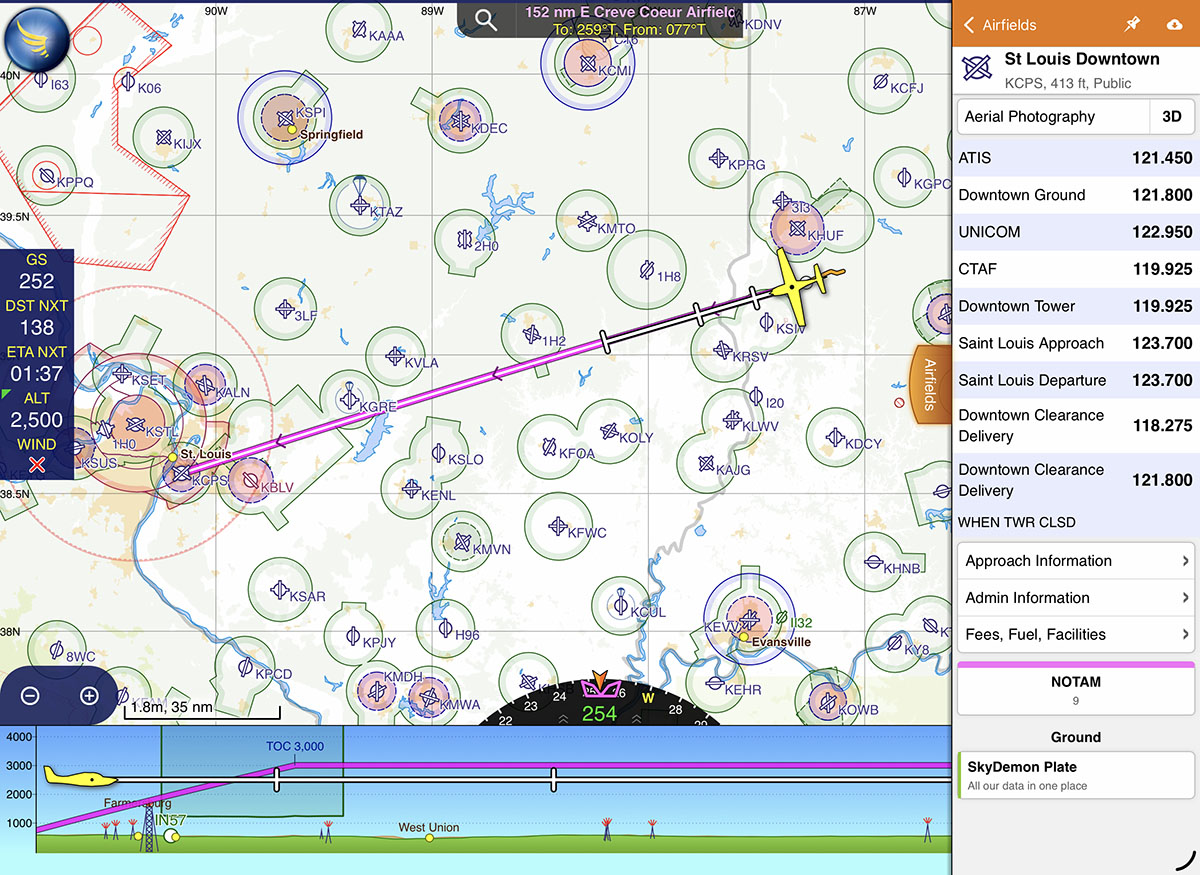
Once you’ve completed your planning process, it’s time to go flying. As you might guess, simply tap the Go Flying button in the top right corner to put SkyDemon into in-flight mode. This will use either the iPad’s location services or a GDL 90-compatible device (like a Stratus) to drive en route navigation and terrain alerting.
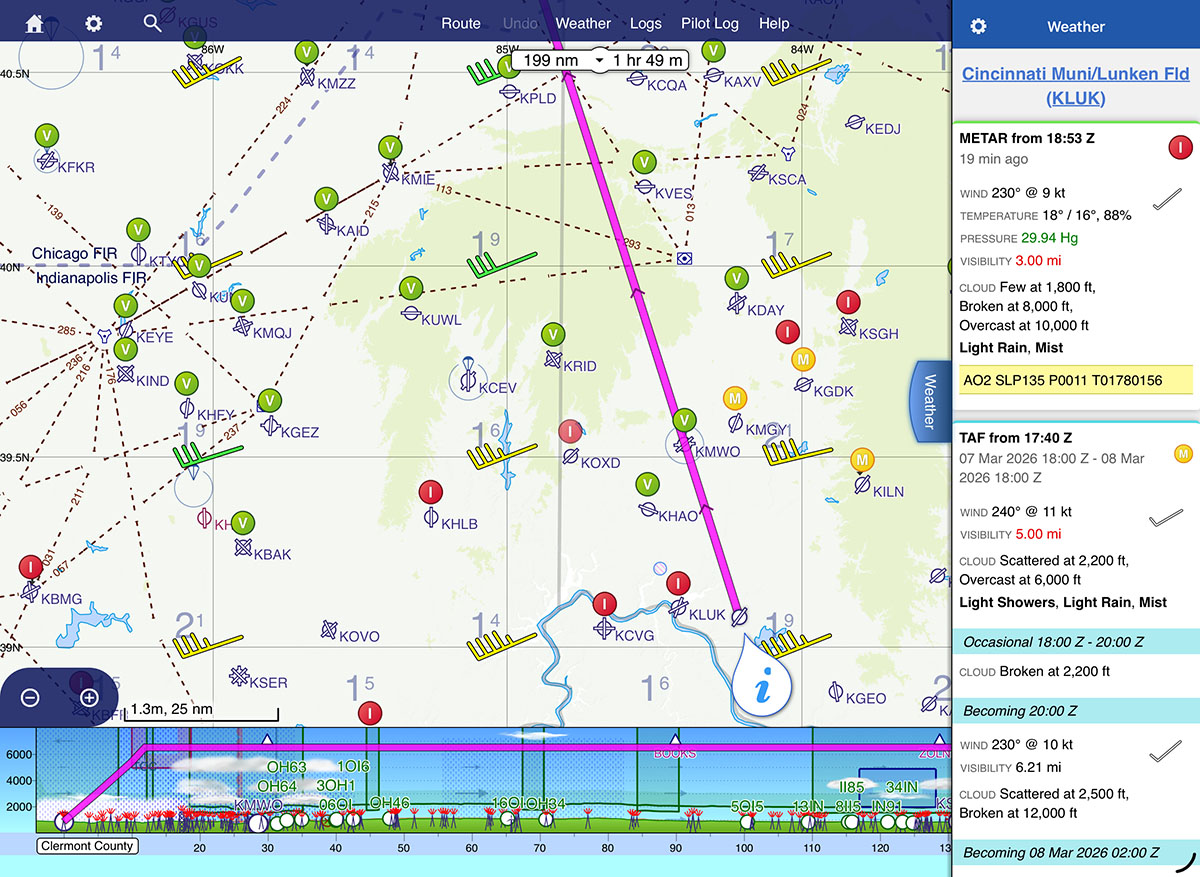
One difference compared to apps like ForeFlight and Garmin Pilot is that SkyDemon keeps you on the main map page at all time. For additional information, tap on one of the colored tabs on right side of the screen (NOTAM, Weather, Airfields, Radio) to get a pop-over with additional information. This took a little getting used to but is quite convenient once you know what to expect: METARs and TAFs are translated into plain English with color-coded sections, airport information is well organized, and it’s easy to quickly check a piece of information without losing your main map view.
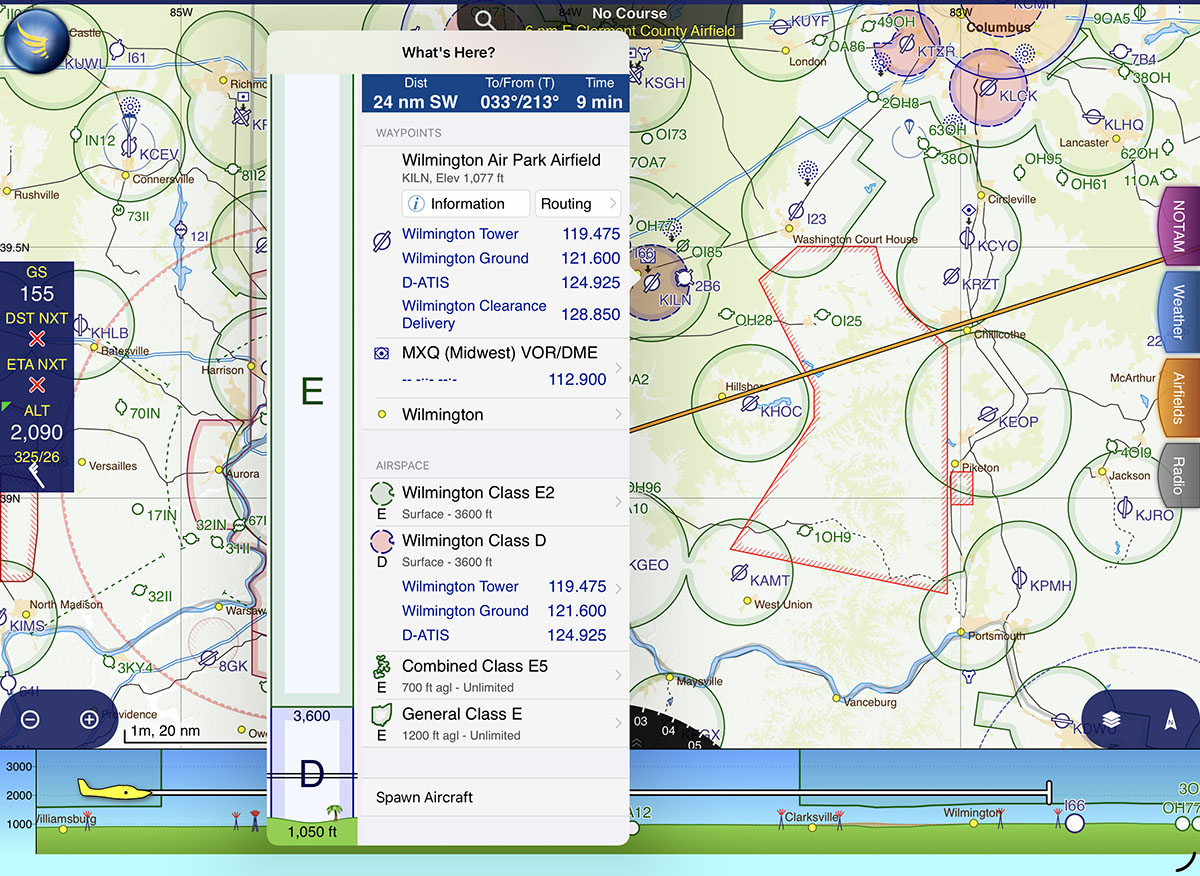
Like most other EFB apps, you can tap anywhere on the map for more information—what SkyDemon calls the “What’s Here?” menu. In addition to airport information, this shows airspace (with a nice visualization of the altitudes), frequencies, and ground elevation.
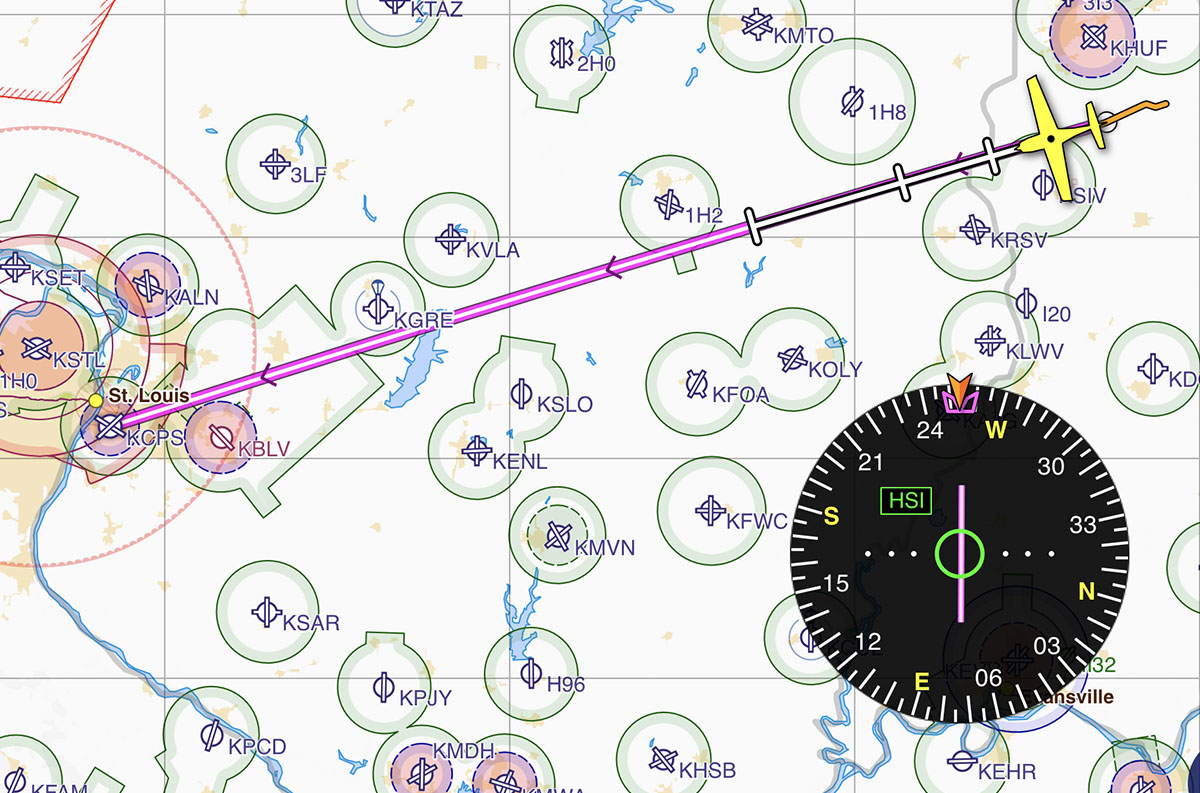
Other familiar options are here too, including rubber band flight planning and an HSI, which is usually nested at the bottom of the map but can be dragged out onto the map to view it full size.
Looking for a Direct-to or NRST button? Just tap and hold the SkyDemon logo at the top left corner for a list of nearby airports, to search for an airport, or to enter a fix directly.
Limitations
The list of features above includes all the essentials for planning and flying a VFR-only flight in a light airplane, and we believe any pilot can figure out the user interface in about five minutes. But with that simplicity comes some significant limitations. For a start, you can forget about IFR flying with SkyDemon. It does have approach plates and Chart Supplement data from the FAA, but you can’t file IFR flight plans (VFR ones are OK), you can’t load instrument procedures in the route, and there are no data-driven approach plates like Garmin’s SmartCharts. On a related note, high altitude pilots should also steer clear since the app is not designed to work in the flight levels (where IFR is required), and essentially is capped at FL195.
Weather products are also very limited in the US (at least for now). SkyDemon has a unique “Flyable Conditions” layer that graphically shows where marginal or IFR weather is, but this is not available in the US. Likewise, you won’t find graphical icing forecasts, prog charts, or many of the other weather products pilots consult on a regular basis. Some of these may come to the app in the future, but at this time the list of weather products is barely adequate to plan a flight. We’d like to see more options for radar, satellite, and graphical forecasts.
Connectivity with external devices is a little less limited, although the list of compatible avionics is not nearly as long as you’d find with Garmin or ForeFlight. SkyDemon works with Avidyne IFD, Dynon SkyView, and GDL 90 compatible devices, typically for position data and flight plan sharing. This is enabled from the settings menu at the top left of the screen.
Are these limitations a deal-breaker? It really depends on the type of flying you do and what your personal preferences are. For a pilot in an LSA, SkyDemon might be the perfect mix of simplicity and essential features; for a pilot in a Cirrus it might be woefully inadequate. Apps, like airplanes, are not one-size-fits-all.
There is one other positive: price. SkyDemon is offers only one subscription level, so there are no add-ons or upgrades required to access all the features mentioned above. It’s $139/year which is very competitive with the lowest prices for Garmin Pilot or ForeFlight. Even more interesting, SkyDemon offers a monthly subscription for just $15. That might be the perfect option for seasonal pilots who want to turn their subscription on and off.
Learn more at SkyDemon’s website.

- SkyDemon offers simple, VFR-only app experience—is it enough for US pilots? - March 24, 2026
- How to Improve Your iPad’s Battery Life - February 19, 2026
- Do I really need to use Airplane Mode on my iPad or iPhone Pilot? - December 31, 2025


Leave a Reply
Want to join the discussion?Feel free to contribute!